New features and product updates

Learn about our latest product news, updates and enhancements to get the most out of our products and features, to accelerate your accounting digital transformation.

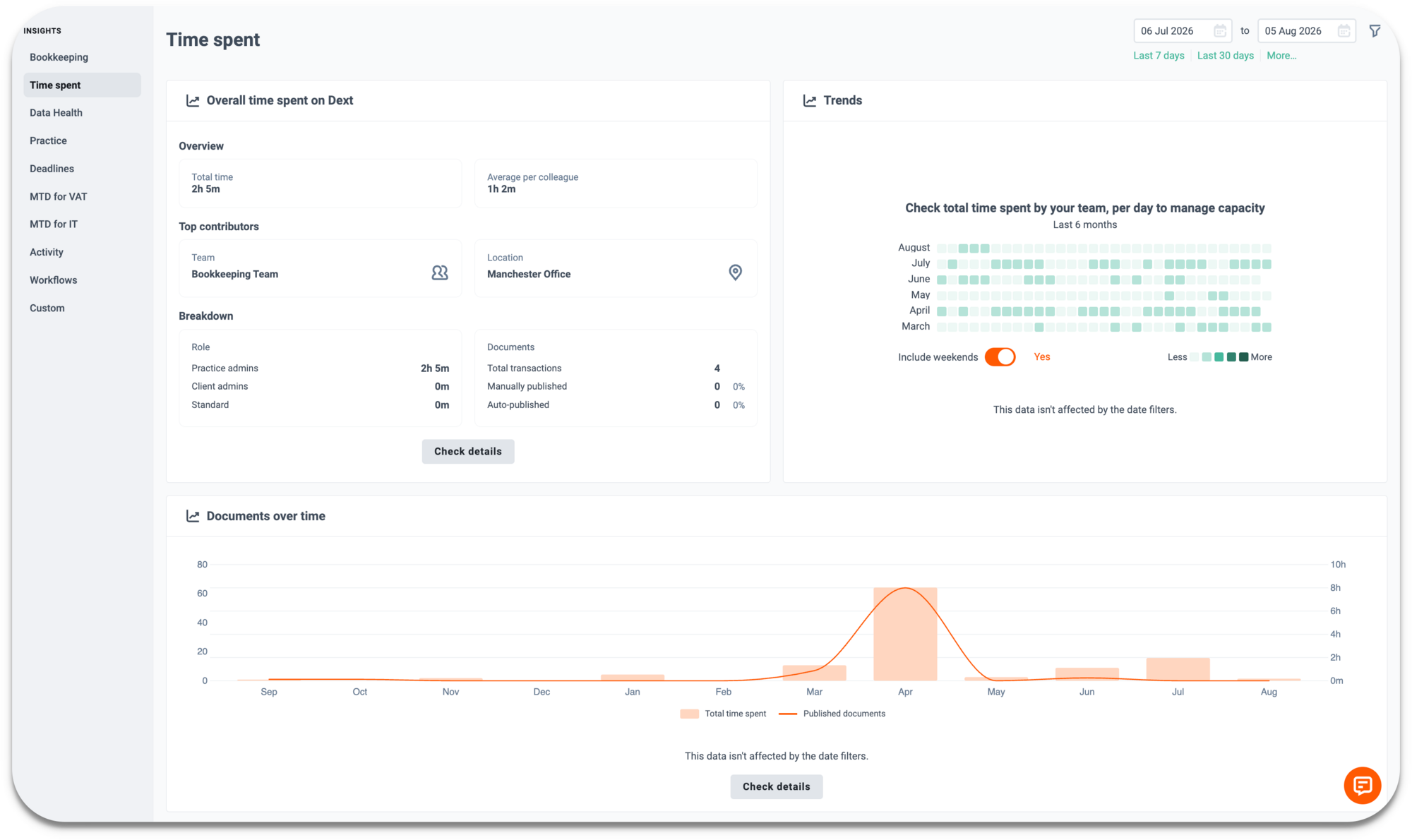
Time Spent Dashboard: Documents vs. Time
Data Health & Insights
Reporting

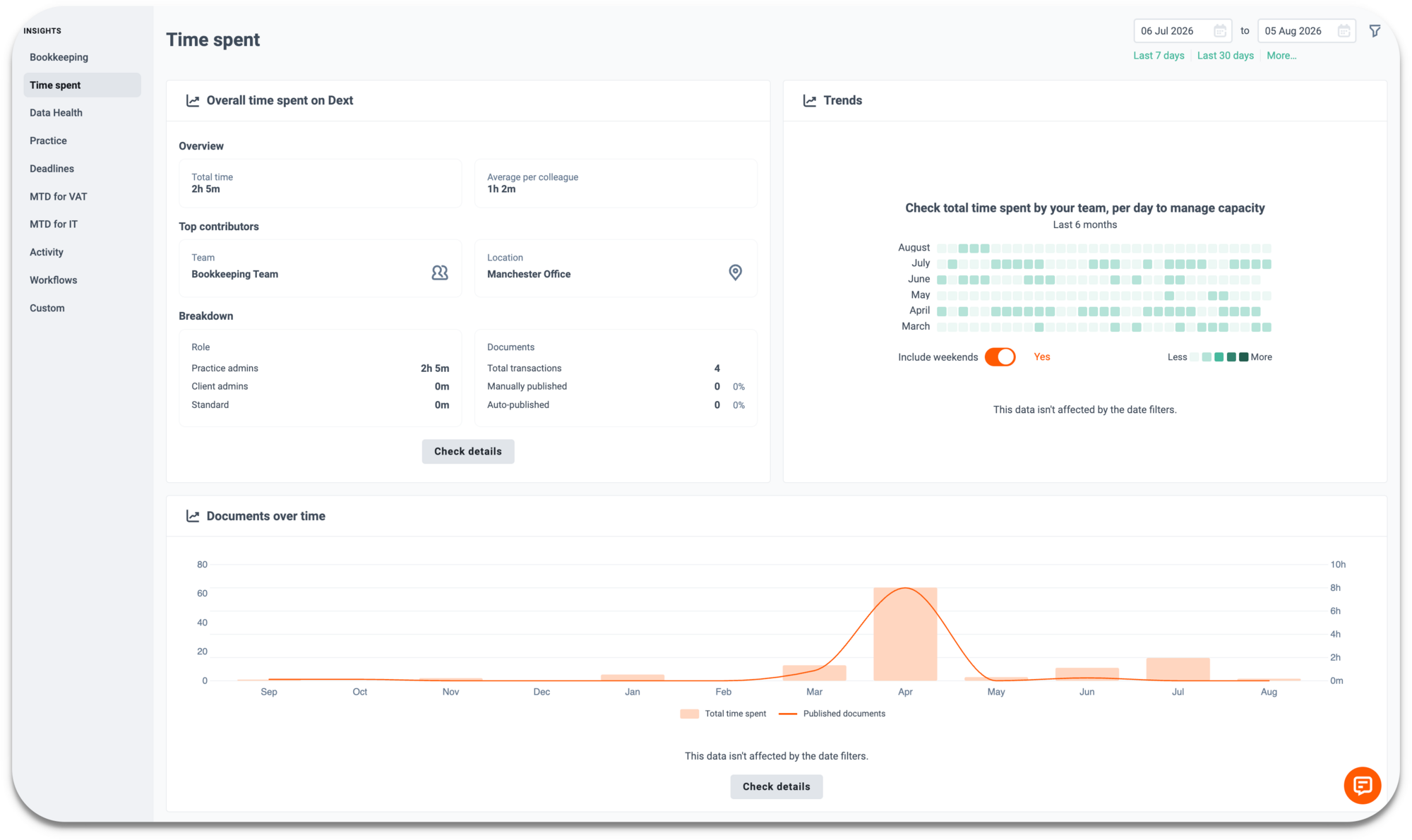
A new Documents vs. Time view in the Time Spent feature lets you compare the volume of documents published with the amount of time it took, at practice, client, and individual level.

Included in Dext Advanced plans.

What's new?

  • Documents vs. Time view on the Time Spent dashboard, at practice, client, and individual level
  • Trend chart on each client profile, tracking documents and time together by month

How does it help?

  • Compare time spent with documents processed per client
  • Spot inefficiencies and workload imbalances
  • Better understand team performance


August 2026
Bank Feed reconnection & UX improvements
Bank Feed
Automation

Your matches, categorisations and rules now stay put even if a bank feed expires.

How does it help?

  • It’s now 90 days before a feed disconnects, up from 60 days
  • When a feed expires transactions and categorisations are retained, reconnecting pulls in only new transactions and keeps your existing rules, matches and codings
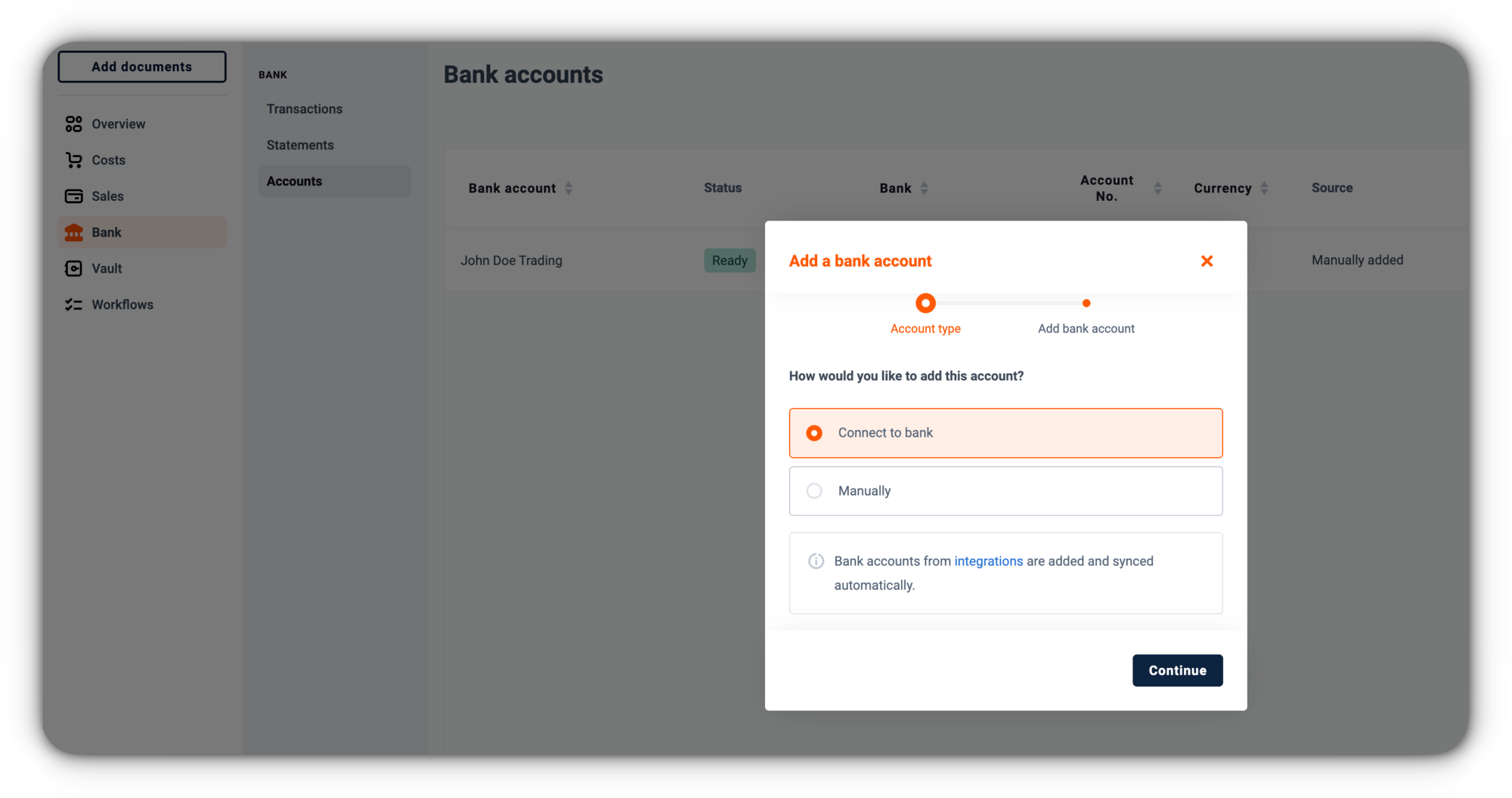
  • Reconnecting the same bank after a drop links back to your existing account instead of creating a duplicate


July 2026
Publish/Archive Delay Check — Client List
Reporting

See how quickly your team processes documents once they land in Dext, alongside how quickly clients submit them.

What's new?

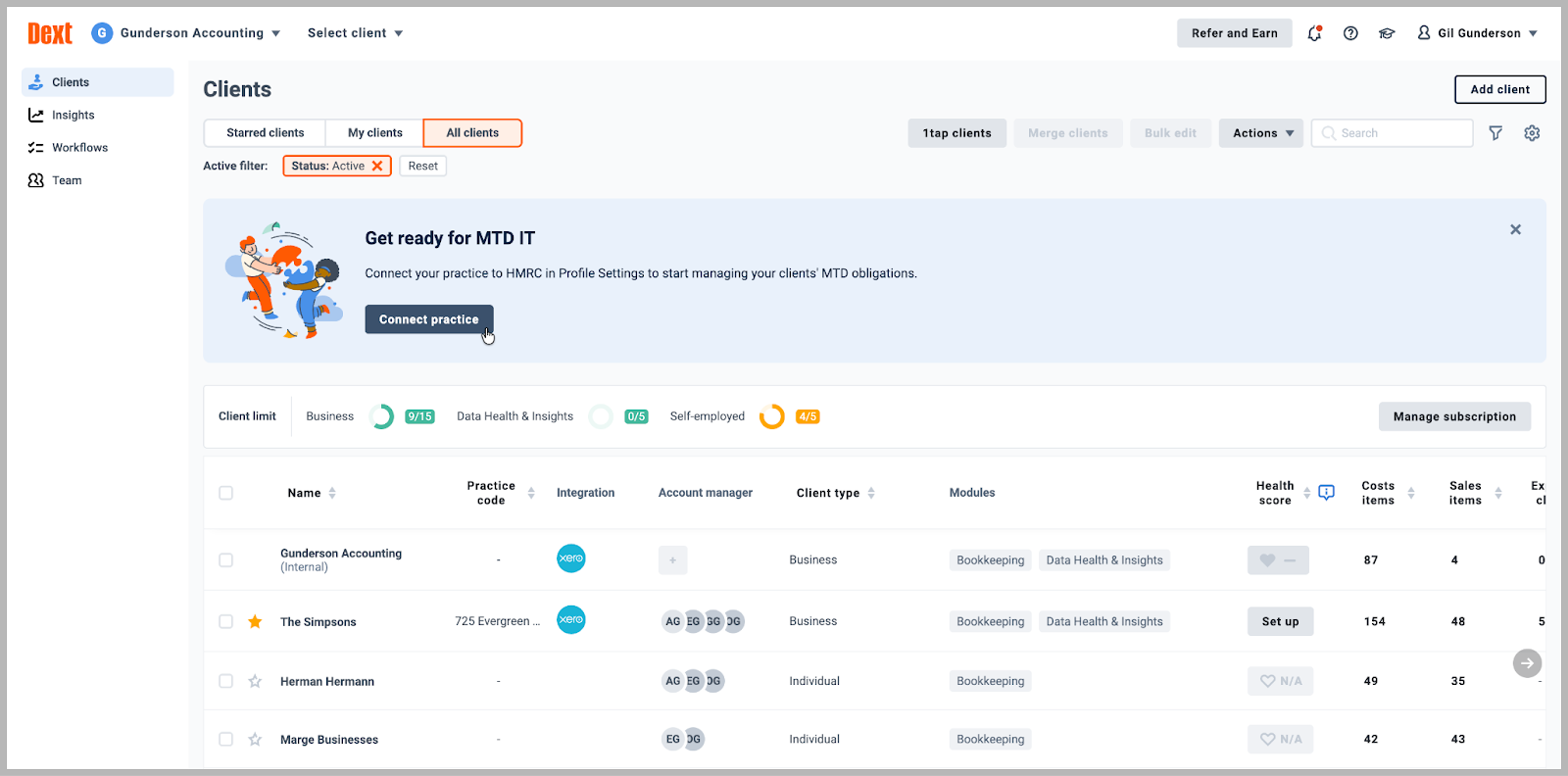
  • A new Publish/Archive Delay column on your client list, next to Item Delay
  • Shows the average days from upload to publish or archive, based on the last 30 days
  • Click the days count to jump straight to that client's archive

How does it help?

  • Item Delay shows how long clients take to submit documents, Publish/Archive Delay shows how long your team takes to process them
  • Spot the difference between a client-side delay and an internal one
  • Together, the two numbers show exactly where a backlog is building, so you can act on it early


July 2026
Dext Solo: “To review” status update
HMRC
Tax
Solo

"To review" now catches every gap that matters for HMRC reporting, so "Ready" always means ready.

How does it help?

  • Items marked as paid on cash accounting, with a missing date, amount, currency, or type are now held in "To review" until complete
  • Existing "to review" rules stay the same, just extended
  • "Ready" now reliably means complete and correct for HMRC


July 2026
Approvals: Ad-hoc Requests
Approval
Expenses
Automation

You can now request approval on costs, sales items, and expense claims at any time, without a structured Approval Workflow in place first.

What's new?

  • Send items for approval on an ad-hoc basis when needed; where an existing workflow applies, it takes precedence
  • Select one or multiple items to send for approval, easily combing a mix of both ad-hoc and workflow based requests


July 2026
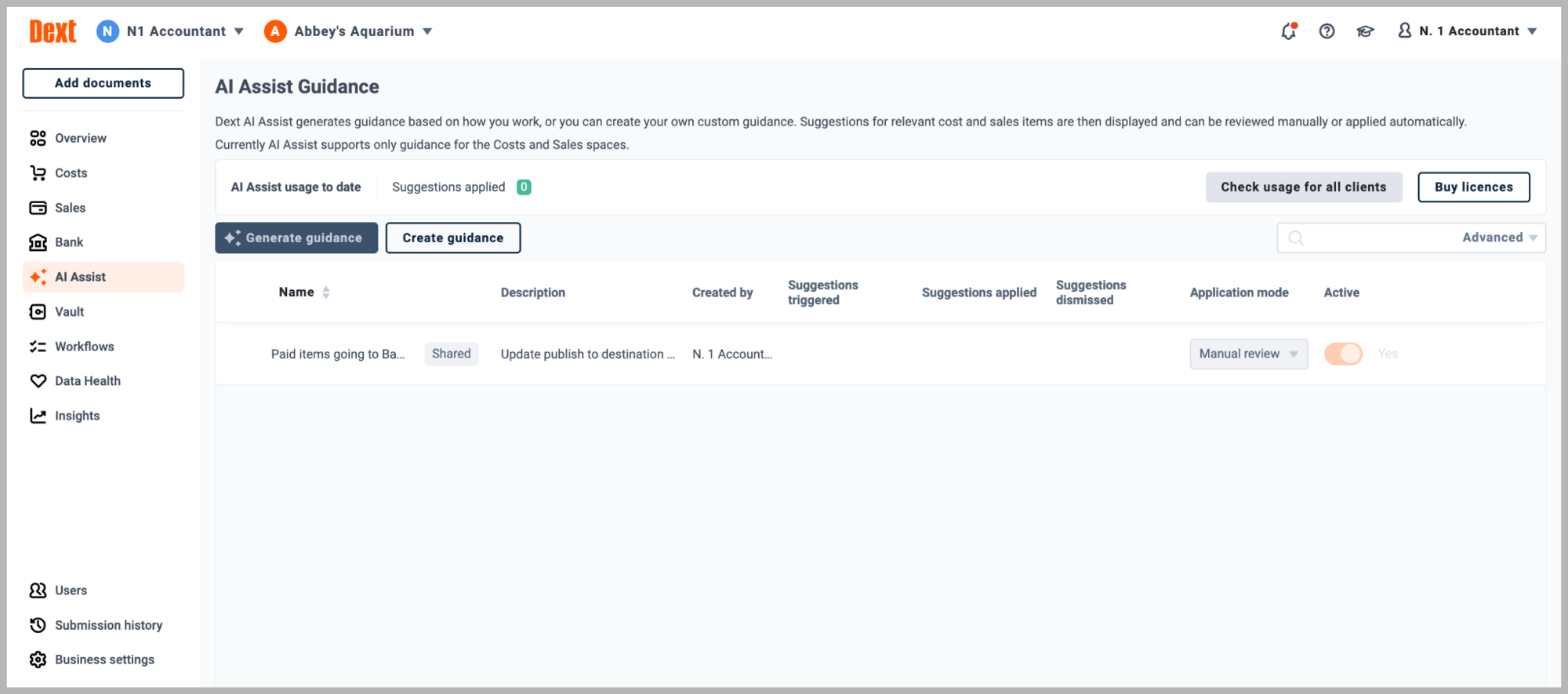
AI Assist has a new home
AI

AI Assist now sits directly in your main navigation, alongside core guidance, shared guidance, and usage insights, so everything lives in one place.

What's new?

  • AI Assist moves from settings into the main sidebar
  • Core guidance, shared guidance, and usage now sit together under one section

How does it help?

  • Manage guidance and view usage for a client directly from the sidebar
  • No more switching between settings and separate screens
  • Everything AI Assist related in one consistent place


July 2026
Track and re-download your past exports
Exports
Reporting

A new Exports space gives you a full history of everything exported from your account, including who ran each export and when.

What's new?

  • View a log of all exports from your account
  • Re-download any export up to one month after it was originally generated

How does it help?

  • Self-serve access to past exports, without needing to contact support
  • Greater visibility into how and when data leaves your account


July 2026
Dext Solo: Add units of measurement to invoice line items
Invoices
Solo

You can now add a unit of measurement to line items when creating a sales invoice, giving your customers clearer, more detailed documents.

What's new?

  • Select a unit of measurement alongside the quantity for each line item
  • Control which units are available from invoice settings, and set defaults per product or service

How does it help?

  • Adds context to line items beyond quantity alone

Dext Solo is available to Dext partners in the UK only.


July 2026
See which clients are using which Dext modules
Reporting

You can now filter the View client usage export by product module, so you can see exactly which clients have access to which parts of Dext.

How does it help?

  • Pull a filtered CSV by module to bill or on-charge clients more accurately and efficiently


July 2026
Dext AI Assist: Support for Line Items
AI
Line Item Extraction
Automation

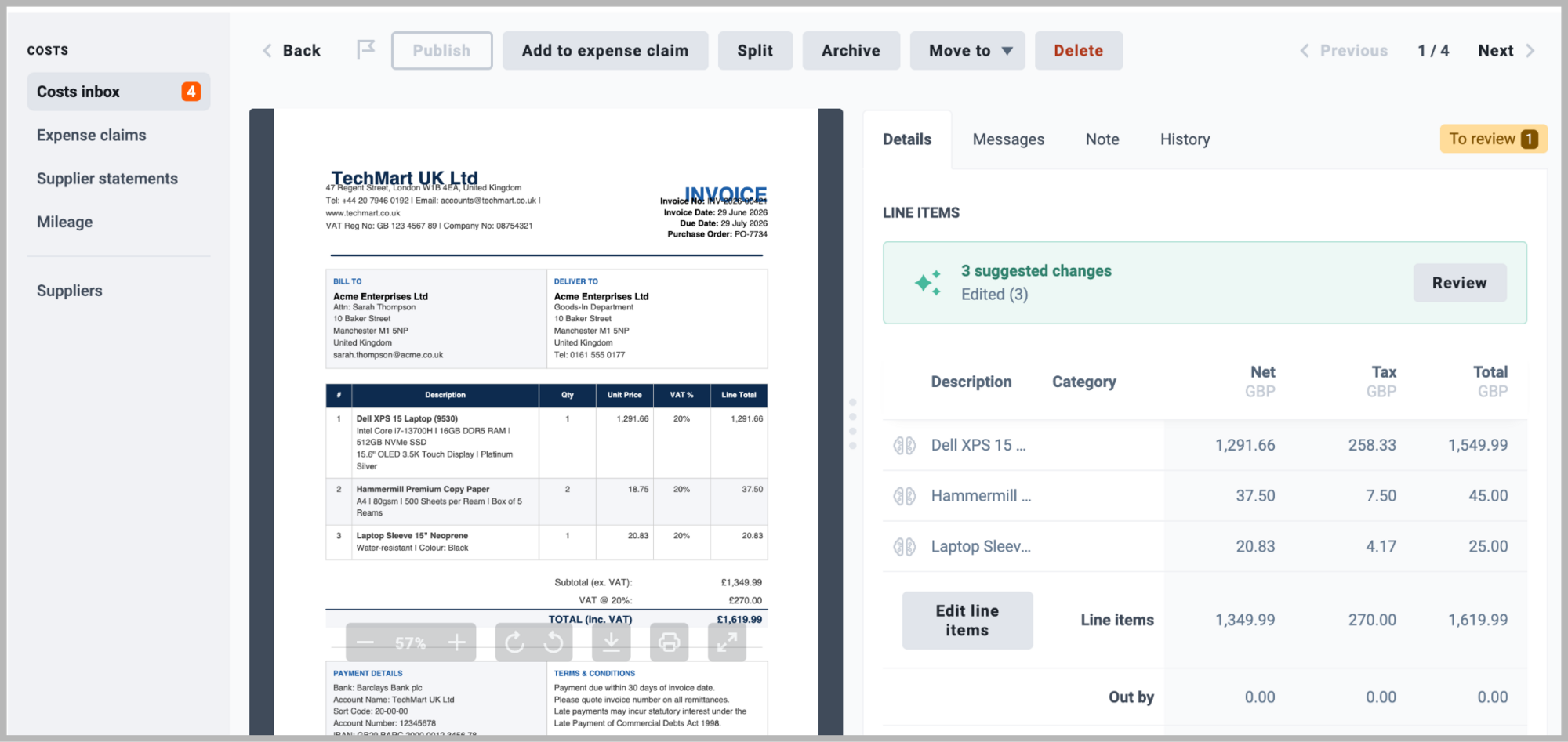
AI Assist now supports line items, so you can create, update, and group line items automatically based on your guidance, without manual editing. Less repetitive data entry, greater consistency, and faster document processing.

What's new?

  • Working with Dext's Line Item Extraction feature, AI Assist can now automatically create, update, merge and split line items on receipts and invoices based on your guidance
  • Update line item details automatically, including description, amount, tax, quantity, category, customer, project, property, and income source
  • Group or ungroup line items based on criteria you define — for example, group all fuel line items from a receipt and categorise them separately from food items

How does it help?

  • Automate line item handling across complex invoices and receipts
  • Spend less time on manual edits and more time on higher-value work
  • Process documents faster, even when they contain multiple line items with different categorisation needs

Line Item Extraction must be enabled to use these features. You can purchase a LIX bundle from the Subscription area of your account.

July 2026
Dext Solo: Manage Multiple Agent Accounts
HMRC
MTD
Solo

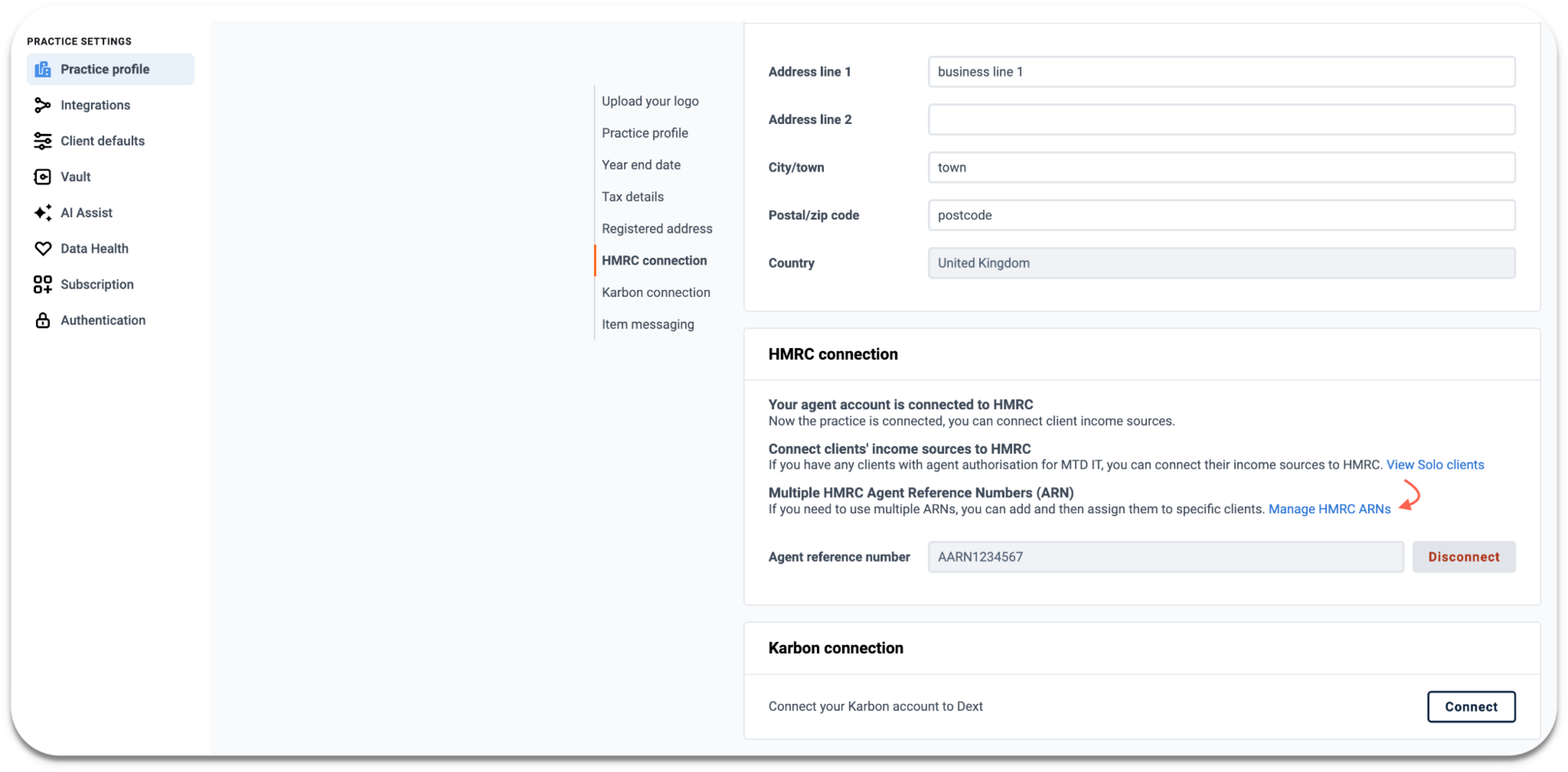
Practices operating with more than one HMRC Agent Reference Number (ARN) can now connect and manage all their ARNs in Solo, assigning them to clients individually, in bulk, or by inheriting the practice default. No consolidation needed before setting up MTD IT.

Dext Solo is available to Dext partners in the UK only.


July 2026
Jointly Let Properties: Co-owner Submission Support
HMRC
Solo

Co-owners of jointly let properties can now import their share of property income and expenses directly into their HMRC submission, completing the full Jointly Let Properties workflow end to end.

June 2026
Dext Solo: Apply bank rules across multiple accounts
Bank rules
Solo

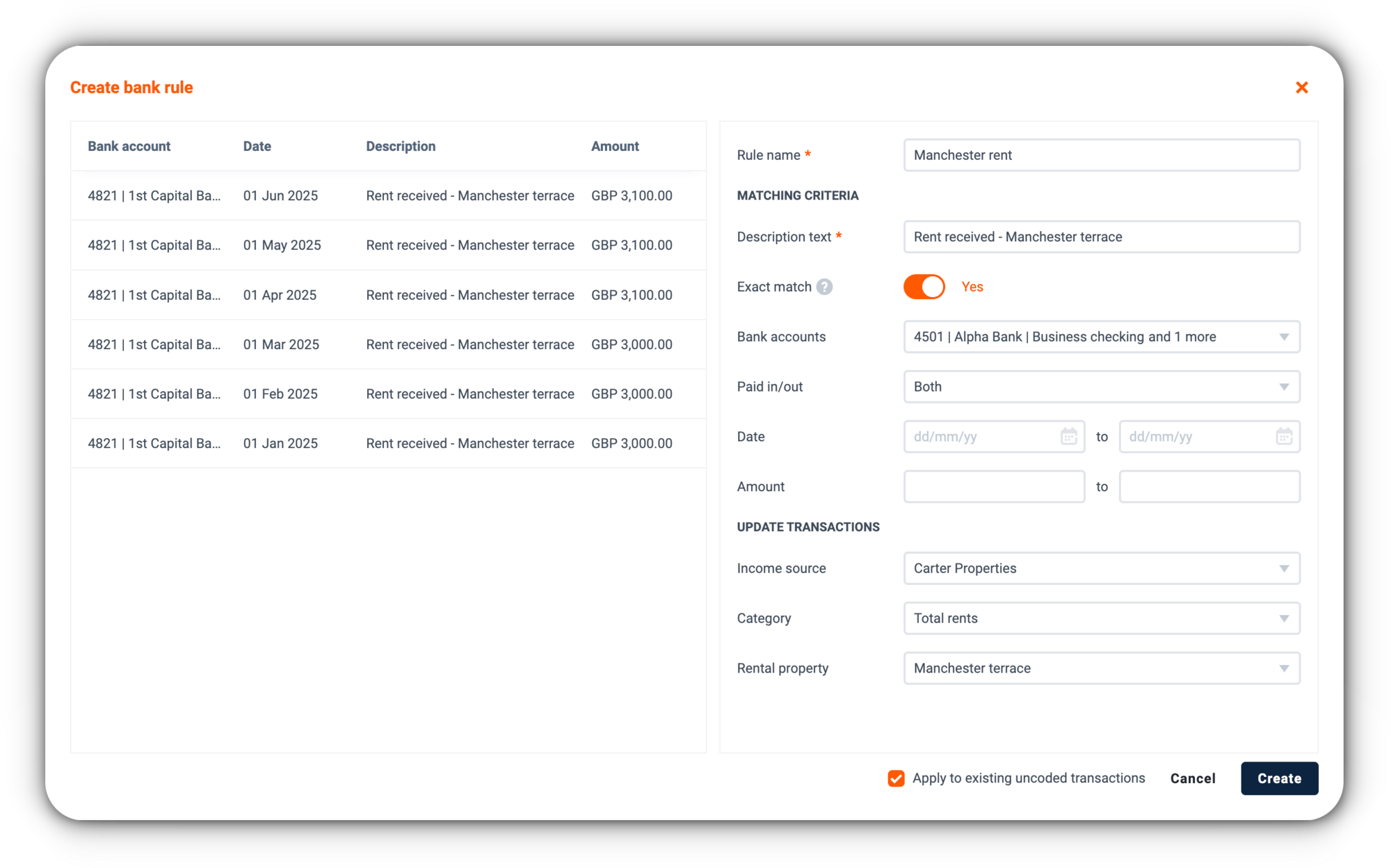
Bank rules can now be assigned to one account, multiple accounts, or set to apply globally. One rule does the job across all the accounts it applies to.

What's new?

  • Multi-select in Matching criteria lets you assign a rule to one or more accounts, or leave it unassigned to apply it globally
  • All rules now appear in a single view, with a bank accounts column showing where each applies
  • The option to apply a rule to existing uncoded transactions is now available directly when you save

How does it help?

  • No more creating identical rules for each bank account separately
  • Your existing rules stay as they are, applying to the accounts they were set up for


June 2026
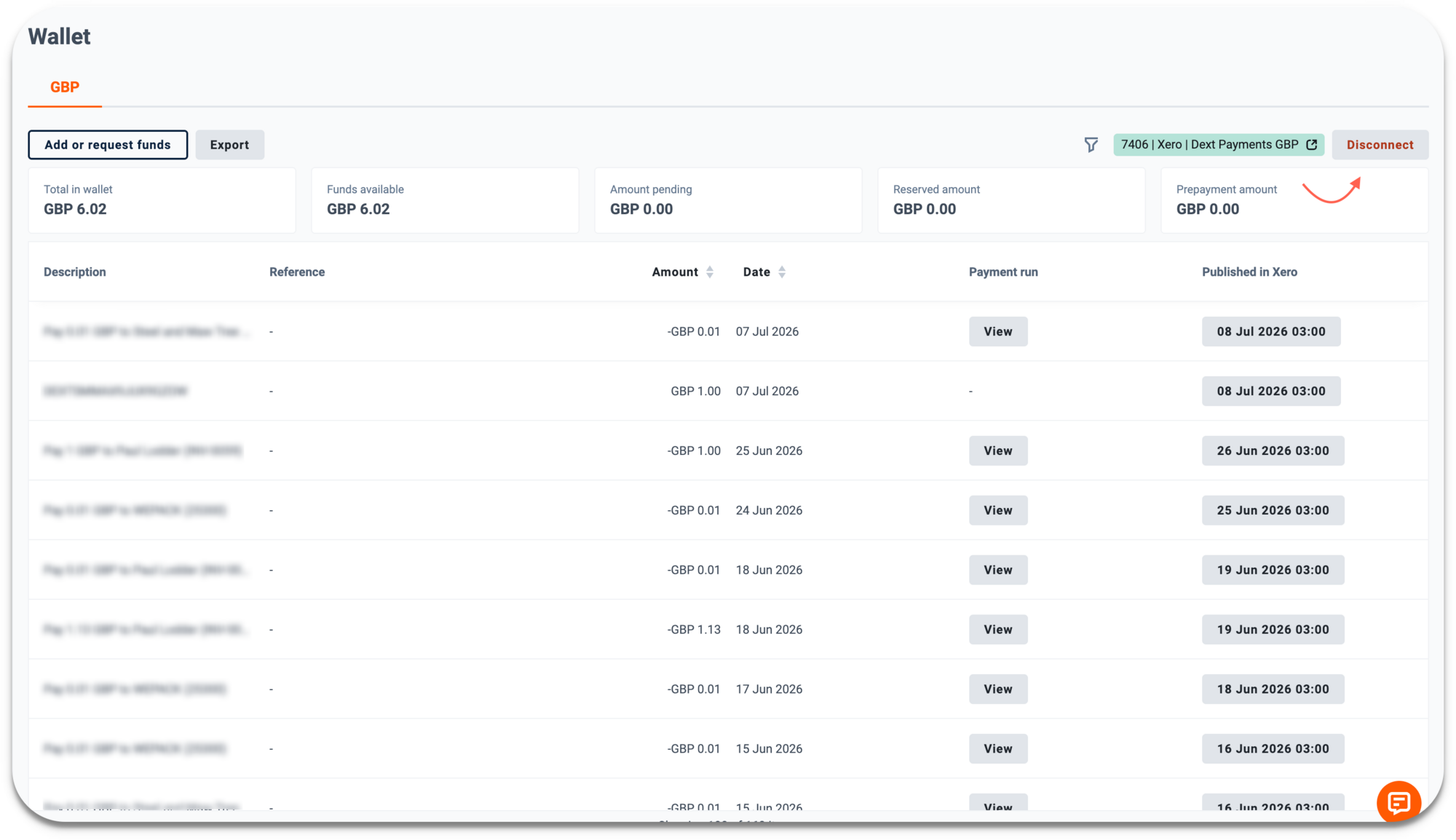
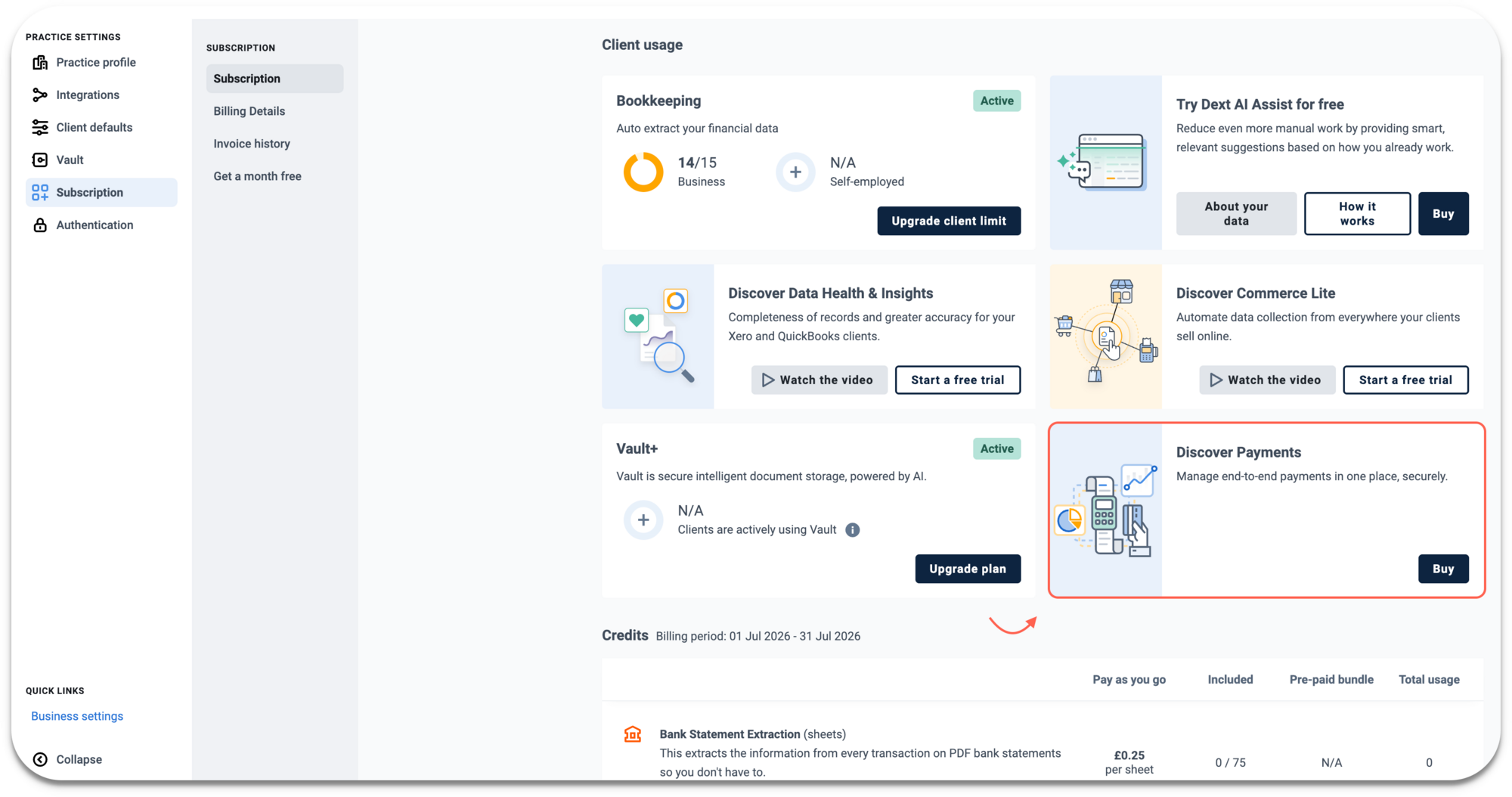
Dext Payments: Fund Wallet with Open Banking
Payments
Open Banking
Xero

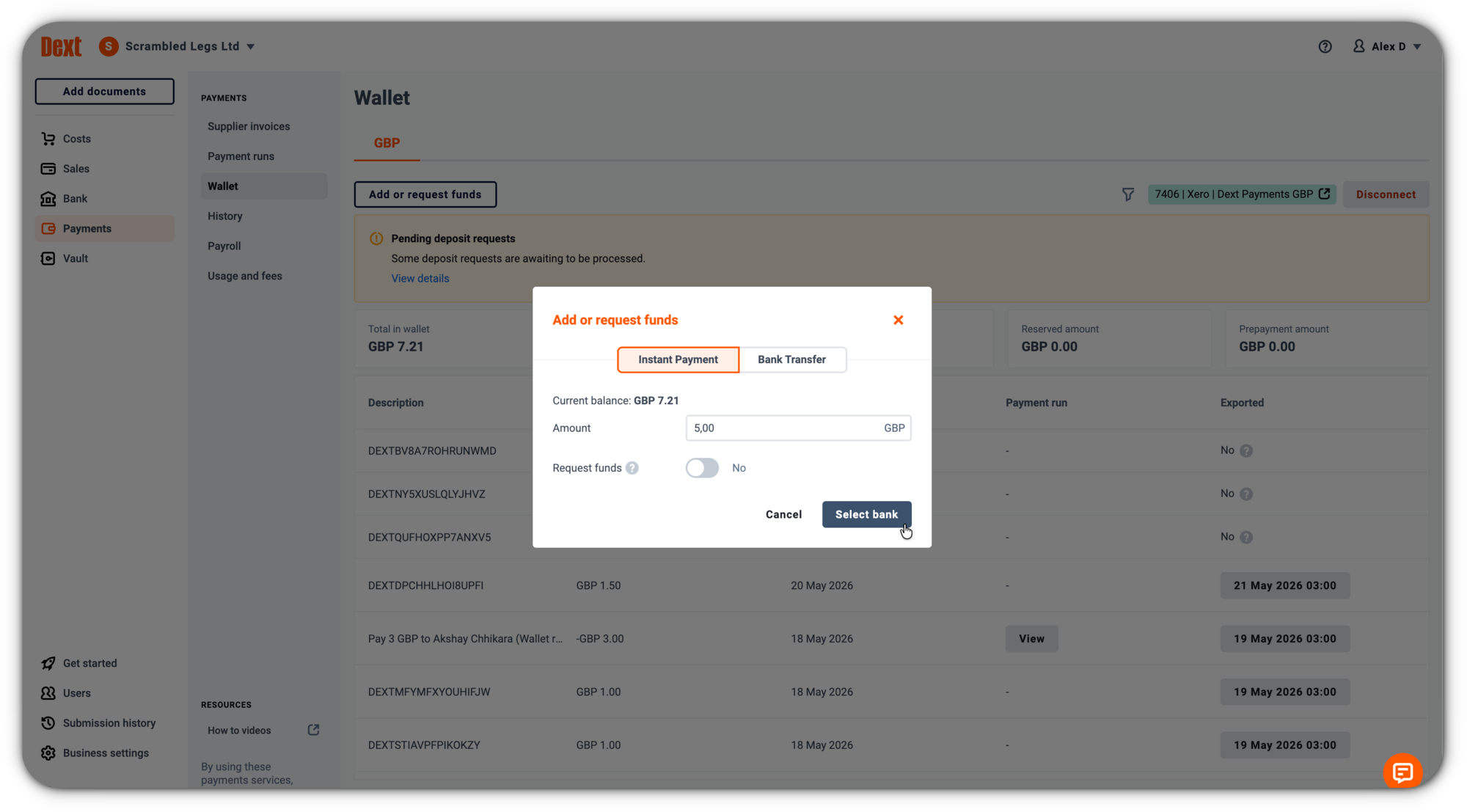
You can now easily top up your Dext Wallet directly within Dext Payments using Open Banking, on desktop and mobile.

How does it help?

  • No need to switch to your banking app or manually copy wallet details to initiate a transfer
  • Faster, more reliable wallet funding for you and your clients

Dext Payments is currently available to UK customers using Xero.


June 2026
Vault Cloud Sync
Vault

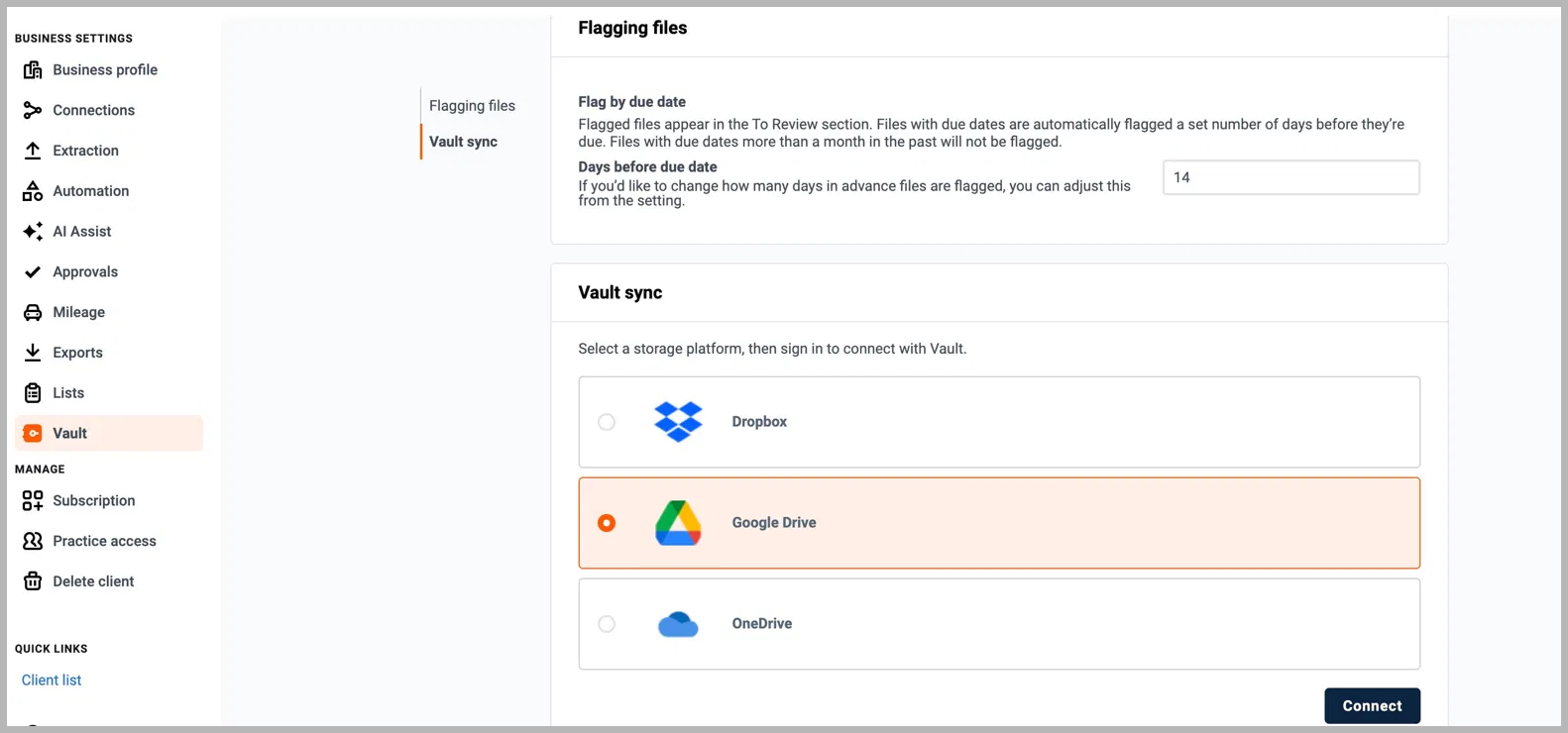
Vault now connects directly to your existing cloud storage. Link your Dropbox, Google Drive, or OneDrive account and your documents stay in sync automatically, in both directions, without manual uploads or migration.

What’s new?

  • Connect your cloud storage provider via Business settings → Vault 
  • Files from your cloud storage appear in Vault automatically, and files added to Vault sync back to your connected storage
  • Renames, moves, and deletes sync across both systems
  • Folder structure and file names are preserved throughout

How does it help?

  • No more choosing between your existing cloud storage and Vault, or managing duplicates across both
  • Your documents are always up to date, wherever you work from
  • Sync resumes safely if interrupted, with no skipped or duplicated files


June 2026
Sign up with Microsoft (SSO)
Authentication
SSO
Sign-up

You can now sign up to Dext using your Microsoft account, whether you're creating a new account or accepting an invitation. Once set up, the same Microsoft login is available every time you sign in.

How does it help?

  • No password to create or remember, just continue with your existing Microsoft credentials
  • Consistent, quick login across devices from day one

Note: This is separate from Microsoft Entra ID SSO, which is an enterprise authentication solution enabled by account Admins. If your organisation uses Entra ID, your existing setup is unaffected.


June 2026
Include approval history when publishing to QBO
QBO
Approval

When you publish approved documents to QuickBooks Online, the approval history now comes with them. Each published item includes a PDF showing who approved it, when, and at which stage.

How does it help?

  • Full traceability from Dext to your general ledger
  • Useful for teams with approval workflows who need a clear audit trail alongside published documents


May 2026
Approvals: Edit the project field during review
Approval
Permissions

Project fields are now available as an editable option when configuring approval workflows, giving approvers with edit permissions the ability to update the project assignment during review.

How does it help?

  • Set project as an editable field when building or updating your approval workflow
  • Keeps project data accurate without needing to handle it outside the approval process


May 2026
Approvals: Customise your column view
Approvals

You can now choose which columns are visible in your approvals list, making it easier to focus on what matters most to your review process.

How does it help?

  • Show or hide columns to match how your team works
  • Keep your approvals view clean as more information and options become available over time


May 2026
Dext Solo: HMRC Submission History
HMRC
Approvals
Reporting

Your HMRC submission history now shows who filed each quarterly update, whether that was a practice member or the client themselves.

How does it help?

  • Clear record of every submission, including who submitted and when
  • Easily distinguish between practice-led and client-led submissions across quarters, useful when reviewing fees against the service agreed

Dext Solo is available to Dext partners in the UK only.


May 2026
Dext Solo: HMRC Connection Prompt
HMRC
MTD
Solo

Clients set up for self-submission now see a prompt in their costs inbox to connect their Government Gateway account, so they're ready to submit when their quarterly window opens.

How does it help?

  • Automatically appears when a Government Gateway connection is missing or has dropped
  • Covers both first-time connection and reconnection, so clients can act straight away
  • Dext Solo is available to Dext  partners in the UK only.


May 2026
Dext Solo: Accept suggested bank matches in bulk
Bank Feed
Automation
Solo

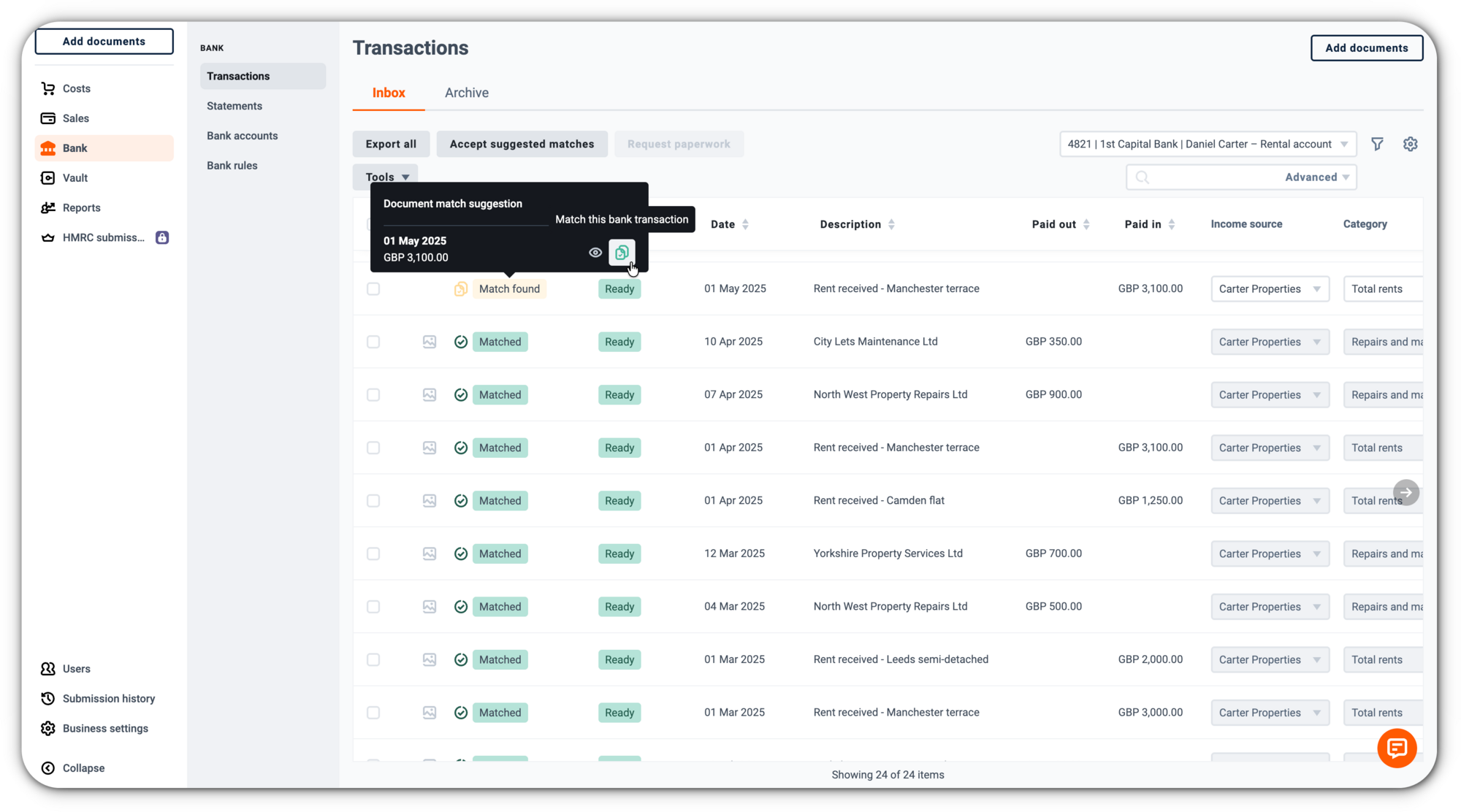
You can now accept eligible bank match suggestions with a single Accept suggested matches button from the bank transactions view, rather than one at a time.

How does it help?

  • Clears straightforward matches faster with less repetitive admin
  • Bulk acceptance applies only to transactions with a single one-to-one match; anything that needs a closer look still goes through individual review

Available to Dext Solo users in the UK.


May 2026
Dext Solo: Update quarterly period type and accounting method in Dext
Solo
HMRC
MTD
Tax

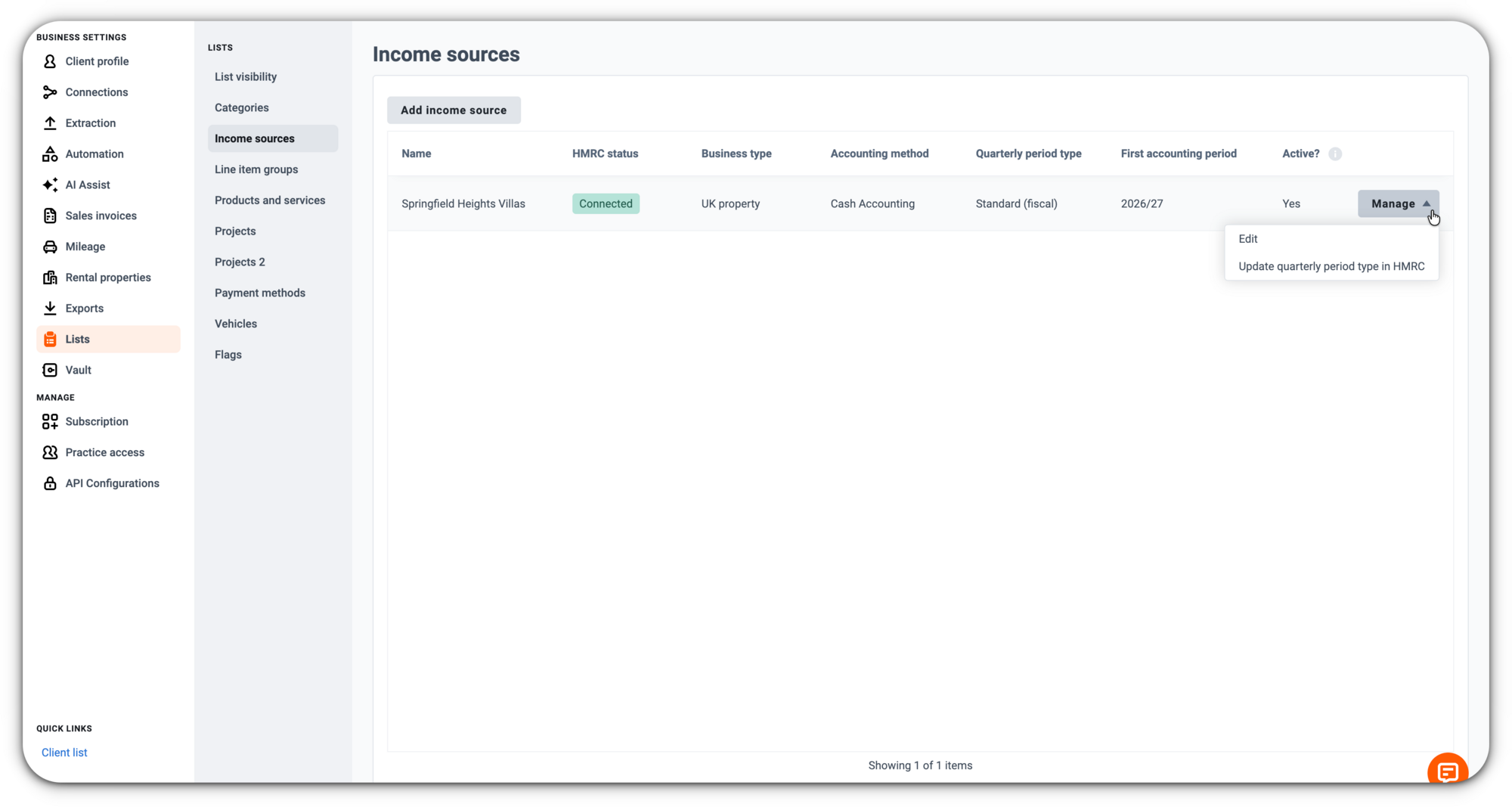
You can now update the quarterly period type and accounting method for HMRC-connected Solo income sources directly in Dext, and push those changes through to HMRC.

How does it help?

  • Manage MTD setup details in Dext after HMRC connection, without needing support to step in
  • Correct or adjust these settings before your first quarterly submission, matching the natural flow of MTD IT setup
  • After your first quarterly submission, both fields lock automatically to protect your reporting

Available to Dext Solo users in the UK.


May 2026
Dext AI Assist: Core Guidance
AI
Automation

With Core guidance, Dext AI Assist becomes even more powerful from day one. You get an instant starting point with ready-made, Dext-built guidance, ready to use and included in your Dext subscription.

What’s new?

  • A library of pre-configured guidance items, built and maintained by Dext, aligned to common business activities and regional compliance standards 
  • You choose which items to activate, which clients they apply to, and whether to auto-apply or surface as a suggestion each time for your review
  • Available in Practice settings > AI Assist > Core guidance

How does it help?

  • Get started with AI Assist instantly, no setup or manual configuration needed
  • Drive consistency across your client base with compliance-aligned automation
  • Stay in control, deciding which guidance applies where and how it behaves


May 2026
Solo support for client-led quarterly submissions
HMRC
MTD
Reporting

You can now give Solo clients the ability to submit their own quarterly updates to HMRC and access their Solo reports, giving your practice the flexibility to support every MTD service model.

How does it help?

  • Choose the right service model for each client, whether that's client-led submission, practice-led, or reports access only
  • Switch between client-led and practice-led submissions mid-year as a client's circumstances change
  • Retain practice oversight through your ARN (agent) connection, so you can step in to submit on a client's behalf near a deadline if needed


Available to UK Dext Solo users.

April 2026
Data Health client connections
Xero
Data Health & Insights

A new connection management page in Practice Settings makes it easy to see the connection status of your Data Health & Insights clients in one place and brings back bulk connection for Xero clients.

How does it help?

  • Quickly spot disconnected DH&I clients and jump straight to their connection settings to resolve issues
  • Bulk connect Xero clients by selecting them from your Xero login and matching them to existing Dext clients in a single flow
  • Save time managing connections across your client base


April 2026
History for repeating workflows
Workflows
History
Troubleshooting

You can now view a history page for each repeating workflow. This makes it easier to understand changes over time and investigate why workflows were created, skipped, reassigned, or updated.

How does it help?

  • Gives you more visibility into changes made to repeating workflows
  • Makes it easier to troubleshoot workflow creation, assignment, and settings changes


April 2026
Public charging support for EV mileage claims
Mileage
HMRC
Expenses

You can now choose whether an EV mileage claim used private or public charging when creating a claim. This adds support for HMRC’s public charging rate for UK company electric vehicles, while existing private charging support remains in place.

How does it help?

  • Gives you more flexibility when claiming mileage for company electric vehicles
  • Supports public and private charging in the same flow

Available to UK users.


April 2026
Solo: Foreign currency bank transactions in reports and submissions
Solo
Reporting
HMRC

Solo now includes transactions from non-GBP bank accounts in reports and HMRC submissions by converting them into GBP during report generation. 

How does it help?

  • Converts transactions into GBP using the exchange rate for the transaction date
  • Supports more complete reporting for clients with foreign currency bank accounts


April 2026
Dext Payments: Payroll payments
Payments
Payroll
Approval workflows

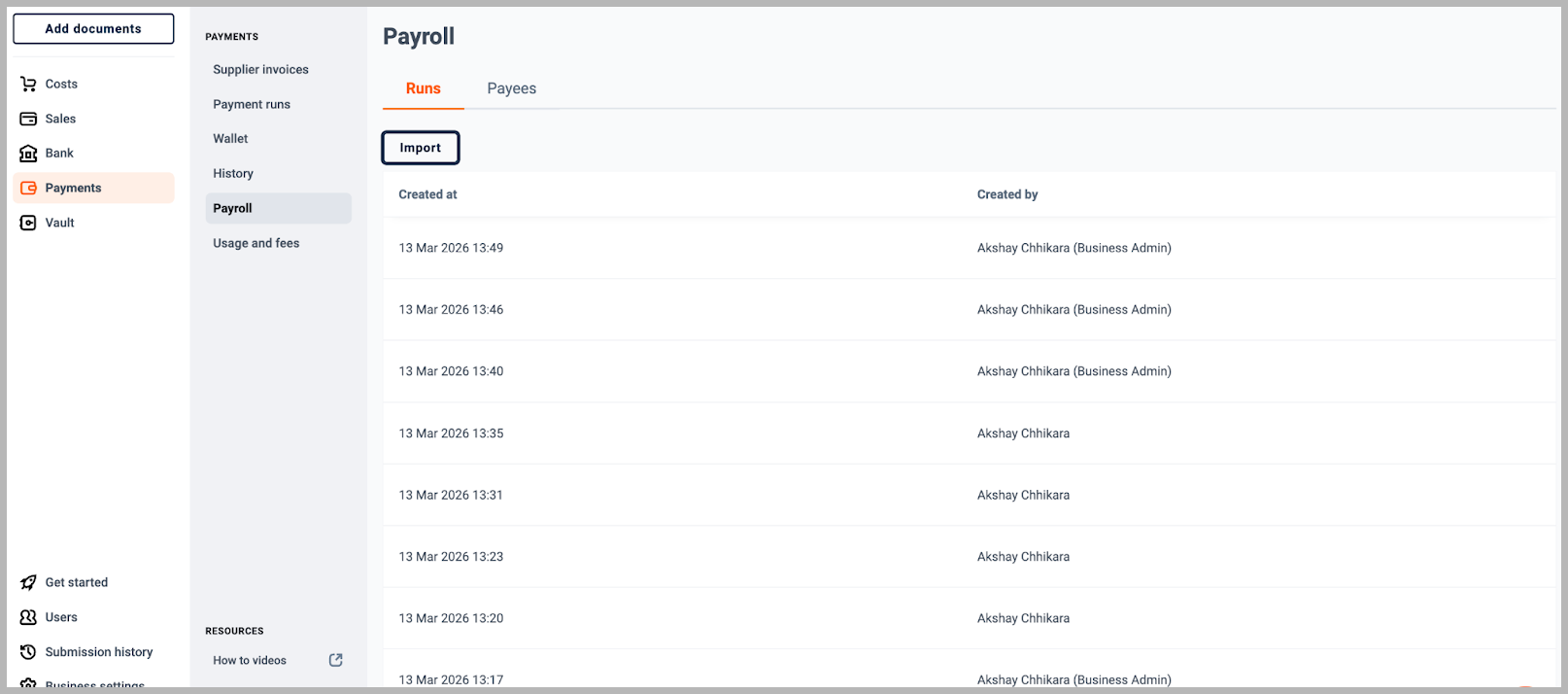
You can now pay employees from Dext by importing a payroll CSV file into Dext and creating a payment run. Dext validates the uploaded payment details, flags any records that need attention, and prepares payments for approval and processing.

What’s new?

  • Import payroll information using a compatible CSV file Uploaded records are checked and flagged if payment details need attention
  • Create payroll payment runs and send for  approval before processing

How does it help?

  • Brings payroll payments into a more standardised workflow in Dext
  • Helps your team review, approve, and process payroll pay runs with more control
  • Supports better visibility and a clearer audit trail across each payroll run

Dext Payments is currently available to UK customers using Xero.


April 2026
Sign up with Google (SSO)
Authentication
SSO
Sign-up

You can now use your Google account when creating a new Dext account or accepting an invitation to join one for the first time. This gives you a quicker way to get started without creating another password.

How does it help?

  • Makes sign-up and first-time account access quicker
  • Reduces the need to manage another password
  • Makes it easier to access Dext across devices


April 2026
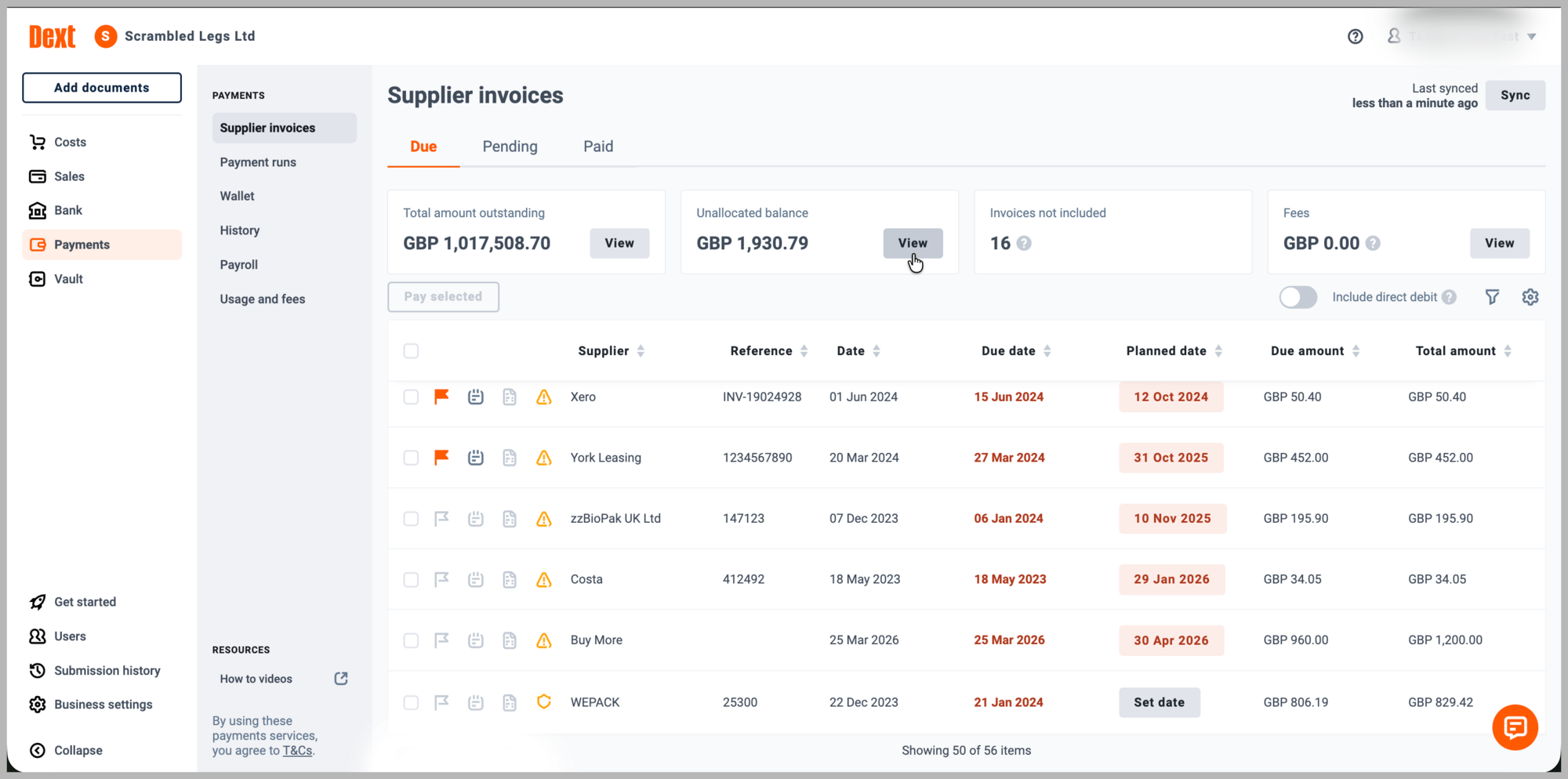
Dext Payments: Direct Debit filtering for supplier invoices
Payments
Supplier Invoices
Direct Debit
Xero

You can now filter out supplier invoices that are paid by Direct Debit in Dext Payments. These invoices are hidden by default when the setting is enabled, but can still be shown when needed.

What’s new?

  • Hide Direct Debit invoices from the supplier invoices list
  • Show them again from the supplier invoices screen when needed
  • Receive a warning if Direct Debit is enabled for a supplier with invoices already in progress

How does it help?

  • Keeps the supplier invoices list focused on invoices to be paid through Dext Payments
  • Helps reduce the risk of duplicate payments
  • Gives you clearer control over payment workflows

Dext Payments is currently available to UK customers using  Xero.


April 2026
Dext Payments: Credit note application to invoices
Payments
Supplier Invoices
Xero

You can now apply unallocated balances, including credit notes, to supplier invoices during a payment run in Dext Payments. This helps make sure you pay the correct amount before payment is completed.

What’s new?

  • Apply credit notes to supplier invoices during a payment run
  • Allocate either full or partial amounts
  • See the payment amount update once the allocation is applied

How does it help?

  • Helps prevent supplier overpayments
  • Reduces manual follow-up, such as refund chasing
  • Supports better cash flow control and more accurate records

Dext Payments is currently available to UK customers using  Xero.


April 2026
Expense claim UI improvements
Expense Claims
Workflow
Permissions

We’ve made a series of small UI improvements to expense claims to make them clearer and easier to use.

What’s new?

  • Updated empty states for expense claims and the cost inbox
  • Added the expense claim description to generated PDFs
  • Defaulted the expense claim name to the current logged in user
  • Added a collapsible side panel when viewing expense claims
  • Hidden publishing fields for people without publishing permissions
  • Improved loading and error message wording

How does it help?

  • Makes expense claims feature easier to understand and manage
  • Creates a clearer, less cluttered experience
  • Improves visibility of key information


March 2026
Time Spent Dashboard
Data Health & Insights
Practice Management
Practice Productivity

Time Spent gives partners clearer visibility into how their team uses Dext across clients, helping them understand effort, spot workload patterns and support pricing or process decisions with real data. 

Included in Dext Advanced plans.

What’s new?

  • See overall time spent in Dext, including total time, average per colleague, most active team and most active location
  • Spot workload patterns through trend views and drill down further into client and colleague activity
  • Use filters such as date range, account manager, team and location to focus on the right area of work

How does it help?

  • Helps you rebalance workloads across colleagues and clients
  • Helps you identify which clients may benefit from further automationSupports pricing, scope and efficiency conversations with clear insights


March 2026
HMRC Income Source Connection (UK)
HMRC
MTD IT
Income sources
In-product guidance
Solo

New in-product guidance for Dext Solo users to help practices connect client income sources  after connecting to HMRCso you’re ready for quarterly reporting.

What’s new?

  • Jump straight to a client list to see who still needs their income sources connected.
  • One-click access to the Income Sources connection flow in Business Settings.
  • Quick access to the existing Business Settings → Income Sources connection flow.

How does it help?

  • Makes it clear what to do next after connecting to HMRC so you’re ready for quarterly reporting.
  • Helps you connect income sources earlier as you add new clients.


March 2026
Edit Tax and Products and services in Approvals
Approvals
Workflow
Tax
Products and Services

You can now edit Tax, product and services during approval workflows. 

What’s new?

  • Edit Tax,product and service information during the approval process.
  • Admins can enable this for named approvers with edit permission

How does it help?

  • Gives approvers more flexibility during review
  • Reduces extra handoffs when small changes are needed
  • Helps keep approvals moving smoothly


March 2026
IRIS-friendly export for Solo Tax reports
Solo
IRIS
Export
Tax Reporting

You can now export Self-Employment and UK Property tax report summaries in a format that can be imported into IRIS when using Dext Solo.

How does it help?

  • Makes it easier to move data from Solo into IRIS
  • Supports firms using Solo for data collection and IRIS for submission


March 2026
Dext AI Assist
AI
Automation

Dext AI Assist is an AI agent built into Dext that turns user’s expertise into intelligent automation, helping your team reduce more repetitive bookkeeping work while staying fully in control.

What’s new?

  • Dext AI Assist learns how you work and suggests automation based on past decisions, corrections and preferences.
  • It helps automate routine bookkeeping work such as categorisation, VAT treatment, transaction corrections and more.
  • Teams can adopt automation gradually with control by choosing which suggestions to auto-apply or manually review.

How does it help?

  • Reduces repetitive manual work across your client base.
  • Adapts to the bookkeeping nuances of each client account.
  • Keeps control and visibility with review options, feedback loops and item history.


March 2026
Improvements to the Connections page
Accounting software
Data Health & Insights
Commerce

We’ve made the Connections page easier to use and more consistent across Dext products. We’ve also added checks to make sure only compatible accounting software connections can be set up.

What’s new?

  • The Connections page has a clearer, more consistent layout.
  • Bookkeeping and Data Health & Insights now need to use the same GL platform (either Xero or QuickBooks).
  • Data Health & Insights and Commerce can only be set up with supported accounting software.

How does it help?

  • Makes setup and managing connections easier for admins.
March 2026
Scheduled Payments
Payments
Scheduling
Xero

You can now schedule a payment run for a future date in Dext Payments, giving you more flexibility and making it easier to plan ahead.

What’s new?

  • Schedule a payment run for a future date, up to 90 days in advance.
  • Funds are only deducted from the wallet when the payment is processed.
  • Scheduled payment runs can be rescheduled before execution, including changing the date to pay immediately.
  • If approval workflows apply, the payment run will go through approval before it is scheduled.
  • Scheduled payments are processed automatically at 9 am on the scheduled date.

Available in the UK for customers using Xero.

How does it help?

  • Gives your team more flexibility to plan payments ahead of time.
  • Helps you manage cash flow more effectively, since funds do not need to be available when the payment is first scheduled.
  • Makes it easier to adjust payment timing if plans change before the payment is processed.


March 2026
Bulk Edit Client Details via CSV
Client management
CSV
Admin efficiency

You can now export a richer set of client fields from the client list and update supported fields in bulk via CSV.

What’s new?

  • Export client data to CSV from the client list (all clients or a filtered/selected set).
  • Choose which fields to include in the export, with an expanded list of available fields.
  • Upload the edited CSV to update supported fields (CRN required).

How does it help?

  • Saves time when updating client details in bulk.
  • Reduces repetitive admin work.
  • Makes it easier to audit and tidy up key client fields across many clients.


February 2026
Payments
Payments
Supplier invoices
Employee expenses
Workflow

Dext Payments is now available, bringing payments directly into the Dext workflow. Supplier invoices and employee expenses, approvals, payments, and reconciliation all stay fully connected, making it easy to manage the entire payment process from one place.

What’s new?

You can now use Dext to: 

  • Pay supplier invoices (one-off or batch)
  • Pay employee expenses that are generated in Dext
  • Reconcile in Xero with invoice status updates + bank feed for reconciliation

Available in the UK for customers using Xero.

How does it help?

  • Keeps your payables workflow streamlined in one place reducing steps and admin across the team.
  • Provides greater oversight and control with approvals and a reliable audit trail. Payments won’t be made until the right people sign off.
  • Helps reduce errors and fraud risk with built-in checks including supplier-detail verification).
February 2026
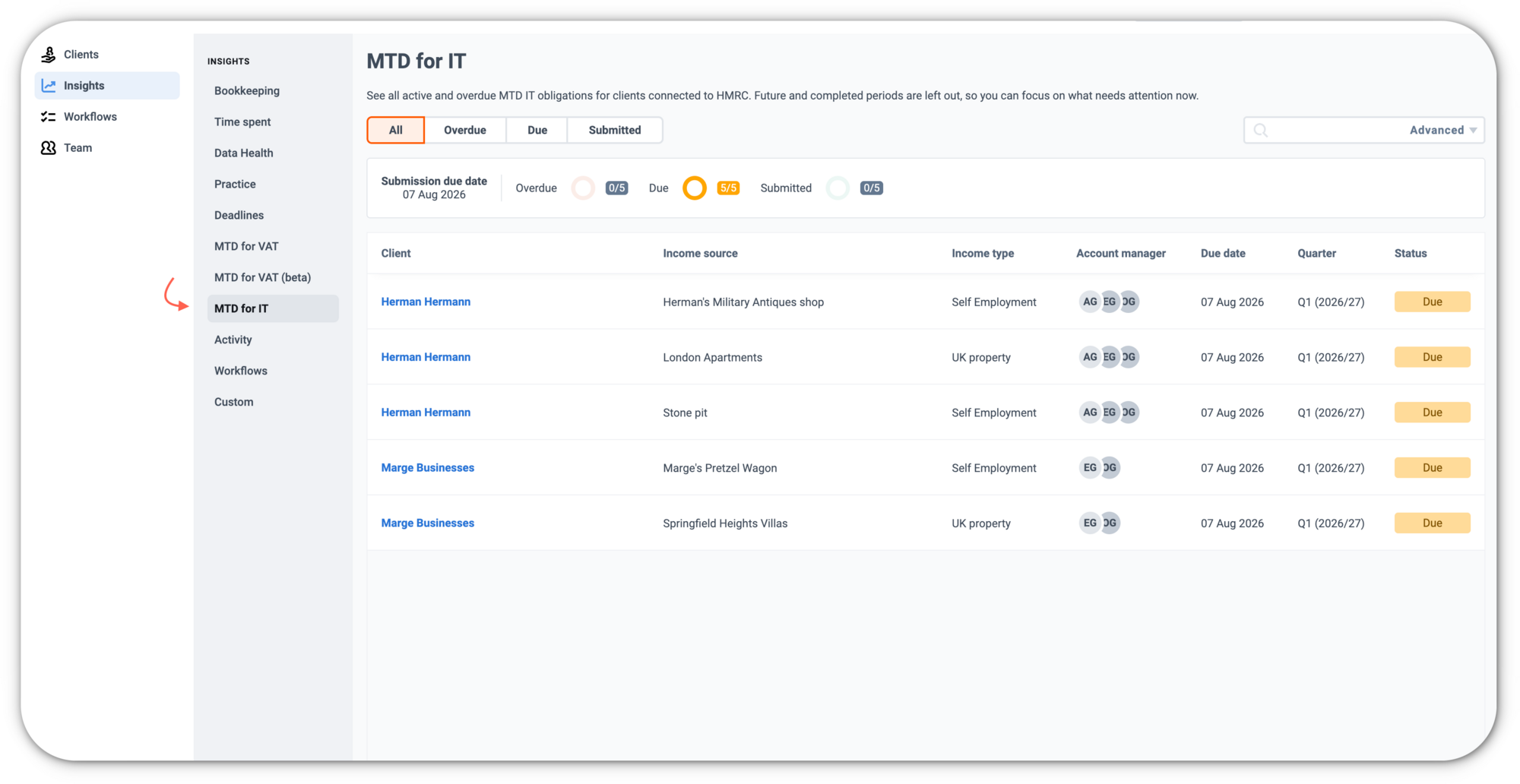
MTD IT Obligations Dashboard (UK)
Compliance
Practice Management
Deadlines
Solo

A new dashboard for Dext Solo users that shows your clients’ HMRC quarterly MTD for IT obligations in one place, so you can quickly see what’s overdue, due, and submitted.

What’s new?

  • A single, practice-wide view of obligations, with overdue items shown first.
  • Search and filters to narrow by client, income source, status, account manager, location, and practice code (counts update as you filter).
  • Drill through to prepare an update or view a submission summary.
  • Permissions-based access: admins see all connected clients; standard users see assigned clients only.
  • Only includes HMRC-connected clients using HMRC-sourced data.

How does it help?

  • Makes it easier to manage a much larger number of quarterly deadlines under MTD for IT.
  • Helps your team prioritise what needs action nowSupports meeting deadlines and reducing penalty risk.


January 2026
Coloured Flags
Organisation
Inbox Management
Workflow
Productivity
Admin Controls
Customisation

You can now use more flags to organise items in your costs and sales inboxes, making it easier to sort and prioritise work.

What’s new?

  • Choose from 4 additional flag colours and add custom names (on top of the original orange flag).
  • Apply multiple flags to a single item.
  • Business Admins can customise flags in Business settings > Lists > Flags; all users can use flags.

How does it help?

  • Keep inboxes organised with clearer visual categories.
  • Help teams triage items faster and stay aligned.
  • Support consistent workflows through shared flag naming and usage.


January 2026
Dext Solo Unified Report Drill Down
Reporting
Drill downs
Tax report
Transaction summary
Solo

In Dext Solo, report drill downs now show a single, centralised list of the underlying transactions in one screen. This update applies to drill downs in the Tax report and the Transaction summary, and uses the same format as the Items to Review report for a more consistent experience.

How does it help?

  • Reduces extra clicks when you’re investigating what sits behind a report total.
  • Makes it simpler to review the transactions that make up figures like income/turnover in your reports.

Available to: UK Dext Solo users


December 2025
Supplier-Specific Workflow Notes
Supplier Management
Workflow

You can now add a short workflow note for each supplier in Supplier Rules. This note appears on every Item Details page, so your team always sees key instructions when processing items from that supplier.

What’s new?

  • New “Supplier specific workflow” box in the Supplier Rules panel
  • Notes (e.g. “Always include the invoice number in the description”) show at the top of Item Details for all items from that supplier

How does it help?

  • Reduces posting errors and help keep details consistent
  • Keeps critical details (coding, descriptions, payment notes) visible at the moment of processing


November 2025
Karbon HQ Integration
Practice Management
Integrations

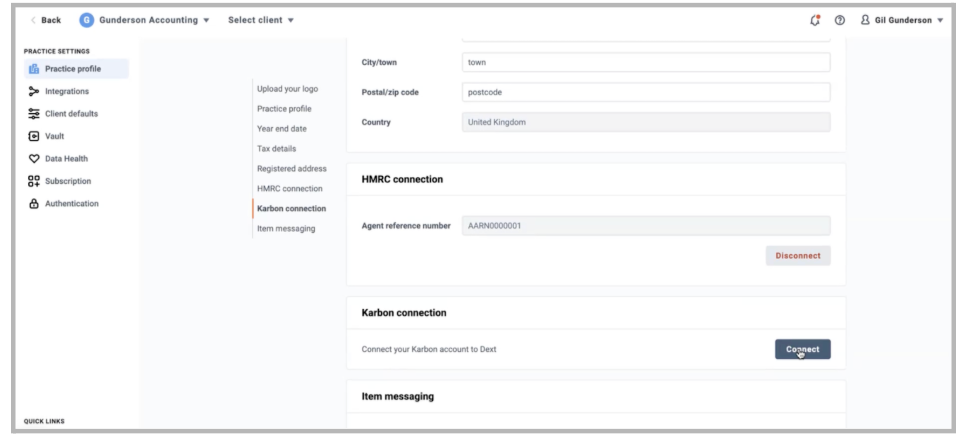
A new connection that keeps client lists aligned between Dext and KarbonHQ.

What’s new?

A dedicated KarbonHQ integration is now available, helping practices keep client records consistent across both systems. Users can now:

  • Import clients from KarbonHQ into Dext
  • Match existing clients using fuzzy matching
  • Create new clients in Dext directly from KarbonHQ
  • Open a client in KarbonHQ from within the Dext client list

How does it help?

Teams using Dext for document and data capture and KarbonHQ for work management often need to maintain client lists in two places, which can lead to duplication and inconsistencies.

This integration keeps client information aligned across both tools, reducing manual admin and ensuring workflows stay accurate and up to date.


November 2025
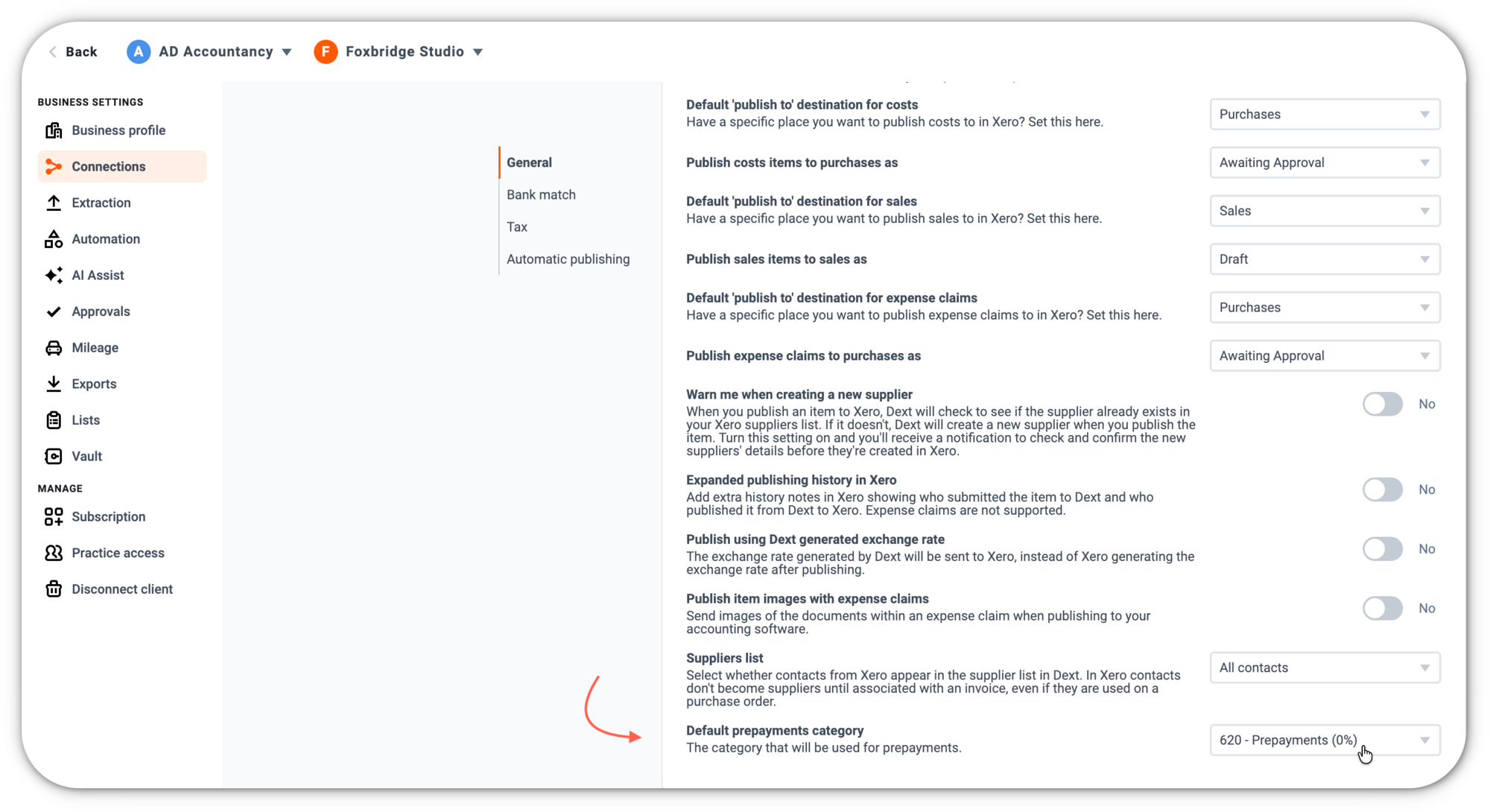
Prepayments for QuickBooks Online
Data Automation, Quicbkooks Online

Prepayments is now available for accounts integrated with QuickBooks Online, along with added flexibility in how journals are posted.

What’s new?

Prepayments, previously supported for Xero, is now available for users with QuickBooks Online integrations.

In addition, users can now choose how prepayment journals are calculated:

  • Equal monthly amounts: Post the same value for each month in the prepayment period.
  • Day-based calculation: Post a more precise amount each month based on the number of days within the selected date range.

These options give users more control over how prepayments are applied and reflected in their accounting records.

How does it help?

Expanding Prepayments to QuickBooks Online brings the same time-saving workflow to more users, letting them create consistent, accurate journals without manual calculations.

The new posting options also make it easier to align entries with internal policies or accounting preferences, improving accuracy and reducing the need for adjustments later.


November 2025
Setup Efficiency for Dext Partner Plans
Practice Management

Updates that make setting up new accounts faster and more consistent.

What’s new?

A series of improvements have been introduced to help users configure new client accounts more efficiently:

  • Client default settings
  • Integration defaults
  • Lists can now be copied between accounts, allowing users to duplicate categories, taxes, projects, and other lists without re-creating them each time

These updates streamline both integrated and non-integrated setups.

How does it help?

Users can now define key settings once and have them applied automatically to both newly created and newly integrated accounts. Unintegrated users can also avoid re-importing the same lists across multiple accounts by copying existing lists instead.

This reduces manual setup effort and makes the overall onboarding experience smoother and more intuitive.


October 2025
Dext Payments - UK Supplier Invoices (Beta)
Payments
Data Automation
Xero

A new, fully integrated way to manage and complete supplier invoice payments directly within Dext.

What’s new?

Dext Payments introduces a unified, end-to-end payments workflow. The Beta release includes:

  • Payments onboarding: Complete required KYC checks to activate payments.
  • Centralised payments workflow: Batch, approve, pay, and reconcile supplier invoices in one place, without switching tools.
  • Fast, secure payments: Extra security measures highlight risks such as changes in supplier bank details or unusual activity
  • GBP Wallet balances: Users can hold funds in a GBP wallet, ready to pay suppliers instantly.
  • Full audit trail: Clear approval logs support oversight and compliance.
  • Role-based access: Permissions ensure only authorised users can carry out payment actions.
  • Advanced approvals: Multi-step, multi-stage approval flows for stronger control.
  • Auto reconciliation with Xero: Payment bank feeds sync payment activity back into Xero.

How does it help?

Paying suppliers often involves moving between multiple tools, which can create extra steps, delays, and room for error.

Dext Payments brings everything together, onboarding, reviewing, approving, paying, and reconciling into a single, streamlined experience.

This makes it easier for users to stay organised, maintain stronger controls, and complete payments with speed and confidence, all within Dext.
October 2025
Bulk Client Access for Practice Advanced Plans
Practice Management

A new way for admins with Dext Practice Advanced Plans to assign client access more efficiently across larger teams.

What’s new?

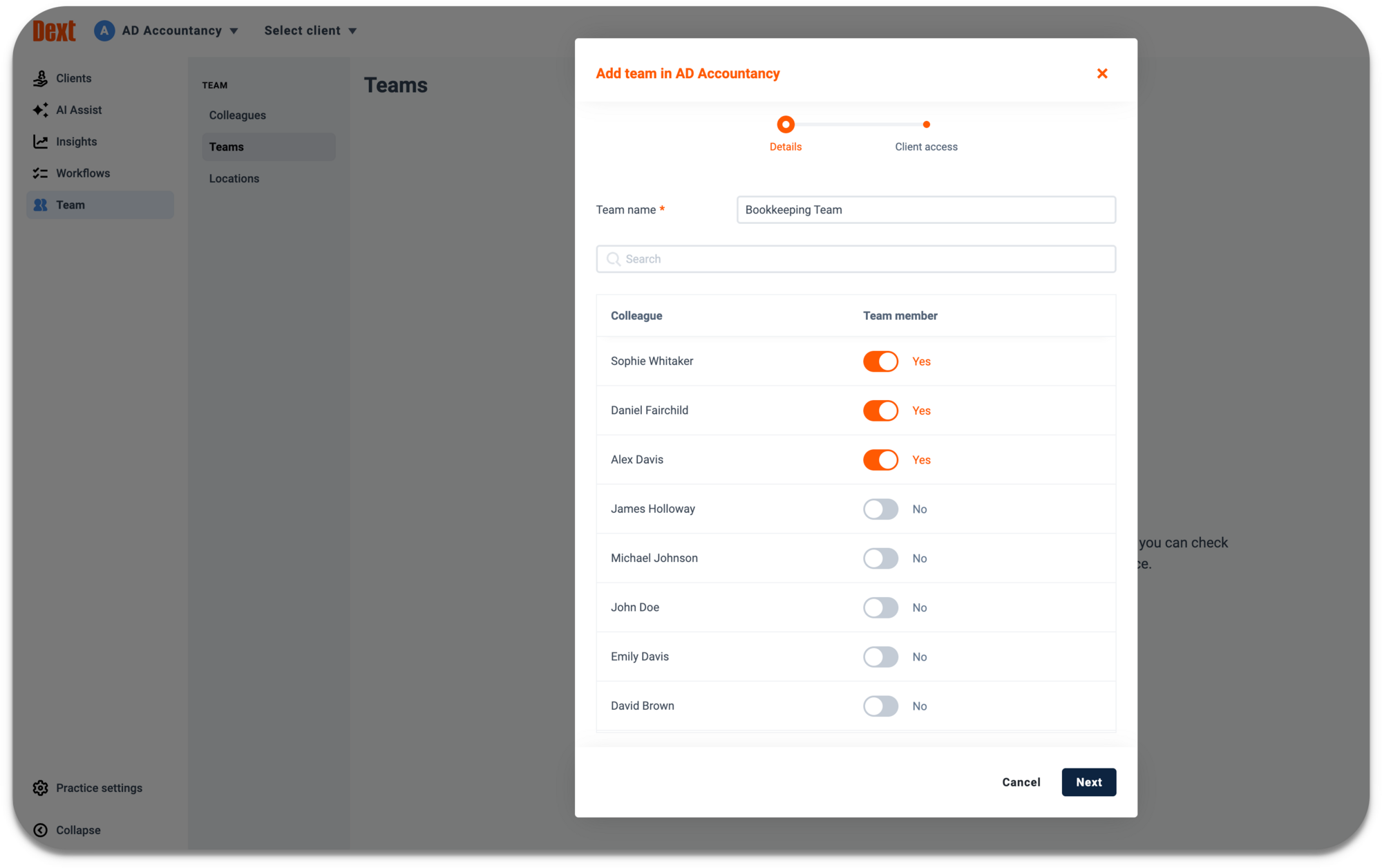
Admins can now use Teams, groups of colleagues within a practice, to assign access to client accounts in bulk. Instead of selecting individual users one by one, access can be granted to an entire team at once. This applies to both the add client flow and the practice access flow.

All accounts will also see an updated “add client” experience, where access roles (Bookkeeping, Data Health & Insights, and Account Manager) are selected in a single step.

How does it help?

Managing access can become time-consuming when many colleagues and client accounts are involved. Using Teams removes the need to scroll through long lists of users or repeat the same task multiple times. This reduces setup effort, minimises errors, and makes client onboarding smoother for admins.


October 2025
See When Clients Were Added - New Column in Client List & Insights
Practice Management

A new way for Dext partners to see when each client account was added.

What’s new?

Dext partners on Essential and Advanced plans can now enable a Client Added column on the Client List page, showing when each client account was first created.

On the Insights Dashboard (available on Advanced plans only)

This gives partners a clear, consistent view of client onboarding dates across both areas of the product.

How does it help?

Knowing when a client was added helps partners organise and manage their client base more easily, quickly identify newer accounts, and understand client activity patterns over time. This supports better planning, reporting, and ongoing client management.


October 2025
External Collaborators in Approvals
Data Automation

Allow external collaborators to take part in approval workflow stages.

What’s new?

Small business accounts can now include external collaborators in their approval stages. Any user who already has access to a business's documents can be given an additional permission that allows them to participate directly in each stage of the workflow.

How does it help?

Some businesses review and approve documents with people outside their immediate team. This update supports those shared processes by allowing external collaborators such as their accountants and bookkeepers to take part in approval workflows without workarounds, making it easier to manage reviews in one place.


October 2025
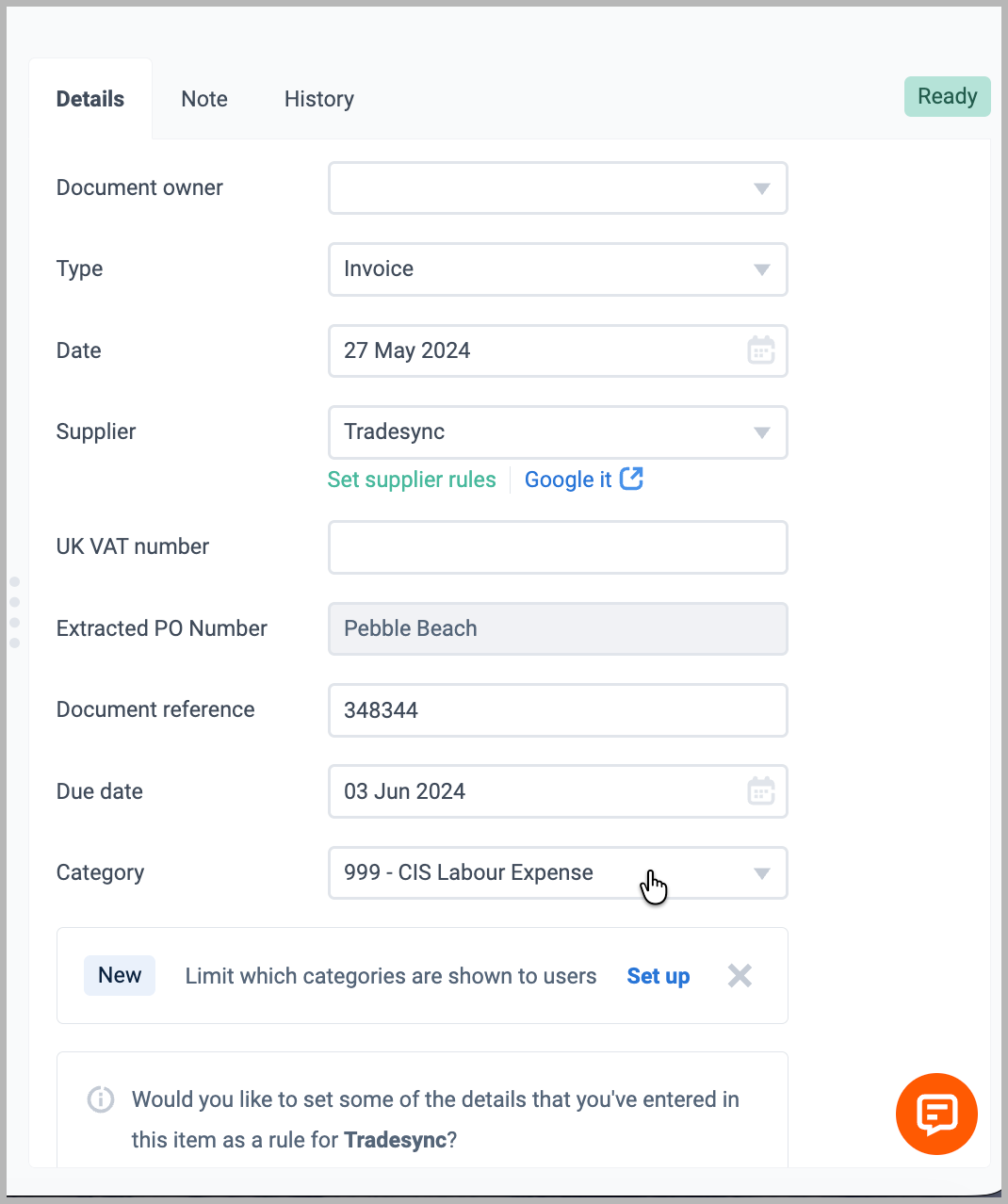
Customise Category List Visibility
Data Capture

A new way for businesses to manage which categories users can see when creating or submitting items.

What’s new?

Small businesses can now control which list items are visible to users in Dext.

Using List Visibility Groups in Business Settings, admins can:

  • Limit visibility of categories, payment methods, properties, and other list items
  • Assign users to specific visibility groups
  • Preview exactly which list items each user can access

This gives businesses clearer control over the options shown during item creation and submission.

How does it help?

Users previously saw every list item, even when only a subset applied to their role or workflow. This often led to uncertainty during item entry and increased the need for corrections afterwards.

With customisable visibility, businesses can display only the relevant list items to each user. This reduces confusion, cuts down corrections needed to categories used, and leads to more accurate submissions from the start.


October 2025
Workflows Usability Enhancements
Data Health & Insights, Practice Management

A series of improvements designed to make Workflows easier to navigate, manage, and maintain.

What’s new?

Workflows has been updated with a set of usability enhancements aimed at improving clarity, control, and day-to-day efficiency. Key changes include:

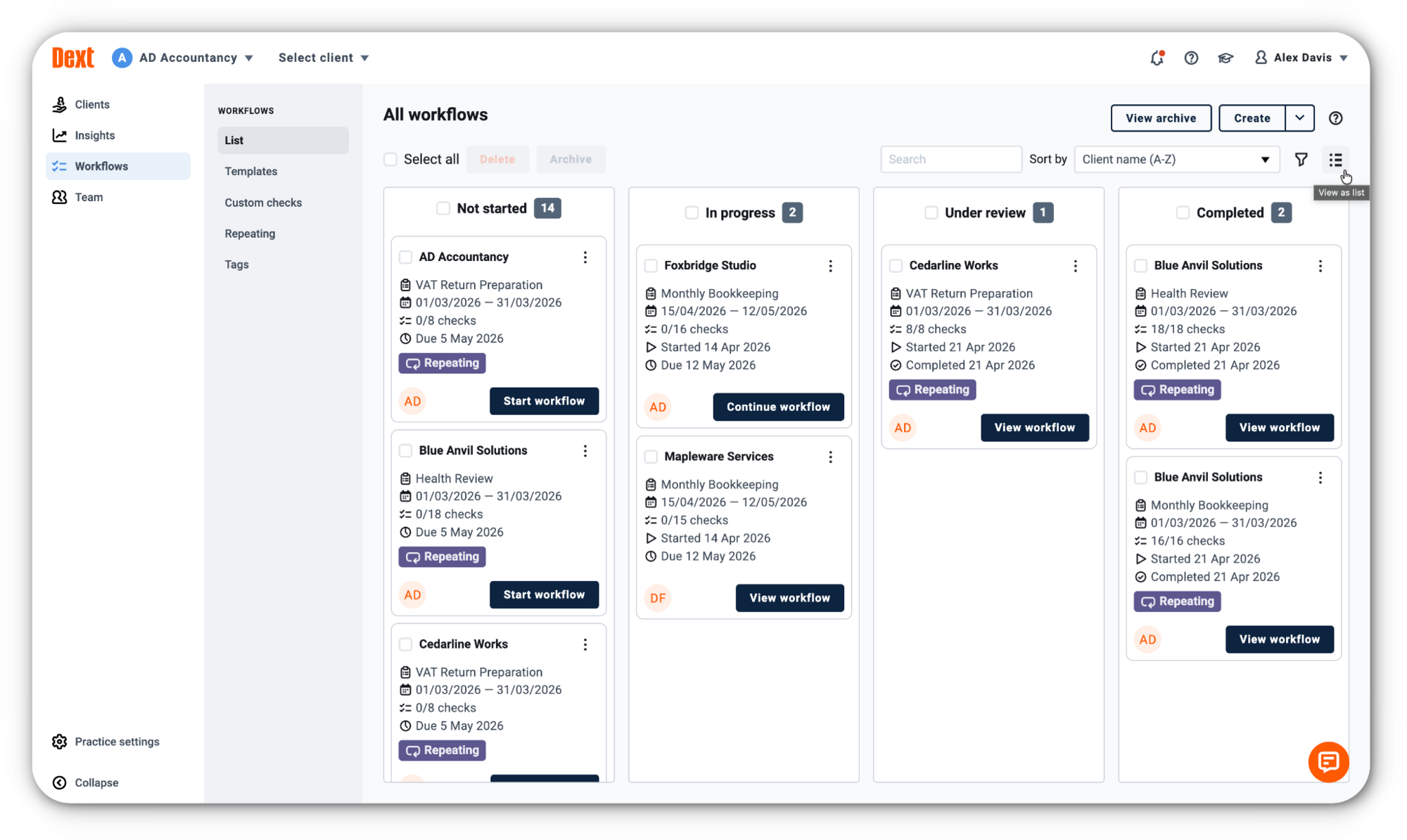
  • New Kanban-style view of the workflow list for clearer visibility of progress and workflow status.
  • Archive workflows to keep active lists clean and improve page performance, with archived items accessible on a dedicated page.
  • Bulk actions allow users to select multiple or all workflows and archive or delete them at once.
  • End dates for repeating workflows, making it possible to set workflows that repeat for a defined period and then stop automatically.
  • Automatic population of the “Reviewer 1” column when adding clients to a workflow.
  • A range of smaller usability and visual refinements informed by user feedback.

How does it help?

These updates make it easier for users to work with larger sets of workflows, manage them efficiently, and keep their workspace organised. By improving clarity and reducing manual steps, the feature becomes more intuitive for new users and more powerful for experienced ones.


October 2025
Client Defaults for Dext Partner Plans
Practice Management

A new way to pre-configure default settings for newly created client accounts.

What’s new?

A dedicated Client Defaults page has been added to Practice Settings. Users can now set default configurations that automatically apply whenever a new client account is created. These include:

  • Integration settings for major accounting platforms
  • Payment status
  • Due dates
  • Net amounts
  • Categorisation
  • Archive behaviour
  • Image sharing

How does it help?

Users can set up new client accounts more quickly and consistently. With key preferences applied automatically, new accounts require fewer manual adjustments. This makes onboarding new clients easier.


September 2025
Customisable Exports
Practice Management

New options that allow users to tailor export outputs to better suit their workflow.

What’s new?

Users can now customise selected default cost exports on a per-account basis. The new settings are available under Business Settings → Exports → CSV Exports, where users can choose which fields appear in their exported files.

This update also creates a simpler path for adding new export fields in future, without requiring changes to every export template.

How does it help?

Users can now generate exports that match their specific needs, reducing the time spent editing files or applying macros after export. This makes it easier to work with cost data in external tools.


September 2025
Data Health & Insights new transactions cleanup for QuickBooks
Data Health & Insights

New data-integrity checks for QuickBooks Online to improve accuracy and reduce cleanup work.

What’s new?

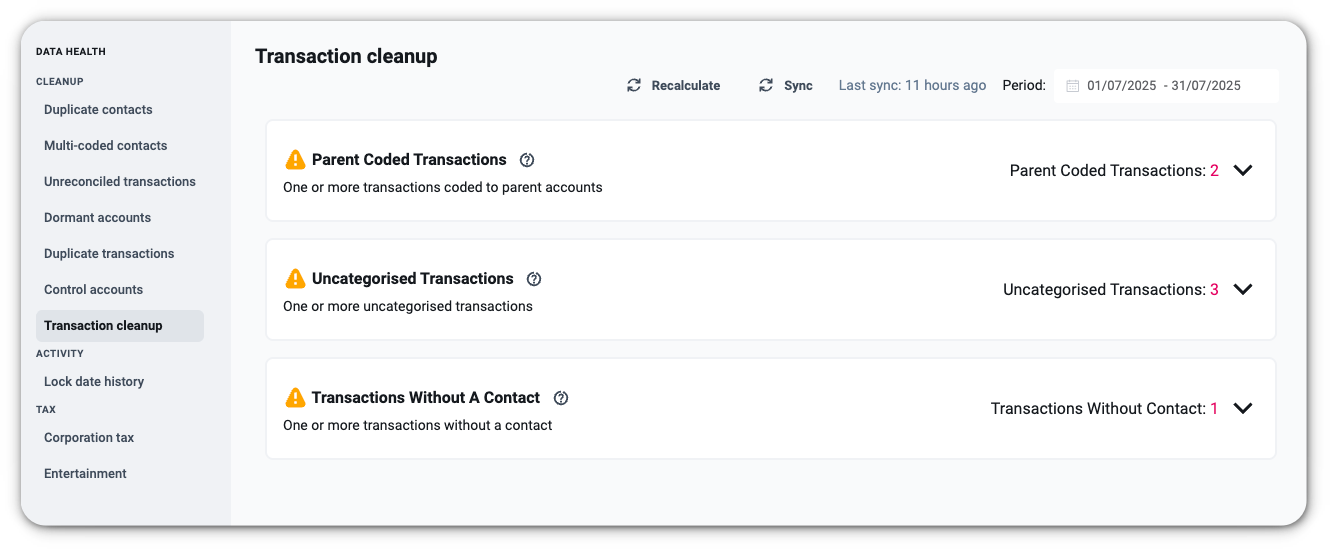
Three additional QuickBooks -specific checks are now available in Data Health & Insights, helping surface issues that affect categorisation, reporting, and contact completeness:

  • Uncategorised transactions – Shows any entries posted to system-defined account codes, making it easier to identify items needing proper categorisation.
  • Parent-coded transactions – Highlights transactions coded to parent accounts to keep reporting structures clean.
  • Transactions without a contact – Flags entries missing a supplier or customer so records are more complete and analysis is more reliable.

How does it help?

These new checks give users clearer visibility of common data issues within QuickBooks Online. By surfacing problem areas earlier, Data Health & Insights helps users maintain cleaner records, reduce manual review work, and ensure reports are based on accurate, complete information.

September 2025
Submitting Documents to Dext via WhatsApp
Data Automation

Submit receipts and invoices to Dext directly through WhatsApp, without needing the Dext mobile app.

What’s new?

Users can now share receipts and invoices straight from a WhatsApp chat. Once their WhatsApp number is connected, anything they forward to Dext is automatically uploaded to their Costs inbox. This removes the need to download the Dext app or switch between tools.

How does it help?

This gives users a simple, familiar way to send paperwork. Because most users already rely on WhatsApp, it reduces friction and cuts the chance of missing documents. Get more complete records, faster submissions, and fewer manual follow-ups, keeping books up to date with less effort.


September 2025
UK VAT Checks
Data Automation

Instantly verify supplier VAT numbers against HMRC to reduce errors and potential fraud.

What’s new?

When uploading a cost item to Dext, if a VAT number is present and extracted, Dext will now automatically confirm the details with the HMRC database. The result is clearly highlighted on the cost item details, so you can see immediately whether the VAT number matches. If there isn’t a match, Dext flags it for review.

How does it help?

This update provides partners with extra confidence when processing supplier invoices. By validating VAT numbers directly with HMRC, Dext reduces the risk of errors, helps spot potential fraud, and saves time on manual checks. Partners can be sure that VAT details are correct before submitting returns.

August 2025
Vault for Mobile
Vault
Mobile
Data Automation

Access and manage Vault documents directly from the Dext mobile app.

What’s new?

Vault is now available on the Dext mobile app. After updating to the latest version, you can open Vault from the “More” menu and access three tabs: Folders, Files, and Review. You can upload up to 10 documents at once (100MB max each), create and manage folders, add due dates, summaries and tags, and review time-sensitive or flagged items. You can also move documents from the Cost or Sales inbox into Vault, ensuring everything stays organised.

How does it help?

Vault on mobile gives accountants, bookkeepers, and business owners a smarter way to store and manage documents wherever they are. You can upload files instantly, organise them into folders, add tags or due dates, and review what needs attention, all from your phone. This makes document management simpler and more reliable, ensuring important information is always structured, accessible, and easy to act on.


August 2025
Multi-Entity Dashboard for Businesses
Data Automation

A single, centralised view for managing multiple businesses in Dext.

What’s new?

Admin users for Businesses can now access a new Multi-Entity Dashboard that brings together all their businesses into a single, centralised dashboard. From here, they can monitor costs, sales, users, subscriptions, and inbox activity without needing to switch between accounts.

How does it help?

Managing multiple businesses in Dext previously meant jumping in and out of different accounts. The new Multi-Entity Dashboard saves time by providing a single hub for oversight and action. Admin users can stay organised, monitor performance across businesses, and keep workflows running smoothly, all from one place.


August 2025
Prepayments Check in Data Health & Insights
Data Health & Insights

Take Prepayments a step further with real-time checks in Xero.

What’s new?

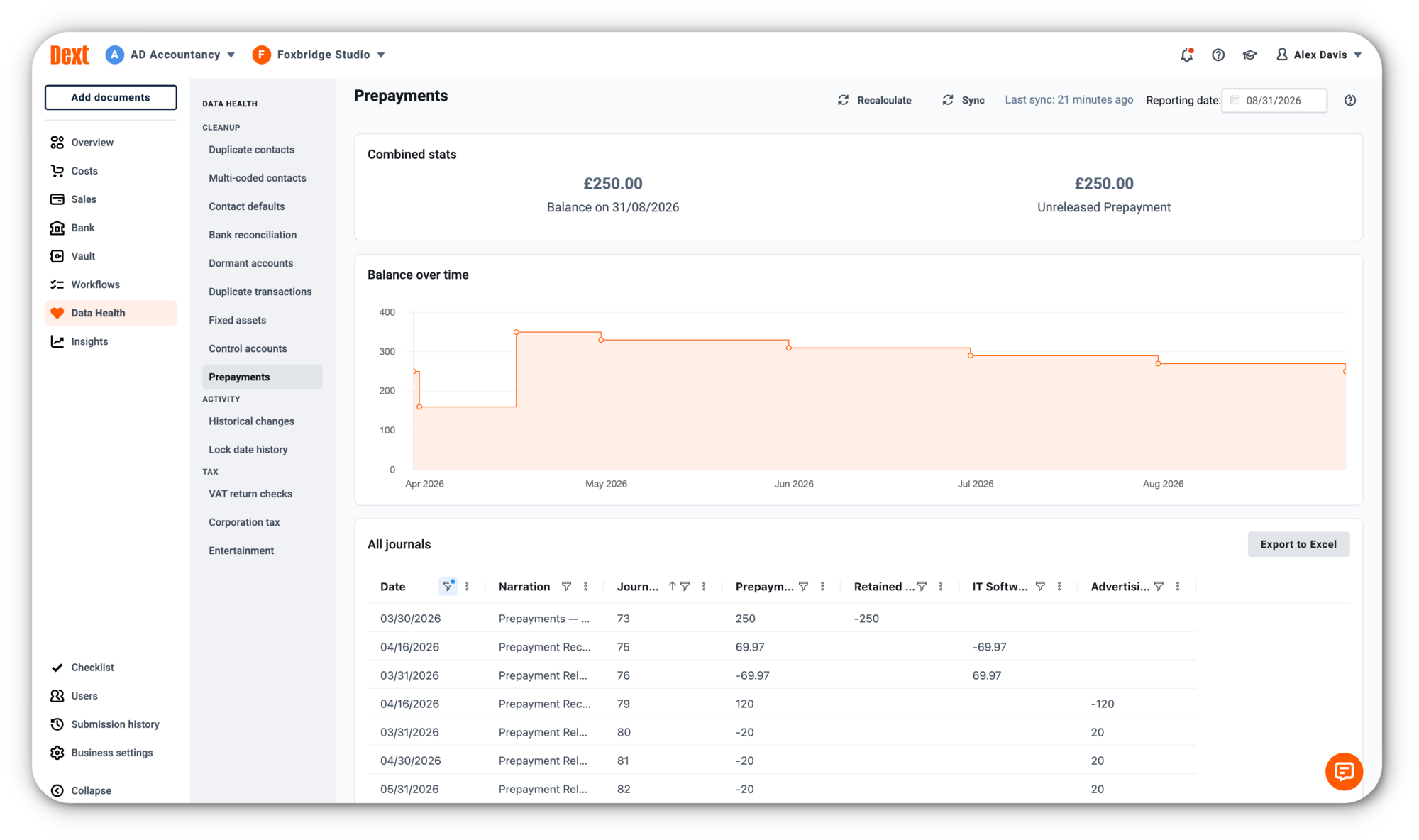
A new Prepayments check is now available in Data Health & Insights (Dext Partners only). It reviews your clients’ Xero data in real time and highlights any missing or incorrect journals in the prepayments account. Transactions are displayed on a graph and in a table for easy review, and prepayments created in Dext Prepare are shown on individual cards to help you spot potential issues quickly.

Data Health & Insights


Managing prepayment journals in Xero is often time-consuming and prone to error. The Prepayments check in Data Health & Insights adds an extra layer of oversight, making it easy to spot when journals are missing or posted incorrectly. This ensures prepaid expenses are recognised accurately and on time, giving accountants and bookkeepers greater confidence in the reliability of their clients’ accounts.


August 2025
AI-powered line item extraction & line item grouping
Data Automation

A smarter way to extract and structure every line item on your invoices and receipts.

What’s new?

Line Item Extraction has been upgraded with two major improvements:

  • AI‑powered Line Item Extraction: Each line on an invoice is now automatically assigned a predicted category and tax rate, saving time and reducing manual entry.
  • Line Item Grouping: Similar lines are automatically grouped together by category, tax amount, or both, making even the biggest, most detailed invoices easier to review and publish.

Data Automation

This update makes handling detailed invoices far simpler. Instead of manually entering the category and tax rate for every line, Dext now predicts them automatically. Line Item Grouping then pulls similar lines together by category or tax amount, so even the largest, most complex invoices are easier to check and ready to publish much faster.

August 2025
Send to Line Item Extraction Button
Data Automation

More control over when you use Line Item Extraction.

What’s new?

A new Send to Line Item Extraction button now appears on the item detail page for accounts using New LIX. With one click, you can send a single invoice or receipt for Line Item Extraction.

How does it help?

Previously, enabling Line Item Extraction meant every invoice from a supplier would be extracted, even if most of them didn’t need it. Now you have flexibility. Use supplier-level extraction for suppliers who always send detailed invoices, or simply click the button for one‑off or occasional invoices with multiple lines. The button uses line item extraction credits the same way as regular extraction, but it gives you control over when and where they’re used.


August 2025
Prepayments for Xero
Data Automation
Xero

Automate how you handle upfront costs like insurance or subscriptions, with journals created and synced for you.

What’s new?

You can now mark bills as prepayments in Dext and spread their cost over the right accounting periods. Just set a start and end date, and Dext will automatically generate all the necessary journals and publish them to Xero.

Here’s how it works:

  • The full amount is moved out of the expense category and into a prepayments account
  • Then, monthly journals are created to recognise the expense over time
  • All journals are posted at once, based on the dates you set

This feature is currently available for Xero-connected clients.

How does it help?

No more spreadsheets. No more manual journals. Whether it’s annual insurance or software paid upfront, your costs are now matched to the correct months keeping reports clean and accurate without the effort.

August 2025
MYOB Integration Enhancements
Integration
MYOB

A series of smart improvements now make it easier to stay compliant, reconcile faster, and manage transactions with greater accuracy.

What’s new?

You can now verify ABNs using the official Australian Business Register lookup, helping ensure your contact records are accurate and compliant. Dext will highlight missing or invalid ABNs and flag any transactions with inconsistent tax rates.

We’ve also introduced Bank Match. Bank Match identifies Dext items that match existing transactions in your MYOB bank feed.

Finally, Dext now supports MYOB’s Inventory items and services. Product details like unit price and category are automatically applied when used in a line item, making it easier to track job costs and manage stock.

How does it help?

These enhancements reduce time spent on manual checks, help maintain clean and compliant records, and improve reconciliation. From spotting invalid ABNs to linking source documents and applying product data automatically, you’ll see fewer gaps and more accuracy, right across your workflow.


July 2025
Manually Add a Customer in Sales inbox
Data Capture

Manually Add a Customer in Sales inbox

You can now create new customers in Dext without needing an integration or a CSV file.

What’s new?

We’ve added a new way to manually create customers straight from the ‘Customers’ section in the Sales space. Until now, the only options were to import them from a CSV file, create them during the sales invoice process, or bring them in through an integration. That made it harder to quickly get set up.

Now you can:

  • Add new customers whenever you need to
  • Build your customer list without starting an invoice
  • Get going faster with fewer steps

How does it help?

This makes it quicker and easier to get started when working with someone new. Whether you're preparing to add an invoice or just want to have your customer details ready, you now have a clear and simple way to add them.


July 2025
Expense Report and Bank Image Publishing Data Automation
Data Capture

A simple but powerful update, users can now choose whether to include item images when publishing expense reports or bank transactions.

What’s new?

You now have the option to publish images of the items included in your expense reports. This gives you more control over what gets sent to your accounting software and when supporting documentation is included.

We’ve also extended this capability to the Bank space. When publishing bank transactions, you can now choose to include any attached item images.

How does it help?

You can provide full context when needed by including supporting images, or leave them out if they’re not required. It’s a flexible way to tailor your records to each situation.


July 2025
Smarter Merges in the Costs Inbox
Data Capture

We’ve made document merging in the Costs Inbox more intuitive, the order you click now determines the order they merge.

What’s new?

When merging documents in your Costs Inbox, the merged output will now follow the order in which you select them. Previously, the system used internal document IDs to determine the sequence, which often led to confusing results, especially when receipts spanned multiple days or suppliers.

You can now:

  • Click documents in the order you want them to appear
  • Merge confidently without worrying about behind-the-scenes sequencing
  • Review merged receipts in the order that makes the most sense to you

How does it help?

This gives you clearer, more logical merged records, particularly useful when handling related receipts, like those grouped around a single purchase, job, or recurring run to the shop. It reduces the mental overhead of re-checking order after merge and brings your workflow more in line with how you think.

Thanks to your feedback, merging documents is now faster, easier and more predictable.


June 2025
Quick Paste for Receipts (Desktop)
Data Automation

Uploading receipts in Dext is now quicker and more flexible. You can copy images or files straight from your computer’s clipboard and paste them directly into the Dext app. Whether you’re clipping part of your screen or working with a saved file, it’s as easy as copy, paste, done.

How does it help?

  • Copy and paste receipt images straight into Dext, no need to save or upload manually
  • Quickly clip and submit part of a scanned page or screen using built-in screenshot tools
  • Works with any receipt file on your desktop or downloads folder
  • Speeds up admin and removes extra steps like file saving and drag-and-drop
  • Perfect for multi-receipt scans or receipts captured outside the app


June 2025
Supplier Name Aliases
Data Automation

Keeping supplier names consistent can be tricky when variations like “Donuts”, “Donuts Ltd”, or “Donuts 1” appear in your records. With Supplier Name Aliases, Dext now helps you manage these name differences automatically, so your data stays clean and organised with less manual work.

How does it help?

  • Automatically group similar supplier names together
  • See and manage name variations in the new Aliases section of Supplier Settings
  • Get a prompt during review when a similar name is found — confirm with one click to tidy up
  • Avoid duplicate suppliers and save time with smarter, more accurate matching
  • Make searching easier by keeping supplier names consistent


June 2025
GPS for Mileage
Data Automation

Tracking your business mileage just got easier. If you use a mobile phone, you can now use GPS to automatically record your trips in the Dext app. This means no more entering journeys by hand — just start driving and Dext will do the rest. It’s a faster, more accurate way to claim for travel.

How does it help?

  • Automatically track your business trips using your phone’s GPS
  • No need to manually add mileage — just drive and let Dext handle it
  • Get more accurate mileage claims with less effort
  • Easily manage trips from your lock screen while using other apps
  • Makes claiming travel expenses quicker and simpler


June 2025
Client List Sorting Preferences
Practice Management

Practice Management

The Client List in Dext has been updated to remember your sorting preferences. Whether you organise your view by the number of cost items, client name, or any other column, Dext will now keep that order even if you navigate away or refresh the page. This small but powerful enhancement saves time and helps you stay focused on what matters.

How does it help?

  • Quickly return to your preferred view of the Client List
  • No need to re-sort columns every time you log in or move between sections
  • Works across all sortable columns – your choice is remembered
  • Stay organised and consistent in how you manage clients


May 2025
Approvals - Bulk Reject or Approve Items
Data Automation

We’ve made it faster and easier to manage approvals in Dext. You can now take action on multiple items at once using new bulk approval and rejection options. Whether you’re reviewing Costs, Sales, or Expense Claims, simply select the relevant items in the Approvals tab and choose to approve or reject in one go, with or without adding a comment.

How does it help?

  • Save time by approving or rejecting multiple items in one step
  • Work more efficiently with fewer click
  • Optional commenting supports clear communication and documentation
  • Available across Costs, Sales, and Expense Claims in the Approvals tab


May 2025
Vault
Data Automation

Vault is secure document storage, powered by AI. It is a separate space in Dext to store all essential business documents that aren’t cost or sales items, such as insurance policies, loan agreements and employment contracts. Dext then uses AI to automatically add document summaries, smart tags and file names, keeping things organised and easy to find.

How does it help?

  • Keep all important documents together in one place in Dext
  • Save time by using Dext’s AI to automatically organise documents for you
  • Easily find what you need with smart tagging and advanced search functionality
  • Stay on top of due dates – Dext will extract key dates from documents so you don’t miss them
April 2025
Supplier Statements Now Support Image File Uploads
Data Automation

We’ve expanded the supported file types for Supplier Statements. In addition to PDFs, you can now upload JPEG, JPG, and PNG files.

What this means for you:

  • Greater flexibility when uploading documents
  • No need to convert common image formats before uploading

This update makes it simpler to capture and process supplier documents, especially when dealing with image-based statements.


April 2025
AI-Generated Document Detection
Data Automation

We're introducing a new layer of protection against document fraud with AI-Generated Document Detection.

Dext can now detect receipts and invoices that show signs of having been generated or manipulated by AI tools. When such an item is uploaded, Dext will generate a warning:

"This item appears to have been generated by AI."

This makes it easier to flag suspicious claims and adds another safeguard for businesses managing out-of-pocket expenses.

Why it matters:

  • Helps identify receipts and invoices that may have been altered using generative AI
  • Adds confidence and accountability when reviewing expenses
  • Complements existing tools like bank matching for verifying transactions

As the capabilities of AI continue to evolve, we’re committed to staying ahead - and this is just the start of our work in fraud detection.


April 2025
Rental Statements (Beta)
Solo

Rental Statements (Beta) is now available in Dext Solo, helping landlords and their advisors automatically extract key figures from rental income statements.

What’s new?

With Rental Statements (Beta), users can upload rental income statements into Solo and extract the gross rent, deductions, and net received. The data is then visible in Sales and flows through to the SA105 Report.

  • Extract key details from rental income statements
  • Capture rental income, management fees and more.
  • See extracted data in the Sales and Reports sections
  • Save time on property income workflows

How does it help?

  • Streamline rental income tracking with intelligent extraction
  • Minimise manual input for faster, more accurate reporting
  • Keep property income organised and MTD for Income Tax ready.
  • Reduce admin for landlords and advisors


April 2025
CIS
Solo

Dext Solo now supports CIS, making it easier for subcontractors to record CIS suffered and stay compliant, without the complexity.

CIS in Dext Solo allows users to apply the correct CIS rate to subcontractor income when categorising bank statement lines or sales invoices. Simply upload a bank statement or sales invoice, select the relevant CIS rate - 0%, 20%, or 30% - and Solo takes care of the rest.

  • Apply CIS rates (0%, 20%, or 30%) during categorisation
  • Automatically track CIS totals for clear visibility
  • Maintain accurate records to support future MTD IT submissions

How does it help?

  • Stay compliant by capturing CIS suffered at the point of categorisation
  • Eliminate manual calculations with automatic deduction tracking
  • Prepare for MTD IT with consistent, digital records
April 2025
Auto Expense Claims Now Available to All Plans
Data Automation

We’ve expanded access to Auto Expense Claims to give more businesses a faster, simpler way to manage expenses, no matter which Dext plan they’re on.

What’s new?

From 12 March, Auto Expense Claims will be available to users on all Dext plans. This update means more users can now automatically generate expense claims based on submitted documents, with no manual input required.

How does it help?

  • Save time by generating claims automatically
  • Reduce manual effort when submitting expenses
  • Improve consistency and accuracy across claims
  • Make powerful tools available to all Dext users


March 2025
The Evolution of Dext
Capture
Automation
Practice Productivity
Data Health

We’ve updated the Dext platform to bring together key tools from Prepare, Precision and Commerce, making it easier to manage everything in one place.

What’s new?

  • Data Health & Insights (from Precision) are now available directly within Dext, helping you monitor and maintain data accuracy
  • Commerce Lite allows small businesses to manage e-commerce transactions inside Dext, with full Commerce integration coming later this year
  • Improved user experience with simplified navigation and a cleaner design

How does it help?

  • Work more efficiently by having everything you need in one place — no need to switch between products
  • Improve accuracy with built-in access to Data Health tools (available as a paid add-on)
  • Simplify your workflow with a cleaner design and easier navigation
  • Stay up to date as all future feature releases will only be available in the new experience

Make the switch

You can switch to the new experience today. While it’s optional for now, all users will be moved over soon.


March 2025
Commerce Lite
Commerce

Save time, reduce errors, and gain clear insights into your sales performance with Commerce Lite, now available in Dext.

What’s new?

You can now import a summary of your online transactions directly into Dext. Commerce Lite connects with up to five major e-commerce platforms and marketplaces, including Shopify, eBay, Etsy, and Squarespace, and automatically pulls in your sales and cost data.

Transactions are categorised, tax is applied automatically, and if your accounting software is connected, the data can be sent straight through for faster reconciliation.

Commerce Lite is fully integrated within Dext, so there’s no need to install or manage a separate product.

How does it help?

  • Save time by automating sales data entry and categorisation
  • Reduce errors with correct tax rates applied automatically
  • Reconcile faster with a clear view of sales, fees, refunds, and reimbursements
  • Quick to set up and easy to use


March 2025
Data Health & Insights

Turn your financial data into trusted, actionable insights with Data Health & Insights, now available as an add-on in Dext, exclusively for accountants and bookkeepers.

What’s new?

Data Health & Insights gives you real-time visibility into the accuracy and performance of your clients’ financial data, all from within Dext. Designed to support better decision-making and more efficient workflows, this add-on helps you monitor data quality, track trends, and drive higher-value conversations with your clients.
  • Monitor data quality using live Health Scores
  • Identify and resolve errors, inconsistencies, and unreconciled items
  • Track performance across clients with Practice Dashboard
  • Access real-time insights on transaction volumes, trends and deadlines

How does it help?

  • Improve accuracy with automated health checks and clean-up tools
  • Increase confidence in your data with real-time, actionable insights
  • Support strategic decisions through clear client and practice-wide visibility
  • Have better pricing and performance conversations with data to back them up


March 2025
Approvals for Sales Items
Data Automation

We’ve expanded Approvals in Dext to cover even more of your workflow - you can now create approval workflows for Sales items, bringing the same control and structure you already have for cost items and expense claims.

What’s new?

You can now include Sales items in your existing approval workflows, just like you do for cost items and expense claims. This gives you full visibility and control over every item being processed in your business.

You can:

  • Add Sales items to your approval workflows using the editor
  • Set approval rules based on your business structure and team
  • Review and approve Sales items

How does it help?

  • Strengthen oversight across all outgoing documents
  • Reduce the risk of errors or miscommunications
  • Ensure all Sales items are reviewed and approved before being published
  • Support consistent internal processes for better financial control


February 2025
Mileage Now Available in the US

Our Mileage feature is now available for users in the United States, making it easier to track and claim business travel expenses using IRS standard mileage rates.

What’s new?

Users in the US can now: 

  • Submit mileage claims based on IRS-approved rates
  • Create and manage vehicles
  • View a basic trip history
  • Customise mileage settings to fit their business needs
  • Submit and approve mileage claims on both web and mobile

How does it help?

  • Accurately record and claim business travel expenses
  • Stay compliant with US mileage rates
  • Reduce manual entry and improve expense tracking
  • Keep everything organised in one place


February 2025
New Integration: Zoho Books
Integration

You can now connect Zoho Books to Dext, making it even easier to manage your clients’ finances across platforms.

What’s new?

Dext now integrates with Zoho Books, the cloud-based accounting software that forms part of the wider Zoho business management suite. This integration allows you to publish documents directly from Dext into Zoho Books, helping you streamline your bookkeeping and reduce manual data entry.

How does it help?

  • Save time by sending documents straight from Dext to Zoho Books
  • Reduce errors with fewer manual steps
  • Work more efficiently across your existing Zoho setup


January 2025
Enhancements to Dext Solo: Bank Matching and Bank Rules
Solo

We’ve introduced two key enhancements to Dext Solo’s Bank space, making it easier to categorise transactions accurately and avoid duplication in your tax reports.

What’s new?

Bank Matching

You can now match a single bank transaction to up to 10 Cost or Sales transactions, helping you keep your records clean and accurate. This prevents duplicate entries in your tax reports, even if the same transaction appears in both Bank and Cost/Sales. Matched items are only counted once.

Bank Rules

You can now set up Bank Rules to automatically apply categories to bank transactions based on specific criteria. This reduces the need for manual categorisation and speeds up your workflow.

How does it help?

  • Avoid duplication in tax reports
  • Improve accuracy by aligning bank and cost/sales data
  • Save time with automatic categorisation
  • Reduce manual effort and the need for CSV comparisons


December 2024
Supplier Statements: Enhanced Cross-Referencing with QuickBooks Online

We’ve updated our Supplier Statements feature to support even more users, making it easier to keep supplier records accurate and complete, no matter which accounting software you use.

What’s new?

Building on our original release, Supplier Statements now support cross-referencing with QuickBooks Online, in addition to Xero.

Dext automatically extracts key information from your supplier statements, including the statement date, payable balance, and invoice details, and checks for any missing information. It assigns a status to each line to show what’s already in the system and what’s missing.

With this update, Dext can now cross-reference data between your supplier statements and both Xero and QuickBooks Online, helping you identify discrepancies and ensure your records are complete.

How does it help?

  • Quickly reconcile supplier invoices to save time
  • Minimise error and prevent fraud by identifying discrepancies
  • Facilitate timely and accurate payments
  • Now supports cross-referencing with QuickBooks Online users


December 2024
Mileage

We’ve added a new way for small businesses to record travel costs quickly and accurately, with Mileage now available in Dext.

What’s new?

You can now submit mileage claims directly in Dext using standard government rates for your country.

Available on both web and mobile, you can:

  • Submit mileage claims in just a few clicks
  • Create and manage your business vehicles
  • View a basic trip history
  • Customise mileage settings to suit your needs

No more spreadsheets or forgotten trips, everything’s in one place.

How does it help?

  • Accurately record travel costs - Claim for business trips without the manual work
  • Stay organised - Manage vehicles and keep a clear trip history
  • Improve record-keeping - Ensure travel expenses are properly tracked and reimbursed
  • Stay flexible - Submit and approve mileage claims on the go with the Dext mobile app
November 2024
MTD IT Quarterly Updates for Self-Employed Clients (Beta)
Solo

Dext Solo now supports Making Tax Digital for Income Tax (MTD IT) Quarterly Updates for self-employed clients, helping Partners stay ahead of the April 2026 mandate.

What’s new?

This beta release gives accountants early access to submit MTD IT Quarterly Updates directly through Dext Solo.

This release supports early adopters already preparing clients for MTD IT ahead of 2026.

How does it help?

  • Stay compliant - Submit accurate, HMRC-compliant updates with ease
  • Increase accuracy - Reduce manual entry and the risk of errors
  • Plan ahead - Get clients ready early for the 2026 MTD IT deadline

If you're an existing Dext Partner in the UK and would like to sign up to the beta, please reach out to your account manager.

Want to find out more about Dext Solo?


November 2024
Approvals for Expense Claims

We’ve enhanced our existing Expense Claims approvals process, giving you even more flexibility and control over how business costs are reviewed and authorised.

What’s new?

We’ve expanded the approvals feature to include custom workflows for expense claims - giving you the same control and flexibility you already have for supplier invoices.

On the web, you can:

  • Include expense claims as an item type in your approval workflows
  • Choose to make workflows the default approval method for claims
  • Follow a simple migration process to switch over to the new setup

On mobile, approvers can now review and approve claims directly in the app, making it easier to stay on top of approvals from anywhere.

How does it help?

  • Greater flexibility - Customise approval workflows to suit your business needs
  • Stronger cost control - Ensure all expense claims are reviewed and authorised properly
  • Improved accuracy - Reduce the risk of errors or missed approvals
  • On-the-go access - Approve claims anytime, anywhere with the Dext mobile app
November 2024
Smart Drill-Down in Dext Solo Tax Reports
Solo

We’ve made it easier to review and manage the data behind your Dext Solo tax reports, giving accountants more control and confidence before filing.

What’s new?

You can now drill into the details of tax report figures in Dext Solo and take action directly within the Tax Report Drill-Down view.

Instead of jumping between workspaces, you can now:

  • View and edit individual transactions
  • Change or add categories and linked rental properties
  • Download a CSV of all transactions for further analysis or record-keeping

These updates apply to both the SA103F (Self-employed) and SA105 (UK Property) tax reports, making it quicker and easier to investigate any figures that look out of place.

How does it help?

  • Reduce errors - Easily review and adjust transaction categories in one place
  • Increase confidence - Double-check your work before submission, with full visibility of the numbers behind each tax box
  • Improve workflows - Export CSVs to share, review, or archive data as needed


October 2024
Roles and Permissions Improvements

We’ve made big improvements to roles and permissions, giving you more flexibility and control across your account. These updates are designed to support how your team really works, today and in the future.

What’s new?

We’ve introduced new roles at both the Practice and Business levels:

  • Practice level: Practice Admin, Client Admin, and Standard
  • Business level: Business Admin, User Admin, and Standard

Each role has specific responsibilities, from full account access to more focused permissions like submitting expense claims or publishing documents. This gives you more control over who can see and do what.

We’re also beginning to retire the Expense Approver role. Existing users will keep it for now, but it will no longer appear when assigning roles going forward.

How does it help?

Tailored access – Assign roles that match your team’s real responsibilities

  • Better flexibility – Manage users across Dext with ease
  • Future-ready – Supports new features without interrupting your current setup
  • No disruption – Your existing roles stay as they are, unless you choose to update them
October 2024
Approvals for Cost Items

Take control of your accounts payable process with Approvals - a new way to review and verify purchase invoices before they’re published to your accounting software. Whether you're managing your own business or supporting clients, Dext’s new Approvals feature brings structure, accuracy, and control to cost approvals.

What’s new?

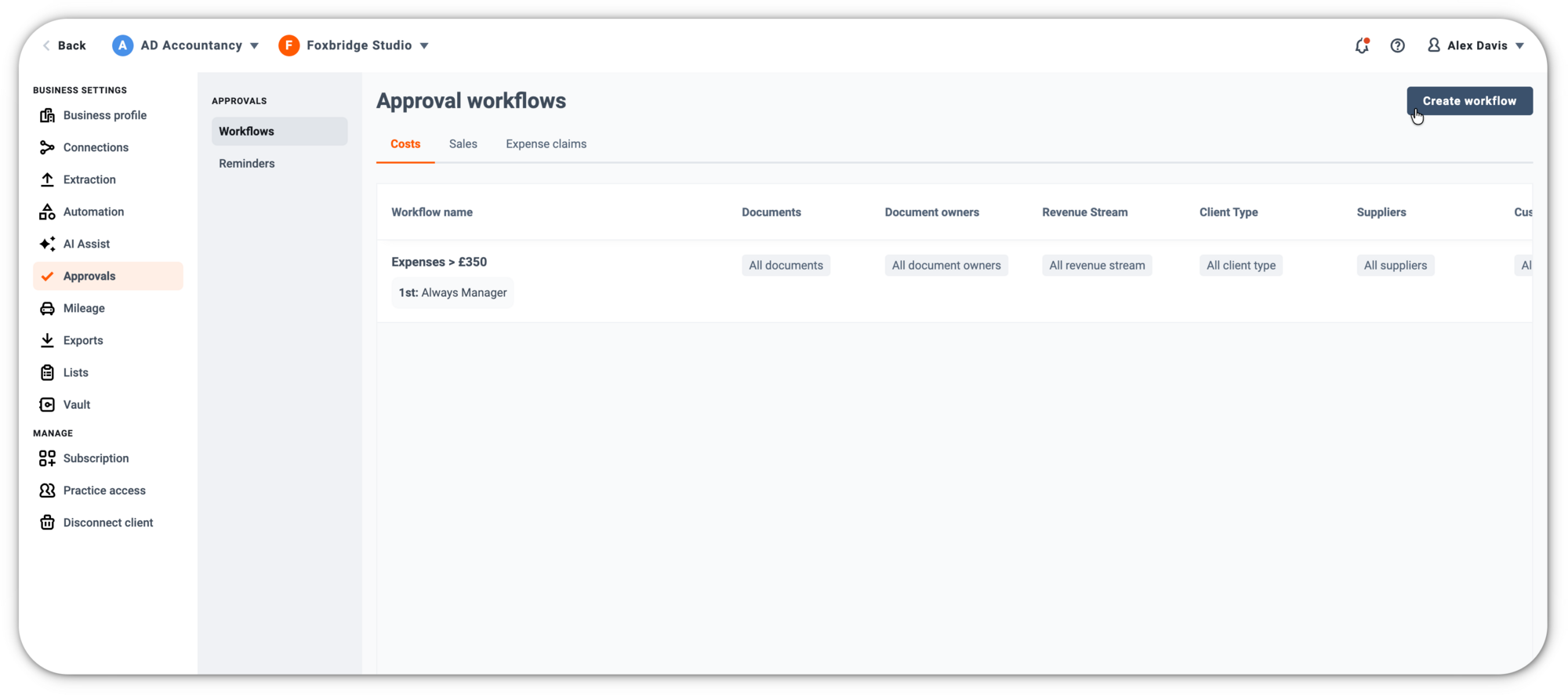
With Approvals, you can now build tailored workflows to ensure every purchase is reviewed by the right people. Approvals are fully integrated within Dext, allowing you to set up multi-level reviews, route invoices based on category, supplier or project, and automate notifications to speed up the process.

Once approved, invoices can be seamlessly published to your accounting platform, including Xero, QuickBooks, Sage, MYOB, and more.

How does it help?

  • Enhance internal controls - Only approved costs are recorded, reducing the risk of unauthorised or fraudulent payments
  • Ensure accuracy and compliance - Verify transactions against company policies and maintain clean, audit-ready records
  • Improve efficiency - Approve from anywhere, with digital workflows and automated reminders to keep things moving
  • Minimise risk - Multi-level approvals ensure no single person has full control over payments
  • Support your clients (for Partners) - Help clients build better processes and improve record completeness and tax accuracy


October 2024
Smarter Descriptions with AI Suggestions

We’re all about marginal gains at Dext, those small improvements that help you move faster, work smarter, and win back more time. Our latest update brings exactly that.

What’s new?

The Description field now comes with Smart Suggestions powered by AI. Whenever possible, Dext will suggest a relevant description based on the item’s content.

You’re always in control: accept, tweak, or ignore the suggestion. Whatever works for you.

How does it help?

  • Increase efficiency - Speed up item completion by reducing manual input
  • Minimise admin effort - Automatically generate relevant descriptions where possible
  • Maintain control - Users can easily review and amend suggestions before publishing
  • Improve accuracy over time - The model continues to learn and adapt based on usage


September 2024
The Enhanced Version of Dext
Capture
Automation
Data Health
Productivity

We’ve updated the Dext platform to make it faster, more intuitive, and easier to navigate, so you can get more done, with less effort.

What’s new?

This is the first phase of a refreshed experience across all Dext products. You’ll notice a cleaner look and feel, simplified navigation, and consistent design across the platform, whether you’re using Prepare, Precision or Commerce.

We’ve also laid the foundations for faster performance, better accessibility, and a more unified experience across our tools.

There’s no change to your workflows or settings, just a better experience from the moment you log in.

Switch to the new experience today when you next log in and see the difference for yourself.

How does it help?

  • Work faster - A cleaner layout and streamlined design make it easier to get things done
  • Find what you need - Improved navigation across all products
  • Consistency across tools - A more seamless experience whether you use one product or all three
  • Just the beginning - Phase 2 will bring even more: integrating Precision with Prepare, and introducing elements of Commerce into the experience. Watch this space.
September 2024
Supplier Statements
Dext Prepare

Supplier Statements ensure complete and error-free supplier records. You’ll be able to easily keep track of invoices and payments to know exactly what’s been paid and what’s outstanding.

How does it work?

Dext automatically extracts key information from your supplier statements, including the statement date, payable balance, and details of invoices and credit notes. It scans for any missing information and assigns a status to each line, to show you exactly what invoices are already in the system and what invoices are missing. For Xero users, this feature cross-references invoices between Dext and Xero, flagging potential matches.

How does it help?

  • Quickly reconcile supplier invoices to save time
  • Minimise error and prevent fraud by identifying discrepancies
  • Facilitates timely and accurate payments
August 2024
Custom Health Score
Health Score
Dext Precision
Accountants
Customise Precision's Health Score for more control over client asessments We’ve listened to customer feedback and are delighted to introduce updates to Dext Precision’s Health Score feature which now enables you to customise the health score calculation, giving you complete control over what makes up your client assessments. In the Health Score Settings Page, team admins can now;
  • Create a health score that is customised to the needs of your practice
  • Include the checks and weightings that matter to you
  • Remove any existing checks that aren’t relevant  
This lets you offer a more tailored and relevant assessment process to your clients, using the information to provide better insights and proactive recommendations to help their business succeed. This feature is included free of charge as part of a Dext Precision subscription.
August 2024
Dextension
QuickBooks Online
Xero
Dext Prepare

Dextension seamlessly integrates Dext's powerful accounting tools into Xero and QuickBooks Online, enabling you to streamline workflows, enhance data accuracy, and save time with single-view, easy-to-toggle features.

Simplify data management and enhance productivity by accessing and activating Dext functionalities directly within your accounting software interfaces.

Key features like viewing previous transaction codings and effortless drag-and-drop file uploads optimize your workflow, reducing time spent on manual entries and data retrieval. With Dextension, you achieve a more efficient, unified operational experience, enabling you to focus on delivering higher-quality accounting services with less effort and greater accuracy.
June 2024
Amazon Commerce Connection
Amazon
Dext Prepare

Automatically collect costs from your Amazon Business account

To enhance your bookkeeping workflow, Dext is upgrading from Fetch to a new, more robust connection, powered by Dext Commerce. This upgrade supports both Amazon Business and Amazon Duo accounts, ensuring reliable, fast, and detailed transaction management.

Key Changes:
  • Transition from Fetch to a direct Dext connection
  • Support for Amazon Business and Amazon Duo accounts, enabling daily syncs and detailed data extraction
Enhancements at a glance:
  • Stable Connectivity: Minimise downtime and reduce the need for frequent re-authentication.
  • Daily Updates: Your transactions are automatically synced every day.
  • Richer Data Extraction: Access detailed transaction data, including tax rates from your Amazon invoices where available.
May 2024
Enhancements to Dext Prepare's Expense Report Space
Expenses
Dext Prepare
Updates to Dext Prepare's Expense Report space, designed to streamline your workflow and improve efficiency. Here's what's new: New Filters and Column Sorting:
  • Extended sort and filter functionality from the Costs and Sales spaces to Expenses.
  • Addition of 'Approver' and 'Description' columns to the main table for greater detail and oversight.
Advanced Search:
  • All advanced search features you've come to expect in Costs and Sales are now available in the Expenses space, enhancing your ability to find exactly what you need swiftly.
Report Naming Defaults:
  • Use the 'Report Supplier' dropdown on the expense report detail page to designate a supplier name that appears in your clients' accounting software, without sacrificing the ability to publish reports in your system.
  • This update includes options to view the report from the perspective of the employee as the supplier, dive into detailed report views, and examine documents at the line item level for comprehensive oversight.
April 2024
Unintegrated Dext Prepare Accounts: Enhanced In-App Category Adjustments
Dext Prepare
Enhanced Category List editing for unintegrated accounts.
  • Quickly edit categories directly from the list view.
  • Option to select from pre-configured category sets.
  • Ability to duplicate existing category lists and save them.
  • Designed to streamline category management and simplify minor adjustments.
April 2024
Document Content Search
Dext Prepare
Dext Precision
Search documents for additional terms and fields
  • AI-Powered Indexing: Every document word is searchable.
  • Highlighted Results: Find what you need faster with listed highlights
  • Costs & Sales: Available in all search boxes in the costs and sales workspaces
April 2024
Mobile App PDF Upload
Prepare
Dext Prepare
Mobile App PDF Upload
  • Ability to upload PDF files through the Mobile app.
  • Availability for both iOS and Android users
  • Update in response to customer feedback and the increasing receipt of invoices in PDF format.
  • Enables PDF uploads via the in-app gallery.
  • Also enables 'Share Sheet importing' for easier PDF file submissions directly from the Files app to Dext
April 2024
Dext Solo: Enhanced Bank and Cost/Sales Reporting
Dext Prepare
Dext Prepare for ITSA
Dext Solo
Dext Solo: Enhanced Bank and Cost/Sales Reporting
  • Summary and Tax Report pages now integrate transactions from both bank and cost/sales collection methods, without the need to select a primary reporting method.
  • This update ensures comprehensive financial reporting for businesses with income from multiple sources, and via multiple data transaction collection methods
April 2024
Practice Insights: Settings Updates
Dext Prepare

For Dext Prepare Advanced plans, Practice Insights:

  • Centralised filter settings page introduced for Practice Insights Dashboard
  • Bulk configuration feature for client and employee settings
  • Simplified management of bookkeeping practices and team organization
  • Available to partners on the Advanced plan
April 2024
Purchase Order Number Extraction
Dext Prepare

Dext Prepare now automatically extracts PO numbers from Supplier Invoices and other relevant documents. The item details page now includes a field for 'extracted PO', and can be published to the accounting software with other invoice details. If the Dext Prepare account is connected to either Xero or QuickBooks Online, Dext will include a supplier-specific drop down of 'Open POs' which are dated prior to the bill date. The extracted PO is automatically matched to the correct PO number in the imported drop down. Flexible user overrides are in place.

March 2024
Integration Management via Mobile App
Dext Prepare
Dext users can now use the mobile app to configure, monitor and manage the integration between Dext Prepare and selected accounting software (without need to access the web app). Both QuickBooks Online and Xero are supported. Access to this feature is subject to user role permissions as in the web app. (Not available in France)
March 2024
Due Date Extraction
Dext Prepare
Dext Prepare now automatically extracts due dates from cost and sales items. Due dates are extracted, and added to the named data field in the item detail screen.
March 2024
Dext Prepare <> FreeAgent Integration Update
Integration
Dext Prepare
Dext Prepare & FreeAgent: Integration Update We're pleased to share that we've made some updates to the Dext Prepare integration with FreeAgent:
  • Sales Items Publishing: Directly publish sales items to FreeAgent.
  • Tax Simplified: Tax settings are now on by default.
  • Clearer Naming: Publishing destinations renamed for clarity.
  • Products/Services now supported: save time on analytics in FreeAgent with Dext.
February 2024
Original Dext Prepare Email Trail
Dext Prepare
Introducing the 'Original Email Trail' in Dext Prepare: Access the original email for any document directly on the item detail page, in the 'email' tab between ‘Details’ and ‘Messages’. Streamline your transaction coding and decision-making with enhanced context for expenses and income submissions, all without needing further clarification from the document submitter.
February 2024
Direct Web Upload Page Limits: Increased to 200
Dext Prepare
Dext Prepare now allows users to make submissions with documents of up to 200 pages at a time, via the 'Direct Web' upload method.  
January 2024
Projects and Tracking Categories: Smart Suggestions
Dext Prepare
Projects and Xero Tracking Categories: Smart Suggestions Dext Prepare now adds a smart suggestion to fields in the Costs or Sales spaces that are based on Xero Tracking Categories, or projects from other accounting software tools. Dext Prepare uses machine learning to automate a pre-filled suggested value based on recent transaction behaviours
  • Smart Suggestions can be automatically applied via the System Settings page by setting ‘Auto-apply smart suggestions’ to ON.
  • Suggested value can be added instantly, or adjusted
December 2023
Dext Prepare: iPad Support
Dext Prepare
Increased Screen Size for Dext Prepare on iPad
  • A new interface for iPad users with an increased screen size
  • Use Dext Prepare on-the-go
  • More iPad updates to come in 2024
December 2023
Table Density Presentation
Dext Prepare
Dext Solo

Dext Prepare and Dext Solo users can now manage the presentation of data in the Cost and Sales workspaces. Data rows can be configured for presentation in the following formats:  ‘Wide’ (default), ‘Medium’ or ‘Narrow’.

Where is it? The table density selector can be found in the table settings dropdown (Cog icon, top right) in the Costs and Sales workspaces in both Dext Prepare and Dext Solo accounts
December 2023
New Client List View
Dext Prepare
Dext Precision
Dext Solo
A new way to view all of your Dext Prepare, Dext Solo and Dext Precision clients in one view. Access clients and manage user access for client accounts across your team members.
November 2023
Dext Solo: Disallowable Management
Dext Solo
Define the proportion of a transaction or category that is in/out of scope for income tax purposes.
November 2023
Dext Solo: Tax Reporting (SA103F)
Dext Solo
Quickly and easily, access, view and export (CSV) transaction totals per SA103F tax box
November 2023
Dext Solo: Transaction summaries
Dext Solo
Quickly and easily, access, view and export total values of all transactions in each category over a custom defined time period
November 2023
Dext Solo Custom Categories and tax box mapping (Self Employment):
Dext Solo
Create and manage custom transaction categories. Define mapping of categories to tax boxes in SA103F
November 2023
Dext Solo: Easily migration of Dext Prepare clients to Dext Solo
Dext Solo
Some of your clients may be better served via Dext Solo, Dext Prepare’s HMRC recognised software for complete control and visibility of your clients’ data. This release makes it easy to move a client from Dext Prepare to Dext Solo
November 2023
Inline Calculator
Dext Prepare
This new functionality aims to enhance your experience by providing a convenient way to perform calculations directly within the web-app
August 2023
Client Integration List Merge Tool
Dext Prepare
Introducing the List Merge Tool: Easily migrate client lists between integrations, preserving supplier rules, so they don't need to be rebuilt when a user moves to a different accounting ledger
July 2023
Tax code handling
Integration
Dext Prepare

When turning the 'use tax list' integration setting off, taxes hidden by this setting previously will become visible and be applied to items again. This will mostly affect archived items, but could impact some items in the inbox.

June 2023
Improved Audit Trail for Xero users
Xero
Integration

Additional entries have been added to the history section of transactions in Xero. Including who uploaded the item to Dext and who published it from Dext to Xero.

June 2023
Tax list improvements
Dext Prepare

The tax list has been revamped within Dext Prepare. Now you get a cleaner, more functional view of your tax codes.

May 2023
Tax list for integrated users
Integration
Dext Prepare

The tax list is now visible to integrated accounts. On top of your tax codes being synced from your integration, they can now also be viewed from within Dext.
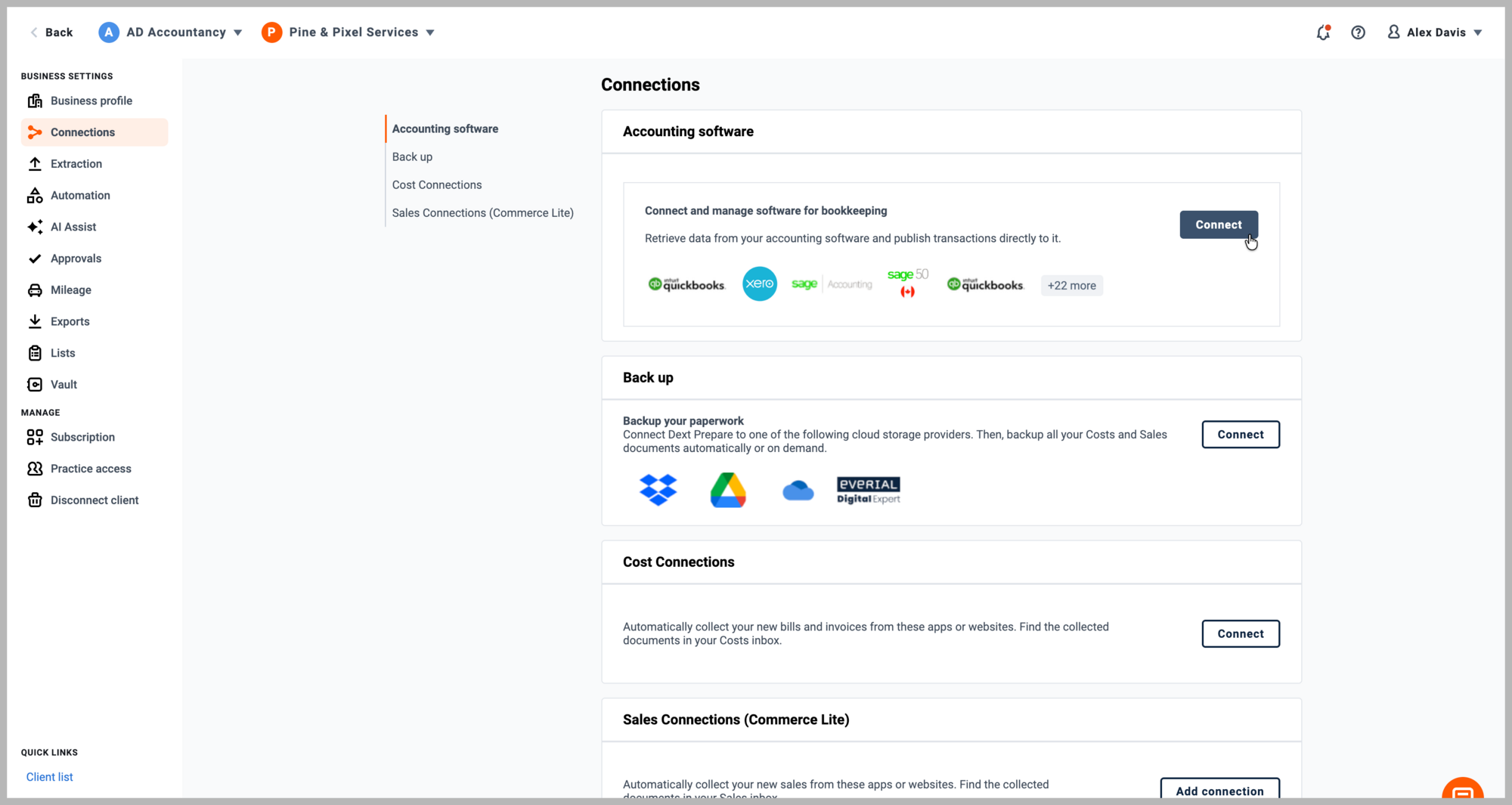
May 2023
Item details page publishing error and validation rework
Dext Prepare

The item detail page shows the item's status by highlighting publishing error messages and validations, making it more visible if there are issues related to your integration.

May 2023
Dext Prepare: MYOB image republishing
Integration
MYOB
Dext Prepare

MYOB integrated customers have the option to publish an image associated with the item again in the case it didn't send with the first publishing attempt.

May 2023
Dext Commerce: COGS & Updated SKU Matching
Dext Commerce

Our updated SKU matching feature enables you to synchronise your inventory quantity, asset and cost of goods sold accounts automatically across to both QuickBooks Online and Xero. Saving time and avoiding errors.

May 2023
Dext Prepare: Expense Reports within Mobile
Mobile
Expenses
Dext Prepare

Expense Reports within the Dext mobile app makes it easier than ever to create, add, and approve expenses on the go, providing flexibility, efficiency, and better financial control.

May 2023
Dext Prepare: Filter page setup for Practice Insights
Dext Prepare

Streamline Practice Insights filter set-up process with our new centralised location in Prepare. With the bonus of bulk applying and bulk editing filters, our users can save time and focus on the tasks that matter most to them.

April 2023
Dext Prepare: HMRC 'in-development' accreditation
Dext Prepare for ITSA

Dext Prepare has been recognised as a developer built for Making Tax Digital for Income Tax Self Assessment and is currently gaining full HMRC recognition. Find out more.

April 2023
Multiple accounts with one login
Dext Prepare
Dext Precision

Simplify and merge multiple logins with Dext’s new Multi-account management. Easily merge email logins to one account and switch between businesses and practices within Dext using the new user settings icon, merging tool, and account switcher.

April 2023
Dext Commerce: Transaction Data CSV Exports
Exports
Ecommerce
Dext Commerce
Access exactly the transaction data you need for your CSV export. Use filters to include and remove the required data points and export straight to CSV for instant analysis.
April 2023
Dext Prepare: Unintegrated Tax Rates
Dext Prepare

Unintegrated accounts can view the tax list, create and manage tax rates and apply them to items within Dext Prepare.

March 2023
Dext Commerce: Amazon Seller Central Integrations
Integration
Dext Commerce
Dext Commerce now integrates with all Amazon Seller Central regions including Brazil, Egypt, India, Japan, Saudi Arabia, Singapore, Turkey and the UAE.
February 2023
Dext Commerce: New Integrations
Integration
Dext Commerce
Dext Commerce now integrates with OnBuy, Not On The High Street, Faire, BigCommerce, Klarna and Prestashop
February 2023
Dext Prepare: Split line items and apply tax codes for FreeAgent
Integration
FreeAgent
Dext Prepare

Within Dext Prepare,  split invoices and receipts into line items and apply tax codes before sending them to FreeAgent. This will reduce the need for additional edits in FreeAgent and allow for more detailed accounting.

February 2023
Dext Prepare: Default item type for QuickBooks Online
QuickBooks Online
Integration
Dext Prepare

Remove the repetitive task of setting the item type for multiple sales items. Now, QuickBooks Online users can choose a default item type to be applied to all of their sales items.

February 2023
Dext Prepare: Publishing Sales items to Xero as paid
Xero
Sales Workspace
Integration
Dext Prepare

Publish sales items as paid from Dext Prepare to Xero. Mark the item as paid and associate it with the right bank account to reduce additional work in Xero. Together with customer rules, you can get further automation to your sales workflow.

February 2023
Dext Prepare: Manual expenses and income transactions for ITSA Clients
UK
Dext Prepare
Dext Prepare for ITSA

Self Assessment clients can now enter and track all expenses and income, even without a corresponding receipt. Users can capture and monitor expenses like rental income, which previously may have gone unrecorded.

January 2023
Dext Commerce: Amazon Business
Integration
Dext Commerce
Dext Commerce now integrates with Amazon Business in Canada, United States, United Kingdom and France.
December 2022
Dext Prepare: PDF's can now be rendered as a PDF on web browsers
Web app
Dext Prepare
Dext Prepare for ITSA

Loading a document originally uploaded as a PDF will now show it in its native format through:

  • The ability to interact with links within the document
  • Full access to the pages and PDF features, providing a more comprehensive view
December 2022
Dext Prepare: Receive eInvoices
Web app
Australia
Dext Prepare

With eInvoicing offering a more efficient and secure way for businesses to transact, Dext Prepare has your eInvoicing submissions covered. On top of our extensive list of submission document types, you can now receive eInvoices in Dext Prepare giving you a centralised repository to receive, process and categorise your data before you publish to other integrated systems.


Set up new Supplier Rules, or automatically apply the ones you have already established and continue to streamline your bookkeeping and pre-accounting processes. You can also bulk categorise line items to save even more time.

November 2022
Improved Android App
Global
Mobile
Android
Dext Prepare
Experience the full power of Dext on your Android device with the new and improved mobile experience. Enjoy enhanced accessibility and improved functionality, including:
  • Effortless access to your archive of receipts and expense reports
  • A clear and organized view of your receipts, categorized by timeline and processing status
  • Centralized control over your costs, sales invoices, expense reports, and settings
  • Advanced filtering and sorting options for your cost items
  • Quick access to your Sales Workspace, streamlining your workflow on the go.
November 2022
Missing Bank Statement Submission Detection
Global
Web app
Bank Workspace
Dext Prepare
Dext's Missing Periods detection feature significantly improves your productivity by quickly identifying and alerting you to any missing submissions in your bank statements, saving you valuable time and effort tracking them down.
November 2022
Bank Transactions page improvements
Global
Web app
Bank Workspace
Dext Prepare
The Bank Transactions page has been upgraded to offer superior export functionality. Gone are the limitations of exporting only based on date ranges - you now have the flexibility to handpick, search and filter transactions before exporting or downloading your personalized selection for enhanced convenience and efficiency.
November 2022
Request Paperwork replaces Outstanding Paperwork
Global
Web app
Bank Workspace
Dext Prepare
The Request Paperwork feature delivers the same functionality as the previous Outstanding Paperwork feature with added benefits. Create comprehensive reports on unmatched bank transactions easily and send them to your team or, as a Dext Prepare Partner, directly to your clients for speedy resolution. They will immediately see what's missing and take action to submit the necessary paperwork, saving you time and streamlining your workflow.
October 2022
Smart Split Rules for sales invoices
Web app
Sales Workspace
Dext Prepare
Set up rules to split VAT and if necessary categories for sales invoices. Split invoices into multiple line items, helping you automate this process for a specific customer.
October 2022
Deep link from Xero to Dext
Web app
Xero
Integration
Dext Prepare
We've made it easier and more convenient with our new addition - a deep link to the item detail page for every item published to Xero. This feature adds significant value by providing seamless navigation and quick access to item details.
October 2022
Setup Customer Rules from the item details page in the sales workspace
Web app
Dext Prepare
Set Customer Rules from the item details page in the sales workspace. So you can quickly and easily set up your rules right when you need to.
September 2022
Create and apply new categories for unintegrated accounts
Web app
Dext Prepare
Unintegrated accounts can now create and apply new categories via the item details section in the sales workspace, as well as assign existing categories. Reduce the number of clicks you need to make to assign categories to the source document of unintegrated accounts.
September 2022
Set description rules for Customer Rules
Web app
Dext Prepare
Set description rules for both Supplier and Customer Rules giving you instant visibility on the reasons behind customer rule configuration(s).
September 2022
Introducing a new Bank Overview Page
Web app
Dext Prepare
Get more information about the status of your bank data all in one place. Your quick view into the data you need from Bank Feeds, Bank Statement Extraction, and your connected General Ledger Bank Accounts.
September 2022
Nomisma integration now available
Web app
Integration
Dext Prepare
Seamlessly integrate Dext with your Nomisma solution. Watch your data effortlessly flow from Dext Prepare into Nomisma Bookkeeping and on into final accounts and tax, saving more time than ever.
September 2022
New Deadlines Dashboard
UK
Dext Precision
Say goodbye to the manual and time-consuming process of tracking your compliance submission deadlines. Our new Deadlines Dashboard allows you to see the Accounts Filing & Confirmation Statement date requirements from Companies House, as well as VAT deadlines from HMRC, for your entire registered company portfolio at once. Suitable for both your Xero & QuickBooks Online clients, the dashboard also includes a traffic light colouring system so you can see deadlines that are due soon/overdue at a glance. This is a drag-and-drop report-builder, with spreadsheet-like functionality. You can choose the columns you want to see, group by, sort, collapse and expand until you get it just how you want. To get the most out of this dashboard you’ll need to:
  • Set the Company Registration Number in your accounting system for each client, as they won’t appear in the dashboard otherwise.
  • Enable Precision’s HMRC integration via your Agent Services account, and ensure client VAT numbers are set in their accounting system.
August 2022
Highlighting categories assigned by auto-categorisation
Global
Prepare
A new icon in Dext Prepare highlights categories that have been assigned by auto-categorisation, visible in the costs workspace and item detail page.
August 2022
Introducing Document Owners
Global
Dext Prepare
Create document owners for users that don’t have login credentials (email and passwords). Now, document owners can be invited to use the Dext application.
August 2022
Ability to Export a Client List
Global
Dext Prepare
Export your client list so you can keep a record of all of your clients in Dext Prepare. We will export 3 fields: Client Name, Client CRN and Practice Code as a CSV.
August 2022
Performance Improvements
Global
Dext Precision
We want to make sure you're having a great experience when you use Precision and so we've spent time making key performance improvements in the platform. In particular, if you have a large number of client files in Precision you should see some significant speed improvements across the client and flow lists.
July 2022
QuickBooks Online Duplicate Contacts update
Canada
UK
Australia
USA
Dext Precision
We've updated the Duplicate contacts feature in Precision for QuickBooks Online users to make it more effective! Because QuickBooks Online treats suppliers and customers as separate contacts, it is common for a contact that is both a supplier and a customer to be two contacts in QuickBooks Online - but this could create a false positive Duplicate Contact in Precision. To prevent this the Precision Duplicate Contacts feature has been updated for your QuickBooks online clients to show duplicates only when the contact types are matching. This will help to avoid showing false positives where a contact is both a supplier and a customer.  
July 2022
Enterprise view of the Focus dashboard
Global
Dext Precision
All Enterprise team leads can now get an enterprise view of the Focus Dashboard, so you can see all of the workflows across your teams and clients.
July 2022
Domestic Reverse Charge for Sage Accounting in the UK
UK
Sage Accounting
Dext Prepare
Dext Prepare supports Domestic Reverse Charge taxes for accounts integrated with Sage Accounting in the UK. If a supplier has DRC enabled within Sage then a toggle will be available on each of their items in Dext Prepare allowing a user to mark its tax as a reverse charge.
July 2022
Not selecting a document owner when submitting an item
Global
Integration
Dext Prepare
Submit documents without assigning a document owner. Simply naming it ‘None.’ This can be submitted through web upload, Fetch and Dropbox.
July 2022
Bulk editing supplier rules in a single client account
Global
Dext Prepare
Bulk edit Supplier Rules for multiple suppliers in a client account.
July 2022
Update document owner post submission
Global
Dext Prepare
Users can update a document owner from the item details page without needing to delete and resubmit.
June 2022
Bulk Upload for Practice Code
Global
Dext Prepare
Partners can now fill in the 'Practice Code' field for multiple clients in one go, saving time from manually inputting this information for each client.
June 2022
Disconnect or deactivate a client
Global
Dext Prepare
Partners have the ability to disconnect or deactivate a client when they have moved on from being a client of the practice business.
June 2022
Practice Insights for Optimize partners
Global
Dext Prepare
With Practice Insights, you can now see and do more with your data in Dext Prepare. Drill down to drive productivity. Benchmark client efficiency. Spot opportunities to optimise capacity. And start making decisions backed by actionable insight.
June 2022
Auto PDF Splitting
Global
Dext Prepare
Upload PDF's containing multiple items and Dext Prepare will accurately split out the items in a PDF, process them, and forward them to your inbox.
June 2022
Document Owners submission information improvements
Global
Dext Prepare
See who has submitted an item in the cost/sales workspace as well as who owns, and who submitted an item in the history of the submission.
June 2022
Tax rate sync and publishing for Kashflow
Integration
Kashflow
Dext Prepare
Synchronise tax rates from Kashflow and publish items with an associated tax rate.
June 2022
Monitor Shareholders Loan Accounts
Canada
Dext Precision
In Dext Precision you can now track the activity and history of multiple Shareholder Loans Accounts in one place. Select multiple GL Accounts together as a group and they'll be shown as a single control account, just like the regular control accounts.
May 2022
New Report templates
Canada
Australia
Dext Precision
In Precision you can use all of your clients Xero & QuickBooks Online data to create the reports that matter to you most (no more exporting multiple reports to create your own excel sheets!). To get you started, we have three new reporting templates ready for you to use. With these templates pre-built, you can now jump in and start reporting on:
  • Client Activity Stats Review
  • Payroll Control Account Reconciliation
  • Client Health Review
April 2022
New Report templates
UK
Dext Precision
In Precision you can use all of your clients Xero & QuickBooks Online data to create the reports that matter to you most (no more exporting multiple reports to create your own excel sheets!). To get you started, we have four new reporting templates ready for you to use. With these templates pre-built, you can now jump in and start reporting on:
  • Client Activity Stats Review
  • MTD VAT Liabilities
  • Payroll Control Account Reconciliation
  • Client Health Review
April 2022
New Sidebar Layout
Global
Dext Precision
The Precision sidebar has grown since the app was created, and now contains a large list of checks and feature areas, as well as having three versions: the Practice, the Client and the Focus sidebar. We have now optimised the sidebar to make it scrollable, plus when viewing a specific clients data, there is a new section at the top called 'Back to team home'.
April 2022
ABN Functionality update - GST Status
Web app
Australia
Dext Prepare
Our ABN extraction functionality now checks GST Status of the business associated with the ABN that we've extracted. Giving our Australian partners useful information that will speed up their workflow and give them more confidence on how to correctly handle items.
April 2022
ABN Validation check for Xero
Australia
Dext Prepare
Extract and validate ABN’s (Australian Business Numbers) from invoices and receipts for users integrated with an Australian Xero account. If your supplier doesn’t already have an ABN in Xero, we’ll also send the validated ABN there when you publish your item, saving you some manual work.
April 2022
QuickBooks Online clients for Crown Dependencies
UK
Dext Precision
Prior to this release, Precision customers in the Crown Dependencies of Jersey (JE), Guernsey (GG) and Isle of Mann (IM) could only add Xero clients to Precision. As of today, customers in JE, GG and IM can now add QuickBooks Online clients to Precision.
March 2022
Automatic merge function
Global
Dext Prepare
For items that are automatically reviewed and merged, duplicate items will be deleted and can be found in the submission history.
March 2022
Bulk edit in supplier lists
Global
Dext Prepare
Apply item merging supplier rules to multiple or all of your existing suppliers.
March 2022
Account level rule
Global
Dext Prepare
Set account level item merging rules which will apply to new suppliers.
March 2022
Merging archived items
Global
Dext Prepare
Any new items that are potential duplicates of an archived item will be shown in the costs inbox.
March 2022
Review potential duplicates rule
Global
Dext Prepare
Use the reviewer modal to review items that we’ve flagged as a potential duplicates as well as choose to automate merges.
March 2022
Dropbox Submission Method for Sales invoices
Global
Sales Workspace
Integration
Dext Prepare
Submit sales invoices via the Dropbox submission method. A new 'Sales Documents' folder is now available in your Dropbox account. All items saved to this folder will be extracted and sent to their sales inbox.
February 2022
New field, 'Practice Code'
Global
Dext Prepare
This field is visible at a client level and can be located in a client account by navigating to Profile > Account details > Practice code.
February 2022
Track the health of your clients’ books over time
Global
Health Score
Dext Precision
View the change in the health of your clients books over time with our new Health Score functionality. The Health Score chart on your Client Overview page now shows the historical health scores over the past days, weeks and months to show trends over time. You can use the table view to export the data, and share this with your clients to show the impact of your team’s hard work.
February 2022
View transactions directly in Xero and QuickBooks Online
Global
Dext Precision
After launching our deep link with Xero last year, we’re excited to now integrate further with QuickBooks Online as well. You can now view any transaction directly in Xero or QuickBooks Online with just a click. When a ‘Check’ in Precision returns a list of results, just click ‘View in Xero / QuickBooks’ to be taken directly to the item. Creating faster data reviews and peace of mind.
January 2022
Publish cost items with products and services in Dext Connect with your QuickBooks Desktop integration
Canada
UK
QuickBooks Desktop
Dext Connect
USA
Dext Prepare
Speed up and simplify your workflow. Better track your clients’ stock levels and profitability by product and service – showing you exactly what they can do to improve, grow and be more profitable.
January 2022
Publish sales items as either Receipts or Credit notes in Dext Connect with your QuickBooks Desktop integration
Canada
UK
QuickBooks Desktop
Dext Connect
USA
Dext Prepare
Save time processing sales documents in QuickBooks Desktop. Minimize marking receipts and sales invoices after publishing by publishing sales credit notes through Dext Prepare.
January 2022
Sage 50 Canada and QuickBooks Desktop Web Publishing
Canada
Dext Connect
Sage 50 CA
Dext Prepare
Use the Dext Connect App and your Sage 50 integration to publish an item through to your Dext Prepare web application. Multiple members of your team can use the app simultaneously and it’s even easier for users to work remotely with the integration.
January 2022
QuickBooks Client Flow Exports in Dext Precision
Global
QuickBooks Online
Dext Precision
Share your progress with QuickBooks Online clients by exporting and sharing your workflows with Dext Precision. Previously only available for Xero clients, Flows can be exported to PDF and Excel using the Export button in the top right when viewing a Flow - the PDF export will display high level stats and any comments added for you to share with your client, while the Excel export contains more detail for discussions.
December 2021
New integrations for Dext Commerce
Not on the High Street
Faire
Amazon
Dext Commerce
Integrate with both Not on the High Street and Faire – making you the ideal accountant or bookkeeper for clients with independent boutique brands and products. Dext Commerce now also works with all Amazon Seller Central regions globally, so you can offer your services to the growing number of businesses that sell on Amazon.
November 2021
Health Score Over Time
Global
Health Score
Dext Precision
You can now view the change in the health of your clients' books over time with Dext Precision’s new Health Score graph. This brand new chart on the Client Overview shows you historical Health Scores over the last days, weeks and months to see trends over time. Use the table view to export the data, and share with your clients the impact of your team’s hard work.
November 2021
QuickBooks Online Deep Links
Global
QuickBooks Online
Dext Precision
New QuickBooks Online deep links in Dext Precision allow you to view a transaction directly in QuickBooks with just a click. When a Check in Precision returns a list of results, just click ‘View in QuickBooks’ to be taken directly to the item in your GL, for faster data reviews and peace of mind.
November 2021
Sales Credit Notes for Xero & QuickBooks Online
QuickBooks Online
Xero
Integration
Web
Dext Prepare
Sales Credit Notes in Dext Prepare allows you to push a negative Credit Note line through to Xero and QuickBooks Online when automatically processing the uploaded sales item.
November 2021
MYOB plan supported: Connected Ledger
Integration
Web
MYOB
Dext Prepare
MYOB has added Connected Ledger to their product. Dext allows users integrated with this plan to publish Cost items to Spend Money in MYOB.
November 2021
Sage 50 Desktop Canada via Dext Connect
Web app
Costs Workspace
Canada
Integration
Sage50
Dext Prepare
Combine the functionality of desktop accounting with the speed and accuracy of the cloud by connecting Dext with Sage 50 Desktop through the Connect App.
October 2021
Bulk Client Import in Dext Precision
Global
Xero
Dext Precision
Onboard Xero clients fast in Dext Precision with our new Bulk Client Import process. When importing Xero clients, you can select multiple clients at once, and use the new step to set client visibility and account managers for each one to save you even more time.
October 2021
Enlarging grid results in Dext Precision
Global
Dext Precision
Dext Precision’s new grid enlargement feature allows you to see more data at once from any check card, so you can review transactions faster. You can also use the full-screen view to make the best use of our super-flexible grid features and sort, filter and pivot your way through the data.
October 2021
Enlarging grid results in Dext Precision
Global
Dext Precision
Dext Precision’s new grid enlargement feature allows you to see more data at once from any check card, so you can review transactions faster. You can also use the full-screen view to make the best use of our super-flexible grid features and sort, filter and pivot your way through the data.
October 2021
UserVoice available in Dext Precision
Global
Web app
Dext Precision
Got the next great new idea? You can now make feature suggestions directly in Dext Precision! Just click 'Resources' at the top right of your screen to see our new Resources panel - alongside easy access to our training videos and content, select 'Have Your Say' to provide feature suggestions, and track them in our User Voice forum.
October 2021
Expense account review settings in Precision
Global
Expenses
Dext Precision
Precision's expense account review checks now have addtional customisation options to streamline your reviewing processes.
September 2021
Products & Services for QuickBooks Online & Xero
Global
Web app
Costs Workspace
QuickBooks Online
Xero
Integration
Dext Prepare
Track clients’ stock levels and the amount they spend on resources – so you can see exactly what they can do to improve, grow and be more profitable.
September 2021
Direct Debit available for businesses
Global
Dext Prepare
On top of using your Credit and Debit card to pay your subscription, businesses can also use Direct Debit. Switch between the two seamlessly from the subscription settings page.
September 2021
Sales Receipts for QuickBooks Online
Global
Web app
Costs Workspace
Sales Workspace
Dext Prepare
Publish Sales Receipts to QuickBooks Online and get completeness of your sales processes.
September 2021
OneDrive cloud storage integration
Global
Web app
Costs Workspace
Sales Workspace
Dext Prepare
Automate your cloud storage with OneDrive. Set up automatic backup for all items in your Sales and Costs inboxes into organized folders in OneDrive.
August 2021
Bulk Client Settings
Global
Dext Precision
Speed up team management in Precision with Bulk Client Settings - see and manage who has visibility in your team of each of your clients and assign account managers in a single view.
August 2021
Understand the value of Dext when businesses purchase a new plan
Global
Dext Prepare
New business customers get a full understanding of the latest offers and benefits available to them when they subscribe.
August 2021
Estimated VAT in Dext Precision - Previous period comparisons
UK
VAT
HMRC
Dext Precision
For even greater peace of mind during your VAT Return Process, for our HMRC-connected clients, Dext Precision now provides the previous period value with a percentage change for your VAT calculation and Sales and Purchases excluding VAT.
July 2021
Web app onboarding for clients
Global
Web app
Dext Prepare
Clients can get the best out of Dext Prepare with better onboarding by offering a clear, assistive web app experience that sets clients on a clear set-up journey.
July 2021
ApprovalMax available as a secondary integration
Global
Integration
ApprovalMax
Dext Prepare
Users with Xero and QuickBooks Online can integrate with ApprovalMax and can send the entirety of their items into their main software, and those which require a sophisticated approval into ApprovalMax.
July 2021
Extract notes for email-in
Global
Dext Prepare
Get completeness of your submissions with email-in note extraction. Add a note to your email-in submission which will automatically be added to the item in Dext Prepare.
July 2021
QuickBooks Desktop integration to allow secondary integration
Global
Integration
QuickBooks Desktop
Dext Prepare
Users who are integrated with QuickBooks Desktop can also integrate with additional software.
July 2021
UserVoice available on iOS
Global
Mobile
iOS
Dext Prepare
In your Dext Prepare iOS app, you can now voice your product ideas and suggestions as well as vote for other Dext features using UserVoice.
July 2021
UserVoice available on web app
Global
Web app
Dext Prepare
In your Dext Prepare web app, you can now voice your product ideas and suggestions as well as vote for other Dext features using UserVoice.
July 2021
New VAT Check Improvements
UK
VAT
Dext Precision
Speed up your VAT checks in Precision with our new Box 4 to Box 7 calculation to highlight VAT miscodings for HMRC-connected clients. For Xero users, deep links are now available for cash transactions.
June 2021
Android In-App Purchase
Global
Mobile
Android
Dext Prepare
Take out a subscription directly within the Android application enabling self-service directly on mobile.
June 2021
Precision available with QuickBooks Online
QuickBooks Online
Australia
Integration
Dext Precision
Integrate your QuickBooks Online account with Precision getting better insights and error-free data.
June 2021
Unreconciled Transactions for QuickBooks Online
QuickBooks Online
UK
Integration
Dext Precision
Get faster regular bookkeeping and Health Score accuracy with Unreconciled Transations in QuickBooks Online. These insights display a summary of the outstanding payments and deposits for the client with the ability to view additional detail for the outstanding payments and deposits for each bank account Precision can identify in QuickBooks Online.
June 2021
New Resources Panel
Global
Dext Prepare
Use our Resource panel to learn Dext basics, develop skills and connect with us at Dext.
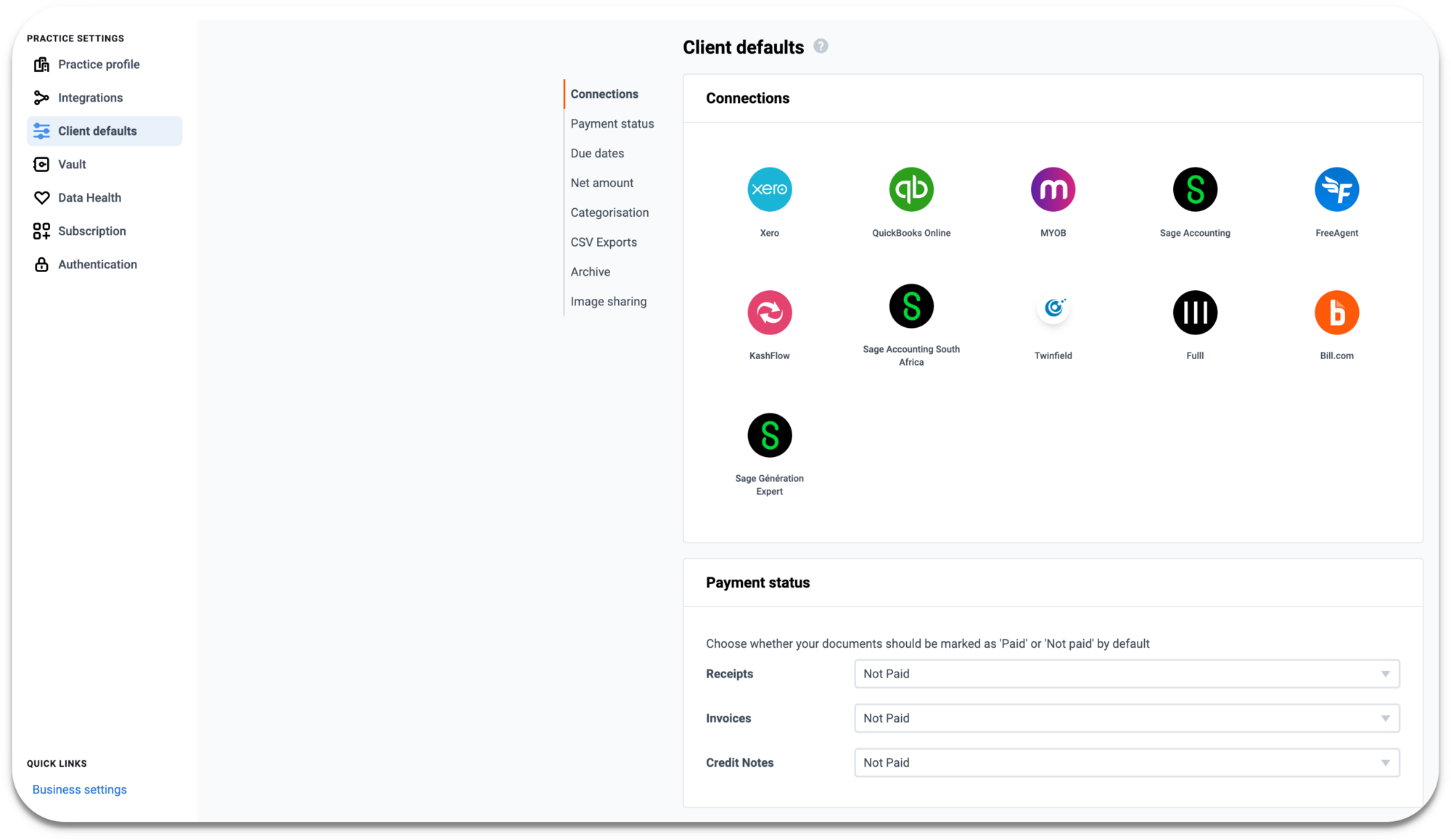
June 2021
Sales Invoice Email-In
Global
Web app
Sales Workspace
Dext Prepare
Automate your submissions by using email to forward sales invoices to your sales workspace where they will automatically be extracted.
May 2021
ABN Checks: Find ABN number
Xero
Australia
Dext Precision
Automatically highlight all missing or invalid ABN numbers in your clients' accounts, and identify any transactions with inconsistent tax rates. Precision will provide a list of suggested ABN matches from from the Australian Business Register that can be pushed to Xero.
May 2021
Multi-Coded Contacts Exclusions
UK
Australia
Dext Precision
New customisation options in Multi-Coded Contacts will allow you to exclude some combinations of account and tax codes as standard for your clients.
May 2021
Google Single Sign-On
Global
Dext Prepare
Dext Precision
You can sign up to Dext through our website using Single Sign-On to create your account using your Google information.
May 2021
GoogleDrive cloud storage integration
Global
Web app
Costs Workspace
Sales Workspace
Dext Prepare
Set up an automatic backup for all items in Sales and Costs inboxes and/or export all items from the archive into a neat selection of folders in GoogleDrive.
May 2021
Purchase Order Matching with QuickBooks Online and Xero
Global
Web app
Costs Workspace
QuickBooks Online
Xero
Dext Prepare
Work more efficiently and cut down the time spent matching purchase orders to cost items with QuickBooks Online and Xero.
April 2021
Dropbox cloud storage integration
Global
Web app
Costs Workspace
Sales Workspace
Dext Prepare
Automate your cloud storage with Dropbox. Set up automatic backup for all items in your Sales and Costs inboxes into organized folders in Dropbox.
April 2021
Admin roles in Precision
UK
Australia
Dext Precision
Assign team members an 'Admin' role in your Precision team. Admins have the same permissions as Team Owners, but you can add as many Admins as you would like.
March 2021
Last Bank Statement
Xero
UK
Australia
Dext Precision
Broken bank feeds and late statements can leave you behind on what’s really happening for your clients. Using Precision’s Bank Reconciliation check and the new Last Bank Statement Activity metric to ensure the bank account data in Xero is always up to date and fully reconciled, you can ensure you’re informed and in control of your client’s data.
March 2021
Automerging for Suppliers
Global
Web app
Costs Workspace
Dext Prepare
Prevent duplicate items in Dext Prepare with Automerging for Suppliers. You can now automatically merge items for a supplier that has the same date and total amount.
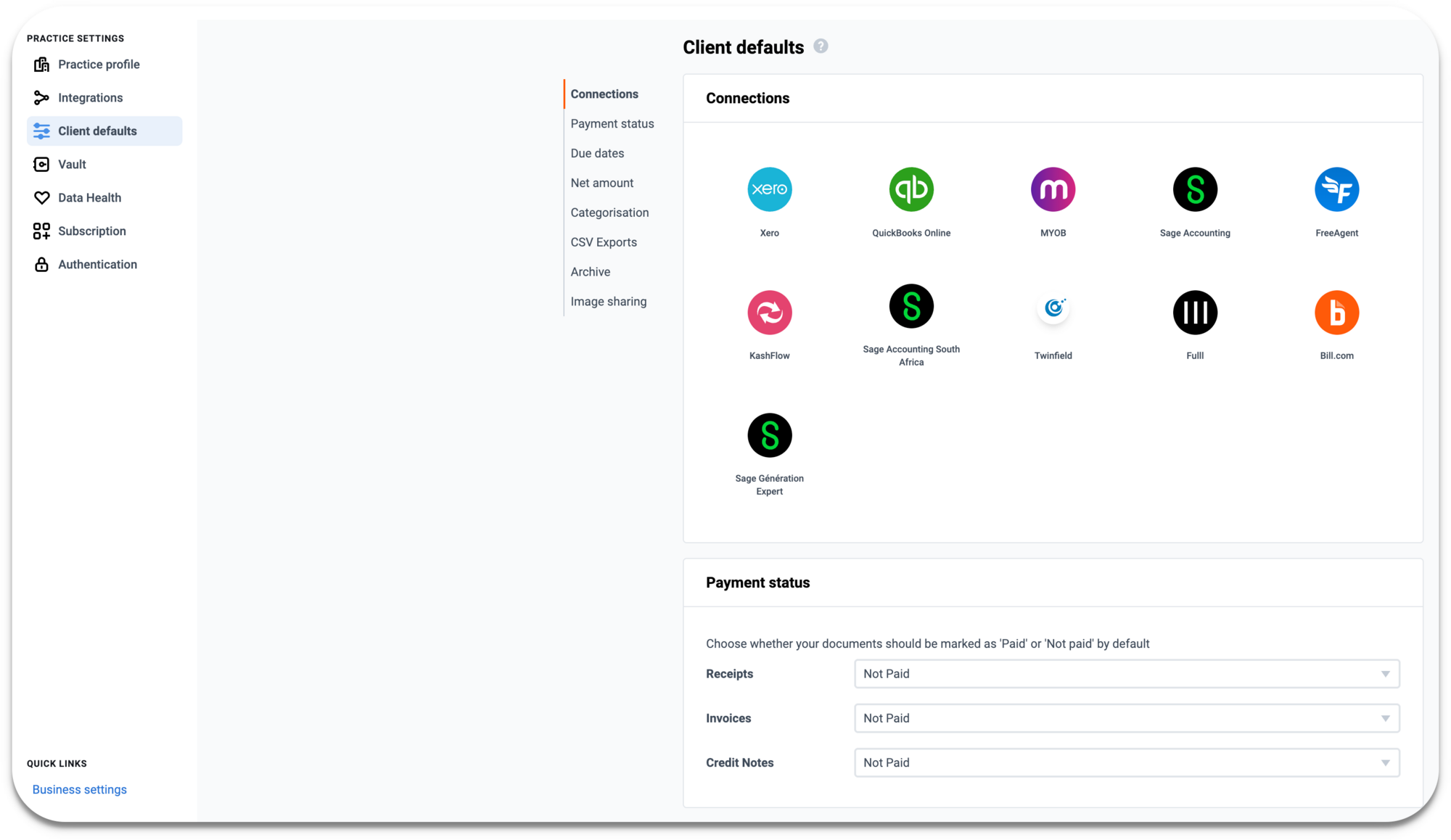
March 2021
Sage 50 Desktop via Dext Connect
Web app
Costs Workspace
UK
Integration
Sage50
Dext Prepare
Speed up your data management by connecting Dext with Sage 50 Desktop through the Connect App.
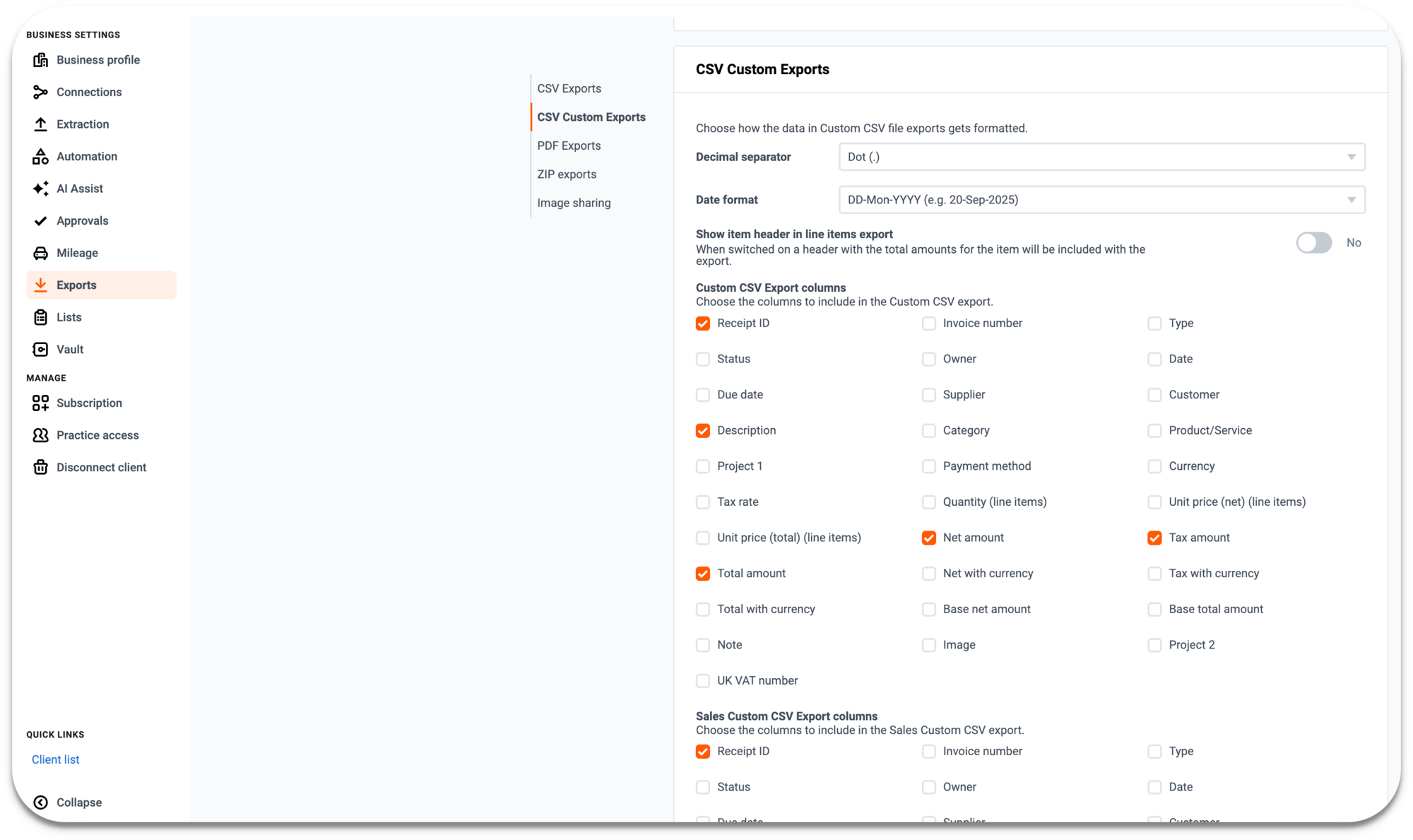
February 2021
ApprovalMax and QuickBooks Online integration
ApprovalMax has integrated with QuickBooks Online and Dext to streamline your approval workflow before sending items to QuickBooks Online.
February 2021
ApprovalMax and QuickBooks Online integration
Global
Web app
QuickBooks Online
Integration
Dext Prepare
ApprovalMax has integrated with QuickBooks Online and Dext to streamline your approval workflow before sending items to QuickBooks Online.
February 2021
QuickBooks via Dext Connect
Web app
Costs Workspace
UK
Integration
Dext Prepare
QuickBooks
Connect Dext to your client’s QuickBooks Desktop software to easily manage their finances, speed up your data management and work with more businesses without having to change your processes.
January 2021
Sales Invoices for Sage accounting
Web app
Sales Workspace
UK
Sage Accounting
Dext Prepare
Add a sales invoice to Dext to automatically extract due date, invoice and tax information in minutes. Prepare your sales data to be published straight to Sage Accounting, without the need for manual entry.
January 2021
Customer Rules
Global
Web app
Sales Workspace
Dext Prepare
Use Customer Rules to automatically categorise sales invoices by customers - more time, accuracy and data at your fingertips.
January 2021
Focus Daily Digest email
UK
Australia
Dext Precision
Focus, Precision's workflow builder, now sends an email to Partners once a day if (only if) they have tasks requiring attention in Precision. This includes Repeating Flows that have become available to start, and Flows that have reached their due date or have become overdue, but are not complete. The preferences for the Focus Daily Digest email can be found in the User Settings area.
December 2020
Custom Dates on Practice Dashboard
UK
Australia
Dext Precision
The Practice Dashboard always used to show data from the last complete month until now. The new Reporting Mode option ‘Custom Per Client’ will now show the data from each client’s custom reporting period in the Practice Dashboard, as set on the Client Overview. This means you’ll be seeing the data, and health score, most relevant to each client depending on the frequency at which you work with them.
December 2020
Monitor Directors Loan Accounts
UK
Dext Precision
Map your Directors Loan Account codes in Precision and we’ll track them over time, and also alert you when the client has exceeded the threshold for that financial year. You can add this check to your Flow Templates in Focus, to include it in Health Checks, VAT checks and Year End processes
December 2020
Suppliers & Supplier rules upload
Global
Web app
Costs Workspace
Dext Prepare
Dext will automatically pull your Suppliers list from the software your account is integrated with. If you are using Dext with a non-integrated accounting platform you can populate it with your own suppliers using a .csv import.
December 2020
Sales Invoices for Sage Accounting South Africa
Web app
Sales Workspace
Sage Accounting
South Africa
Dext Prepare
Add a sales invoice to Dext to automatically extract due date, invoice and tax information in minutes. Prepare your sales data to be published straight to Sage Accounting, without the need for manual entry.
December 2020