Overqualified for the admin, irreplaceable for everything else. Where AI ends and your judgement begins. Download insights →

Digital records for MTD for Income Tax. Kept current, not reconstructed.
Making Tax Digital for Income Tax requires sole traders and landlords to keep digital records of their self-employment and property income and expenses. On top of an annual tax return, your client must update HMRC every three months using compatible software.
This guide covers what a digital record is, what you need to capture, and how to keep it current for every quarterly update.

No credit card required. Reading time: 7 minutes.
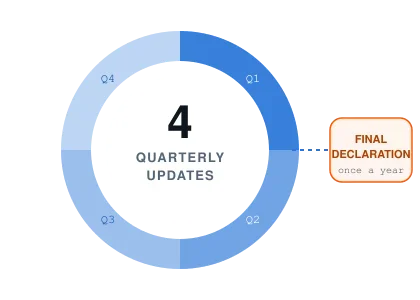
Short version first. Detail after.

A digital record needs three things per transaction: the amount, the date, and the Self Assessment category.
Quarterly updates are cumulative – each one restates the year to date, so mistakes correct themselves in the next update.
HMRC only receives category totals. No receipts, no invoices, no adjustments, no tax calculation.
Deadlines are the 7th of August, November, February and May. Submission windows open 10 days before each period ends.
A client with both a sole trade and a rental property files eight quarterly updates a year, not four.
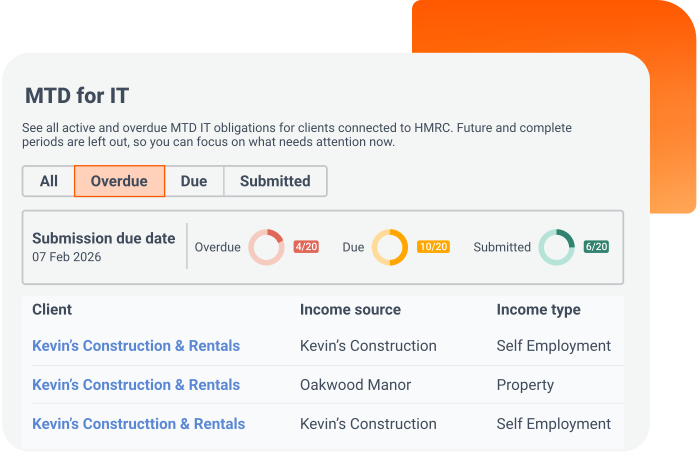
WHO'S AFFECTED
Who needs to comply with MTD for Income Tax?
From 6 April 2026, MTD for Income Tax applies to sole traders and landlords with combined gross income over £50,000. This threshold drops to £30,000 from April 2027 and £20,000 from April 2028 – so more clients will be brought into scope each year, even if their income hasn't changed.
THE BASICS
What counts as a digital record?
A digital record is your client’s transaction data, including date, amount, category, that is stored using software that complies with Making Tax Digital for Income Tax. Paper records do not meet HMRC's requirements once a taxpayer is mandated by MTD IT.
For each transaction, you must record three pieces of information:
The amount received or incurred
The date on which it was received or incurred
The category – using the same income and expense categories as Self-Assessment
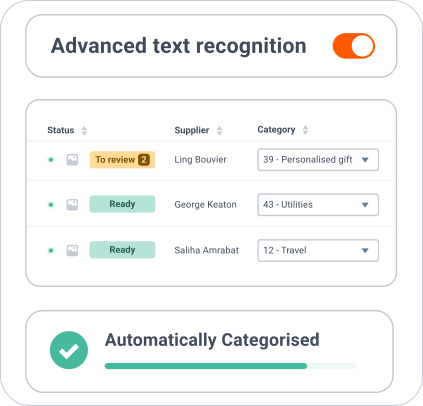
Pro Tip: Paper records don't count once your client is mandated. A shoebox of receipts can still support the numbers, but the record HMRC requires has to live in compatible software.
SCOPE
Which income and expenses must be recorded digitally?
MTD for Income Tax covers self-employment and UK property business income and expenses. HMRC never sees individual receipts or invoices – only the category totals in each quarterly update.
Self-employment income and expenses
Digital records must cover:
The amount received or incurred
The date on which it was received or incurred
UK property income and expenses
Digital records must cover:
The amount received or incurred
The date on which it was received or incurred
Several properties still make one business. If your client has more than one UK property, all of them are treated as a single UK property business. Your software adds the records together into one quarterly update.
MTD IT TOOLING
Choosing compatible software
Acting for a client as their accountant or bookkeeper, you must use software recognised by HMRC for Making Tax Digital for Income Tax. HMRC doesn't provide its own software, but there's a range of free and paid options. They fall into four groups.
All-in-one products
Handle record-keeping, quarterly updates and finalisation in one place.
Where Dext Solo sits
Quarterly specialists
Do the record-keeping and quarterly updates, and hand off to your existing finalisation software.
Embeded banks
Business bank accounts that also file the quarterly update for you.
Bridging software
Connects existing spreadsheet records to HMRC.
Using more than one product? The link has to be digital
If you or your client uses more than one software product, you must digitally link them. Figures cannot be rekeyed – you can't manually re-enter data between products.


CADENCE
How often do records need updating?
What HMRC encourages
As close to real time as possible
Little and often keeps data clean and turns the quarterly update into a review rather than a rebuild.
The actual requirement
Before the update is submitted
The minimum is that digital records are entered into your software before the quarterly update for that period is submitted.
QUARTERLY UPDATE PLANNER
Every date your client's quarterly updates depend on
By default, update periods follow the tax year. If your client's record-keeping period ends on 31 March rather than 5 April, you can choose calendar update periods instead. Switch between the two to see how the year plays out.
Standard Periods
Update period | Submission deadline |
|---|---|
6 April to 5 July | 7 August |
6 April to 5 October | 7 November |
6 April to 5 January | 7 February |
6 April to 5 April | 7 May |
Each update covers income and expenses from the start of the tax year to the end of that update period, not just the most recent three months. You and your client’s chosen software calculates these cumulative totals for you.
Calendar Periods
Update period | Submission deadline |
|---|---|
1 April to 30 June | 7 August |
1 April to 30 September | 7 November |
1 April to 31 December | 7 February |
1 April to 31 March | 7 May |
If your recording-keeping period ends on 31 March rather than 5 April, you can choose calendar update periods.
You must select calendar update periods for your client in your software before you send your first quarterly update. You cannot change this setting after your first update has been submitted for that tax year.
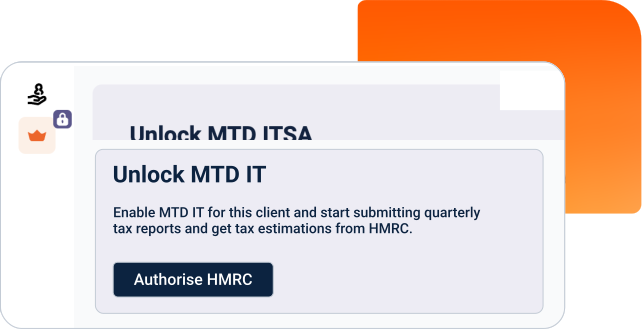
CORRECTING ERRORS
Spotted it late? The next update carries the fix.
If you spot a mistake after submitting a quarterly update, you or your client do not need to resend the original update. Because each update covers the full period from the start of the tax year, corrections are automatically included in the next quarterly update. The harder part is noticing at all, which is easier when the records were captured as the transactions happened rather than assembled afterwards.
LESS THAN YOU THINK
What a quarterly update doesn't need
Quarterly updates are deliberately light. Only category totals are submitted.
No individual receipts or invoices
Nothing document-level is sent to HMRC.
No accounting adjustments
Adjustments belong at finalisation, not in the quarterly update.
No tax calculation needed
Your client doesn't need to work out any tax before sending an update.
MULTIPLE INCOME SOURCES
How many updates will your client actually file?
One income source or two, the arithmetic is the same: four updates each, plus a single Final Declaration. Dext Solo keeps both sets running to the same schedule.
Self-employment
5
submissions a year
4 quarterly updates
+ 1 Final Declaration
UK property
5
submissions a year
4 quarterly updates
+ 1 Final Declaration
Both sources
9
submissions a year
8 quarterly updates
+ 1 Final Declaration
IF A DEADLINE SLIPS
What happens if you miss a quarterly deadline?
If your client doesn't submit their quarterly update by the relevant deadline, they may receive a late submission penalty point. A £200 penalty is applied once the penalty point threshold is reached.
FILING PATTERN | POINTS THRESHOLD | PENALTY AT THRESHOLD |
|---|---|---|
Standard quarterly filers | 4 penalty points | £200 |
There's a soft landing for 2026 to 2027. HMRC has confirmed that penalty points will not be applied for late quarterly updates for taxpayers entering MTD for IT in the 2026 to 2027 tax year. Points for a late tax return still apply.
Pro tip: All four updates must be in before finalisation. You cannot submit your client's Final Declaration until every quarterly update for the year has been submitted.
HMRC-RECOGNISED MTD SOFTWARE
Where Dext Solo comes in. And where it doesn't.
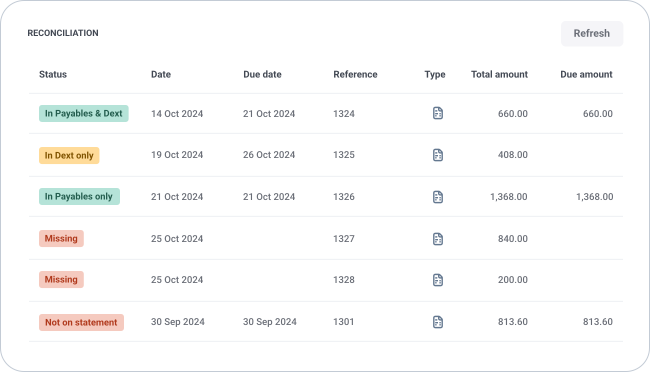
Dext Solo is HMRC-recognised MTD for Income Tax software. It collects and categorises client data, then submits quarterly updates directly to HMRC – working alongside your firm's existing tax software rather than replacing it. Income and expenses are read at over 99% accuracy on the way in, so the quarter opens as a review rather than a round of corrections.
Built for sole traders and landlords, not scaled down from full accounting software
Automates the awkward parts: CIS, disallowable expenses and rental income
Works with your finalisation software, or on its own
FAQ
Digital records: your questions answered
Not as the record itself. Once your client is mandated, the record HMRC requires has to sit in compatible software: the amount, the date and the Self Assessment category for each transaction. Paper can still support those figures. It just can't be the record.
Category totals for the period, and nothing underneath them. No individual receipts or invoices, no accounting adjustments and no tax calculation — adjustments belong at finalisation, not in the quarterly update.
Nothing gets re-sent. Each quarterly update restates the year to date, so the correction travels with the next one. What matters is catching the error, which is why it pays to have the records checked on the way in rather than at the deadline.
Only where it is digitally linked to whatever files the update. Sending figures between products via API counts as a digital link, and so does exporting from one product and importing into the other. Re-keying figures or copying and pasting between spreadsheets does not.
No. Solo does the record-keeping and the quarterly updates and then hands over for finalisation, so your practice keeps the tax software it already runs on. Working with it on its own is an option, not a requirement.
Get the records right first. The updates follow.
Dext Solo does the hard part – getting accurate data in, fast and across a whole client list – so each quarterly update starts from figures nobody has to go back and check.

New to Dext?
Sign up free, add your first clients and have your quarterly filing workflow live before the next deadline. No setup fee, no onboarding call required.

Already a Dext partner?
Dext Solo sits alongside your current Dext subscription. Contact your account manager today and have your MTD for Income Tax clients set up straight away.
Learn how businesses just like yours
save time and hassle with Dext


Bright Shift and Dext:
"I would much prefer to not have a stack of receipts and invoices..Dext just makes life so much easier."
Toby, Founder
